Modern technology is a huge asset for businesses across all industries. However, with implementing new technology comes a major learning curve. So how do businesses properly execute new technology implementation in order to achieve the maximum sustainable results?As a business owner, outsourcing your technical support is not only cost-efficient, but will allow you to prioritize your business objectives. Here are a few benefits of IT consulting:
Expertise
With IT consulting, you can rely on the expertise of seasoned IT professionals. When an IT mishap occurs or you simply require guidance, IT professionals can assist you in making decisions and producing solutions that will allow you to optimize your technology in order to support the growth of your company.
Cost
In an effort to cut costs, many companies are hesitant to invest in quality IT consulting. However, IT consulting can actually save you money! Without proper guidance on how to optimize your new business technology, you will be left to find solutions to problems you may not know how to address – and a simple human error can end up costing you a lot of money! Reduce unnecessary spending and consult with an IT professional.
Time
With limited knowledge, you will likely encounter issues navigating your new business technology – and searching for solutions can take hours or even days! An IT mishap can put you behind schedule or even cause you to miss major deadlines. IT consulting is convenient, as you can team up with a professional to develop quick solutions that will put you and your business back on track.WesTec Services offers customized IT consulting for small and large businesses. Our professionals are trained to effectively guide clients in positioning their strengths so they can properly utilize their technology to meet the constantly changing marketplace and the influence of technology. Interested in learning more about IT consulting? Contact us today and schedule a call with one of our professionals!
A Password meter is an indicator of the strength of a password entered by a user on a website. In most cases, meters estimate the amount of tries necessary for your password to be guessed by an attacker by factoring in password length and complexity. A University of Plymouth study tested 16 of the most encountered password meters on the internet to test their effectiveness. Based on the results, here are a few tips on how to keep your passwords secure, regardless of an “approval” given by the password meter:
Do not always trust the password meter
Just because a password meter says “strong password” does not mean it is. The meters can be helpful but are also extremely flawed, giving you a sense of false security. When deciding on a password, do not base it solely on the rating given by the website.
Avoid using keyboard patterns
On many password meters, passwords such as “querty”, “abc123”, and “Password” sometimes cannot be detected as problematic. Common letter combinations, such as going down a row of the keyword or commonly used words, are easily guessed and not always flagged on the meters.
Make passwords complicated and personal
The most secure passwords are those with a combination of uppercase, lowercase, numbers, and symbols. Choose combinations that seem difficult to guess by an outside person or computer. The more complicated and seemingly random the password, the stronger it will be.In addition to character variation, do not use the same password for all of your accounts. Change up your passwords so that if one is discovered, not all of your information is at risk. Secure your valuable data with the protection it deserves. Do you part to protect your information with a strong password, WesTec is here to do the rest. WesTec Services is dedicated to providing the highest quality of IT consulting as well as backup disaster and recovery planning. Give WesTecCall a call today to discover more about our available services.
Does your company have its own internal IT department? Do you feel that there is a misuse of time and resources due to inefficient practices within your company? Consider outsourcing your needs to someone with knowledge and focus on how to benefit your organization’s current technology needs.
There are four main reasons why you should consider outsourcing your IT needs:
Reduce Costs
Outsourcing to someone who specifically handles and is knowledgeable about technology is cheaper than hiring and training someone to handle it internally.
Avoid Risk
Having on-call technicians with training in the technology field will help avoid problems and system failures. The outsourced IT company will usually be knowledgeable in information backups and recovery in the case of a disaster. In addition, outside companies can more easily avoid the bad situations all together by being prepared specifically for them.
Increase Productivity
You decide how involved or not involved the outsourced company is in your day-to-day operations. Your company sets the pace and the outsourced support caters to your needs. You create the plan that best suits your business, allowing for the most optimal levels of business productivity and desired interaction between business and IT.
Remain Focused on Business
When delegating technology services to someone else, you are able to focus time and effort on the business side of things. No need to worry about the technology when you have a more knowledgable third-party source to handle it. Focus on what you know to optimize your time and efforts and allow for the best use of company time.
WesTec Services is skilled in handling all our outsources IT needs. We offer a full range of services and plans to handle your office technology. To learn more, contact WesTec Services today.
Are you sure that email came from a real company? Individuals are commonly targeted by cybercriminals claiming to be a large organization, copying the format legitimate companies and phishing for personal information.
This poses a real security threat to recipients but thankfully, there are steps you can take to spot phishing attempts:
Recognize
When it comes to identifying phishing attempts, there are a few important things to learn. Scammers are constantly switching tactics and creating new ways to trick email recipients.
Upon receiving a possible phishing email, check the sender for a domain email. If you have received an email from the person before, check to make sure alterations have not been made to the spelling of the name or email domain. Many scammers adjust a number or letter in the email to trick the recipient.
Real companies will not ask you for sensitive information over email. Most legitimate companies will call you by your name in the email, redirect you to a secure webpage, and ask you to log in before asking for or updating sensitive information.
Protect
Install proper security measures on your personal computer. While spam filters attempt to sort legitimate emails in your inbox, cybercriminals try new methods to slip through the cracks and outsmart this system.
If your email account or other websites offer a multi-step authentication option to prove your identity before accessing your information, always take advantage of this. Take any extra opportunities to better secure your data and ensure it cannot fall into the wrong hands.
In cases where you are unsure about the legitimacy of a message and files or hyperlinks are included, do not click on or open them. These often contain malicious software that attack your computer and gain access to information.
Report
If you find yourself in a situation with what you believe to be a phishing scam, contact the company using an email or number you know to be real. The company could confirm if that email was truly sent by them or not.
If you have received a phishing email, forward it to the Anti-Phishing Working Group at re************@**wg.org. You may also report the phishing attack to the FTC at ftc.gov/complaint.
For your business technology needs, WesTec Services is here to provide the security and support you need. Contact us by phone at (713) 682-4000 or by email at sa***@************es.net to discuss what we can do for you.
When your computer slows down or begins acting in an unusual way, it may be infected with a virus or malware. While most malwares are annoying, others may be malicious and hijack your computer’s information. Here are some tips to keep your hardware safe and prevent your computer from becoming infected.
Install Anti-Virus Software
Installing an antivirus or anti-malware software is the first step to protecting your computer. Without some type of protection software, your computer is an easy target for hackers. It is important to make sure the software stays up to date as well. For the best protection, install updates regularly as they alert you on your computer.
Run Regularly Scheduled Scans
You should be scanning your computer regularly with the anti-virus software you install. To best protect your computer, schedule your scan one night every week. Make sure your computer does not shut down automatically or go into hibernation mode to ensure the scan completes.
Use a Secure Network
Always use a secure network for computers to connect to files, printers or internet. Using an open network makes it easier for hackers to access your information. This means you should avoid using your computer at places that offer free WiFi. If your business likes to offer complimentary wifi to customers, consider offering a guest wifi with a different password than your main network for added protection.
Think Before You Click
Good protection software will automatically scan any links or unusual emails on your computer. However, it does not hurt to always be cautious when opening an email from an unknown sender or making sure a link is taking you where it says it is.
Use Multiple Strong Passwords
Finally, never use the same password for all of your important accounts. We often use the same email address or username for all accounts. Knowing this, it becomes crucial to use multiple strong passwords to prevent hacks. Your passwords should be easy to remember, difficult to guess, and always avoids dates or names.
Following these tips can help protect your computers and information from viruses and malware. For more information on how WesTec’s IT experts can help your business keep its information safe from hackers, contact us.
Sometimes, accounts will ask you to update your passwords for security reasons. This often feels like an unnecessary task meant to make your life more complicated. However, in a world full of hackers and online predators, one must regularly update their password to protect valuable information.
Change Your Passwords Regularly…
By regularly changing your login information and passwords, you make it harder for someone to steal information. This is increasingly important for accounts without two-factor authentication. Communication accounts, like email and chatting apps, should also be updated every so often for increased protection.
…But Don’t Change Them Too Often
Traditionally, experts recommended you change passwords every 30 to 60 days–this is no longer the case. Mandatory password updates lead to money loss and lack of productivity with minimal security payoff. Now, changing your password doesn’t hold near the protection it used to. Because cybercriminals continue to learn more advanced hardware and software, they can typically discover your password if they look hard enough.
As humans, we tend to create patterns. This is no different in password creation. Typically, we use similar letters, numbers and themes when updating a password. Updating your password too often leads to confusion with little added benefit.
Keep Your Data Secure
As a rule of thumb, update your passwords when there is proof of some sort of security breach or online attack. This includes unauthorized use of an account or evidence of malware. By doing so, you’re preventing a hacker from gaining access into your personal accounts and obtaining sensitive, private information or data.
There are other ways to protect your data. Contact the experts at WesTec Services for more information about our cybersecurity services.
If you’re not sure how to create a secure password that will outsmart the online hackers, read our recent article for tips.
Doesn’t your computer always seem to lag when you have a rapidly approaching deadline? A slow computer can decrease productivity and increase frustration. To help eliminate frustration, try one of these tips to increase your computer’s speed and performance.
Uninstall Unused Programs
Programs take a lot of space on your computer. Over time, you accumulate programs that might run in the background without your knowledge. Uninstalling the programs you don’t use on a regular basis may increase your computer’s speed and response time.
Delete Temporary Files
Every time you download or install a file on your PC, it keeps a temporary file. If your computer is running slow, you can delete these files to free up space. To do this, find the “Temp” folder in your drive. Select older files and press the delete key. Make sure you empty the recycling bin to completely wipe files from the computer.
Invest in Hard Drive Storage
Sometimes you might need to have easy access to many files. However, keeping them all in once place will affect your computer’s speed. To keep your computer tidy, you can purchase an external storage drive to store thousands of files.
Increase RAM
Random Access Memory (RAM) acts as your computer’s short-term memory. It quickly loads items it thinks it will need to access soon. But, if your RAM can’t handle several applications at once, your computer will lag. Increasing the RAM can be an easy and cost-effective way to improve your computer’s speed.
Work with Our IT Professionals
Our trusted IT professionals at WesTec Services can help diagnose why your computer is slow and offer solutions to improve its speed through our managed IT and IT consulting services. Contact us for more information.
Have you ever accidentally deleted a file and then realized you need it back? Unfortunately, it’s happened to most of us at least once–and we’ve all experienced the headache that follows.
Here are a few tips that can help you try to recover a deleted file from your device:
Make sure the file is really deleted – If you’re not sure whether you permanently deleted a file, be sure to look for it before making an assumption. When attempting to recover deleted files, check the Recycle Bin or Trash on your computer. Typically, you can choose the filter “Date Deleted” to make your search easier. If your file was stored in a cloud storage like Dropbox or Google Drive, check your deleted files there–it may still be recoverable.
Check your backups– Making regular backups of your most important files on your device can prevent you from losing critical data when you need it. If you do have a backup, you may be able to recover your deleted files. if you don’t have a backup, now may be the time to implement one.
Try to recover the file– If you deleted a file on a magnetic hard drive, shut down the computer immediately. With the computer shut down, you should remove the hard drive from the computer entirely and place it in another computer as a secondary drive. Use file-recovery software to scan the drive. If you deleted the file recently and haven’t written to the drive much, you have a fairly good chance of recovering it.
Professionally recover the file– If all other methods were not successful in recovering the deleted files, you may want to consider a professional data recovery service. Professional data recovery services deal with everything from deleted and overwritten files to dying hard drives that need to be disassembled and repaired.
To continually ensure the security of business data and important files, it is recommended to perform regular data backups to your computer. If you feel that you don’t have the time or expertise, WesTec Services performs data backup and recovery services provided by our expert IT consultants.
For more information on our data backup or recovery services, contact the experts at WesTec today.
Business mobile phones can be used for a range of commercial operations, including inventory control, customer relations, advertising, marketing, banking and more.
Here are few ways to ensure your mobile phone and its valuable data is protected against hackers and malware:
1. Update your phone.
Most of us are guilty of ignoring operating system updates on our business mobile phones. However, the longer you wait to update your phone, the more out of date your systems are, making you an easier target for hackers who can easily identify and exploit system vulnerabilities.
2. Lock your device.
If your business mobile phone contains private information about you or your business, it is important to always engage the four- or six-digit passcode on your device. Don’t use the same password for all your accounts and be sure to change your password occasionally for good measure.
3. Manage app permissions.
On your mobile phone, you can grant apps permissions, like access to the camera, microphone, your contacts, your location, your pictures, and more. Be sure to keep track of which permissions you’ve given to which apps, and revoke permissions that are not completely necessary.
4. Back up your data.
Things happen, but you can always be prepared. When you back up the data on business mobile phones, you are able to protect your important documents and images in case of any loss.
5. Ignore spam and phishing emails.
One of the easiest ways for hackers to access your information is through email. Be sure you don’t click on links in promotional emails, open suspicious attachments or run updates that are promoted through emails. If you need to access sensitive information, report directly to the organization’s website to login.
Connecting the dots with business mobile phones can be confusing, time consuming and costly. For a reliable business mobile phone provider in Houston, contact the experts at WesTec today.
Because computers are powerful tools that we are likely to use in our everyday business or personal lives, we want to be able to get the most out of them. Here are a few tips to help prevent the most common causes of a PC meltdown:
Keep it cool Computers are complex electrical devices that hate to get overheated. The most common cause of overheating in your PC is dust accumulation inside the case, resulting in a slow-running, stopping and starting, and even a failed processor. To avoid overheating, locate and use your PC on a desk or other hard surface, as blankets or pillows block the cooling vents on the underside of the case.
Keep it secure
Passwords are important to keep malicious intrusion out of your wireless network, keep documents on your PC secure, and for use on internet sites where payments may be required. A strong password uses at least eight characters that combine upper and lower case letters, numerals, and punctuation marks. It is advised to avoid the use of personal information in your passwords and to not use the same password for every account you have. Keep it backed up
Due either to your hard drive wearing out or due to software corruption, you may need to replace your PC or hard drive in the future. To preserve personal or business-related data, is it important to keep a current backup of it on a separate device (with an external hard drive) or with a Cloud-based service. If you don’t have a lot of data, flash drives will work well. Backups can be configured to occur automatically.
Whether you need backup disaster or recovery services, a network installation, or IT consulting, the experts at WesTec have you and your PC covered. For reliable IT managed services, give us a call today.
A startup business looking to grow and establish its operations will find the value of an IT consultant life-changing. Here are a few benefits that startup businesses can expect when they hire an IT consulting company: 1. Adoption of IT Best Practices – Many business owners handle several tasks daily. Since startup businesses are still at their formative stage, all hands are typically on deck. Because of this, business owners won’t have the time to learn about the current IT best practices. Hiring an IT consulting company allows the best IT practices to be implemented while you focus on getting your business started. 2. Less Downtime – New businesses need every minute of operational time to maximize productivity. Whenever there is an IT issue, that is potentially costing the business money. However, hiring an IT consulting company can help your business quickly identify and fix the issue. Additionally, consultants can provide and develop monitoring protocols to help prevent and reduce future incidences. 3. Security and Compliance – Are you familiar with the data compliance laws in your industry? Do you know the security protocols you need when running your IT infrastructure? If not, hiring an IT consulting company can help you find the answers you need. In addition, IT consultants can help you identify your security weak spots and help design technical protocols that help deter unwanted actors. 4. Seamless Transitions – When it’s time to covert to new technology tools or a new IT system, you may not be too sure how your business will adapt. IT consultants can provide a smoother transition when making the switch. This will help your business avoid potential disruptions in operations and allow you to focus on your business and less on its technology.
If you’re seeking comprehensive, customized IT consulting services for your startup business, give the experts at WesTec a call today.
Learn more about our IT consulting services.
Is your technology equipment outdated or running slow? New equipment may be the solution. Before making a big purchase, check out all of your options. At WesTec Services, we help businesses lease IT equipment that keeps them ahead of the competition.
Up-To-Date Equipment
With every new model tech companies release, your current equipment set-up becomes irrelevant. When you lease IT, you can upgrade to whatever is newer, faster and cheaper when you finish your equipment contract. If your business relies on having the latest equipment, leasing is the most affordable option.
Predictable Expenses
WesTec offers its customers a fixed-price guarantee without surprises and hidden fees. Leasing IT equipment allows you to know your set monthly expense, giving you a firmer grasp on your budget.
Tax Incentives
When you lease IT equipment, you qualify for tax credits. Under Section 179 of the IRS tax code, leasing is often entirely tax-deductible. This means a company can possibly deduct up to 100% of their leasing expenses, pending qualification.
Keep Up with Competitors
Leasing can give a company access to technology that might be out of reach otherwise. In competitive markets, new or advanced equipment might give you the upper hand against competitors. Let WesTec take your business to the next level with our IT services. Contact us to learn more about how you can get the latest IT equipment for an affordable price.
Small businesses can benefit from outsourcing their IT to a qualified business technology company. With managed IT service, WesTec can monitor and improve your company’s IT practices to ensure your employees can focus on their daily duties.
What is Managed IT Service?
Managed IT service allows a company to pay a fixed monthly rate for IT services and equipment. With a fixed monthly rate, customers benefit from automatic software updates, regular equipment upgrades and relief from the day-to-day IT frustrations. Partnering with WesTec gives a company flexibility to set clear goals and objectives.
What’s Included?
WesTec Services offers two plans with fixed fees for network management solutions. With WesTec Guardian Professional, companies receive network management and basic IT needs based on their current network infrastructure. With this program, businesses also benefit from discounted on-site support rates. WesTec Guardian All Covered provides our clients with maintenance, network management and technical support needs all in one fixed monthly rate. This ensures a company’s network is running efficiently without hourly rates.
Why Your Business Needs to Outsource IT
In today’s society, technology is crucial for a company to thrive in a competitive market. Because of this, businesses can not wait until something is broken to fix it. Managed IT service changes the way companies are looking at technology. Instead of embracing the old fix-it mentality, IT companies can manage a company’s IT and prevent any issues that might disrupt employees or clients. Let WesTec Services manage your IT and keep your company on its toes. Our managed IT services reduce the cost of replacing new equipment and keep you from paying hourly rates when your network fails by offering all-inclusive, fixed rates. Contact us to learn more about managed IT today.
When your focus is on running a business and selling a product or service to customers, outsourcing IT can save valuable time. Before signing a contract, it is important to understand the services an IT provider offers and how it fits with your company.
What is Included in the Cost?
First, determine what is included in your bill. Some providers claim to offer all-inclusive deals but sneak in hidden costs. Be sure to ask the potential IT provider questions about their services, prices and how you will be billed. This will keep you from receiving unexpected charges in the future.
Are You Compatible?
When choosing an IT provider, it is important your company is compatible with theirs. Make sure their platforms and technology help your business. Keep in mind the goals and changes you hope to make to your business in the future. By establishing goals for your company in advance, you lessen the risk of having to break a contract with an IT provider later if they can no longer support your growth.
How are Passwords Protected?
Knowing how an IT provider saves passwords can easily help you determine if they are a good fit for your company. Ask potential providers how they handle passwords internally. Since IT companies are easy targets for hackers, making sure a provider has complete protocols for keeping passwords and data secure is crucial.
How do They Train Employees?
Make sure potential providers regularly train their employees. Their job is to protect your information and they should know how to avoid phishing or other security breaches. A good IT provider understands the importance of your business and protecting its information. Make sure potential providers have similar goals to your business. WesTec Services strives to serve all clients with a servant’s heart to ensure their goals are met. Contact us today to discuss how we can benefit your company.
As a small business, outsourcing your IT can be an easy way to save time and money. However, not all IT providers are the same. WesTec assists customers with a servant’s heart by offering efficient and effective solutions. Here are some things you should take into consideration when choosing an IT provider.
Response Time
With businesses relying more on technology than ever before, you need an IT provider who responds quickly and solves your problems. WesTec’s employees pride themselves on being able to fix a problem the first time, saving your company from scheduling multiple return visits for repairs.
Security
As an IT provider, WesTec offers its customers safety and security. Networks are protected from viruses and malware. However, if your data becomes compromised or is lost by system failure, human error or natural disaster, WesTec offers data backup and recovery.
Fixed Price Guarantee
Companies can rest knowing what their bill will be for the services they request. Sometimes an IT provider will quote a business a price, then add hidden fees to the bill. WesTec offers its customers a fixed price guarantee, whether it is for a repair or monthly IT management.
Proactivity
Sometimes, an IT provider will only provide temporary fixes to a company’s problems. WesTec’s employees work hard to prevent IT issues from occurring. WesTec believes preventative maintenance is a surefire way to increase productivity and save a company money.
Ready for a new IT provider? The experts at WesTec Services are ready to help your business reach the next level through technology. Let our employees help determine the best IT management plan for you and create a custom quote tailored to your company’s needs. Contact us today for more information.
Every business relies on communication to succeed. Because communication methods are only enhancing and changing, businesses are constantly seeking ways to cut telecommunications costs. In fact, it is estimated that telecommunications services are the third largest operating expense for most companies.
If you’re searching for ways to cut costs within your business, telecommunication audits are an easy, accurate way to discover what business practices are working and which ones are not. Telecom audits could potentially save your company thousands of dollars each year. Here a few benefits of implementing telecom audits: • Increase efficiency. Telecom auditing systems can provide advanced and customized reporting of current phone system services. Utilizing this innovative tactic, any problems with the telecom infrastructure can be brought to the surface–allowing productive time for immediate equipment fix or elimination. • Save time. The use of telecom auditing systems can provide highly itemized and detailed reports for any department. Having quick access to accurate data of system conditions and employee performances saves wasted time for determining what changes need to be made–also, company down time can be prevented if equipment needs to be upgraded.
• Find savings. Telecom audits can identify areas of wireless overspend throughout the entire company. If a company is dishing out extra expenses for mishandling of communication equipment, audits can identify billing errors or other unauthorized charges. By acquiring more data, necessary changes can be made to cut expenses.
WesTec provides telecommunications audits of a business’ current phone service provider. Our IT specialists will review and analyze the existing telecom services and provide recommendations and methods to reduce overall costs and maximize value and profitability. At WesTec, we offer thorough knowledge of available carriers and services provided–ultimately providing a true turnkey solution for efficient and strategic business practices. Contact us today to optimize your business telecommunication systems!
Inevitably, technology is becoming more important to businesses of all shapes and sizes. Utilizing the right technology effectively can help a business become more profitable, versatile, and sustainable against its competitors. However, the rise of complex technology brings increased confusion and problems for many.
Here are some reasons to hire an IT professional to work alongside your business:
Technology is everywhere. No matter the market or size of the business, technology is involved in some shape or form. Investing in an IT professional can help optimize existing technology within the company and ensure the systems that are used daily are always working when they’re needed.
Technology is always evolving. Because technology is always developing, it can be used to push a business to the next level. An IT expert can assist by implementing updates to existing programs or introduce a company to new programs that can simplify work duties. Hiring a professional can save time and money. Whether some technology needs updating or needs to be fixed, outsourcing to an IT professional can help a company save time and money by trying to fix it themselves. Asking an IT expert to help is considered to be a cost-effective solution avoiding technology down-time.
IT professionals know what they’re doing. From computer hardware and software, telephone systems to security, IT professionals are skilled and trained to connect the technology needed for a business.
When seeking a one-stop source for all of your business’ IT support and consulting needs, WesTec Services will act as your IT Support Department–providing you with full in-house service. At WesTec, our technicians are equipped with the adequate experience and training required to connect the dots with the technology needed to run your business efficiently and effectively. Call us today–the home of worry-free IT!
Experts estimate that the global market for cybersecurity products this year will exceed that of last year. At first glance, an increase in spending seems necessary and shows that businesses are becoming more aware of cybersecurity issues. But a closer look may prove otherwise. Learn why your company could be investing on cybersecurity products the wrong way.
Uncover threats and vulnerabilities
Every business should evaluate the current state of its cybersecurity by running a risk assessment. Doing so is one of the easiest ways to identify, correct, and prevent security threats. After discovering potential issues, you should rate them based on probability of occurrence and potential impacts to your business.
Keep in mind that risk assessments are specific to every business and there is no one-size-fits-all approach for small business technology. It all depends on your line of business and operating environment. For instance, manufacturing companies and insurance groups have totally different applications to secure.
After tagging and ranking potential threats, you should identify which vulnerabilities need immediate attention and which ones can be addressed further down the line. For example, a web server running an unpatched operating system is probably a higher priority than a front desk computer that’s running a little slower than normal.
Tailor controls to risks
Instead of spending time and money evenly on all systems, it’s best that you focus on areas with high risk. You should address these issues immediately after an assessment, but also put plans in place to evaluate their risk profiles more often.
Assess existing products
Chances are, your organization has already spent a great deal of money on security products and their maintenance and support. By conducting risk assessments more often, you can improve the strategies you already have in place and uncover wasteful spending. You may discover that one outdated system merely needs to be upgraded and another needs to be ditched. Remember, your existing products were purchased to meet specific needs that may have changed immensely or disappeared altogether.
It’s much harder to overcome cybersecurity obstacles if you’re not regularly evaluating your IT infrastructure. Contact our experts for help conducting a comprehensive assessment today!
Published with permission from TechAdvisory.org. Source.
Mission: WesTec will be a “turn-key” solution for all of its clients’ business connectivity needs. It will offer efficient and effective solutions, directly and with strategic partners, that create tangible value for its clients at every point of contact. Westec will serve all people and entities with a servant’s heart.
Get in touch
2916 West TC Jester Blvd.,
Suite 104
Houston, TX 77018



 Modern technology is a huge asset for businesses across all industries. However, with implementing new technology comes a major learning curve. So how do businesses properly execute new technology implementation in order to achieve the maximum sustainable results?
As a business owner, outsourcing your technical support is not only cost-efficient, but will allow you to prioritize your business objectives. Here are a few benefits of IT consulting:
Modern technology is a huge asset for businesses across all industries. However, with implementing new technology comes a major learning curve. So how do businesses properly execute new technology implementation in order to achieve the maximum sustainable results?
As a business owner, outsourcing your technical support is not only cost-efficient, but will allow you to prioritize your business objectives. Here are a few benefits of IT consulting:
 Cost
Cost




 By regularly changing your login information and passwords, you make it harder for someone to steal information. This is increasingly important for accounts without two-factor authentication. Communication accounts, like email and chatting apps, should also be updated every so often for increased protection.
 Delete Temporary Files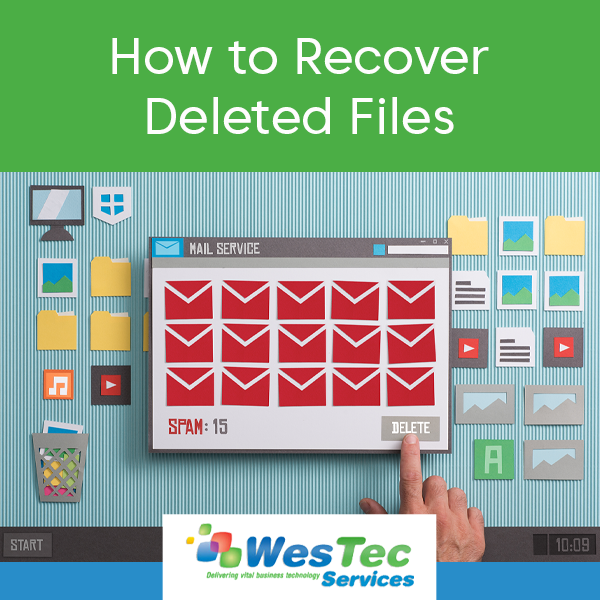
 Make sure the file is really deleted – If you’re not sure whether you permanently deleted a file, be sure to look for it before making an assumption. When attempting to recover deleted files, check the Recycle Bin or Trash on your computer. Typically, you can choose the filter “Date Deleted” to make your search easier. If your file was stored in a cloud storage like Dropbox or Google Drive, check your deleted files there–it may still be recoverable.
 2. Lock your device.

 Computers are complex electrical devices that hate to get overheated. The most common cause of overheating in your PC is dust accumulation inside the case, resulting in a slow-running, stopping and starting, and even a failed processor. To avoid overheating, locate and use your PC on a desk or other hard surface, as blankets or pillows block the cooling vents on the underside of the case.

 2. Less Downtime – New businesses need every minute of operational time to maximize productivity. Whenever there is an IT issue, that is potentially costing the business money. However, hiring an IT consulting company can help your business quickly identify and fix the issue. Additionally, consultants can provide and develop monitoring protocols to help prevent and reduce future incidences.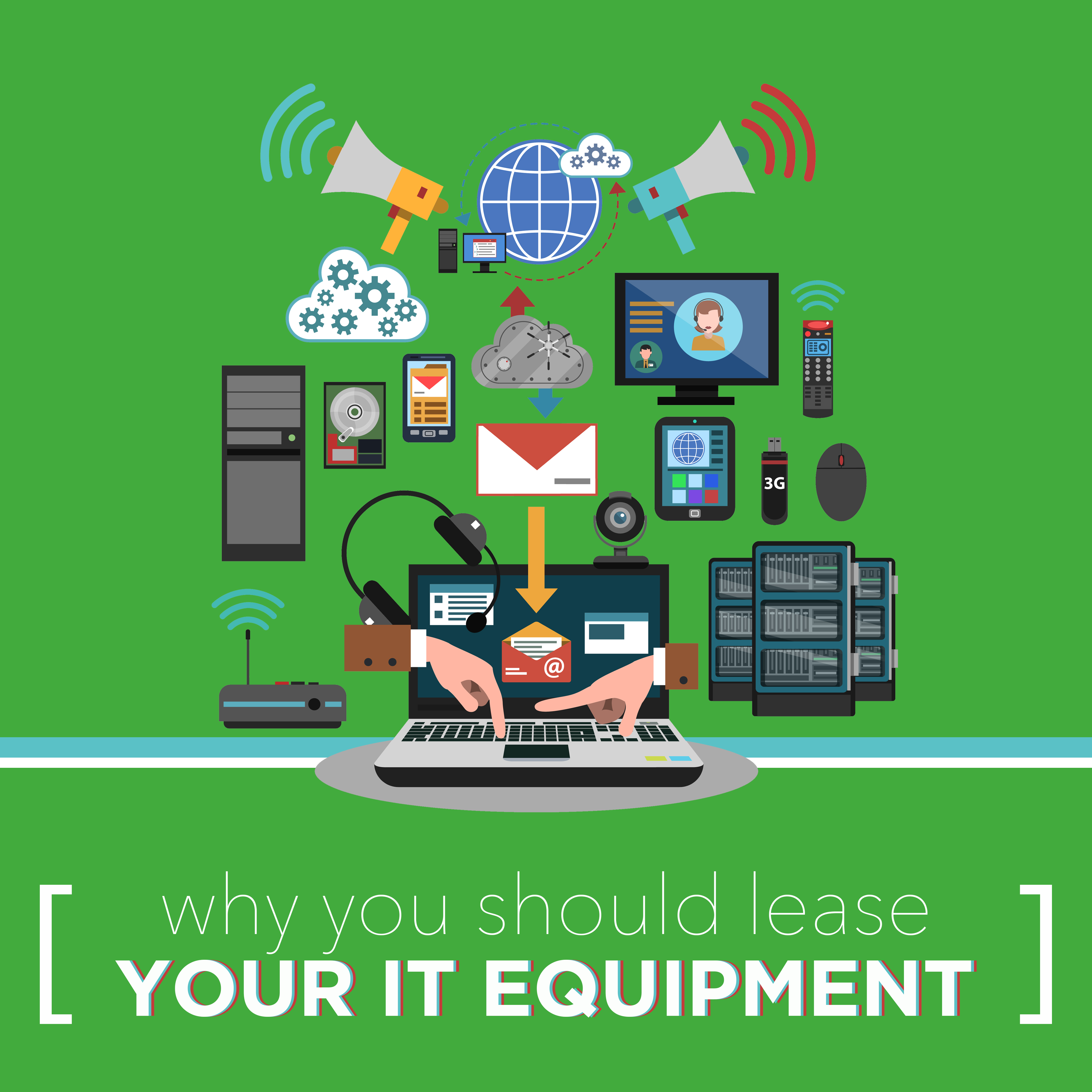
 Keep Up with Competitors
 Why Your Business Needs to Outsource IT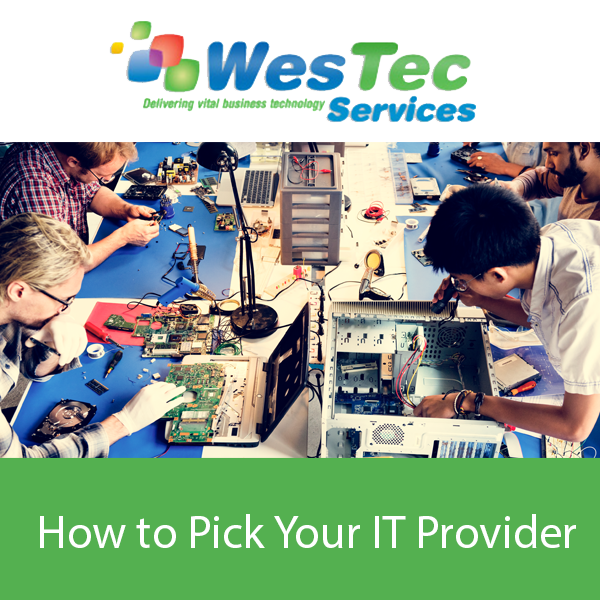
 How do They Train Employees?
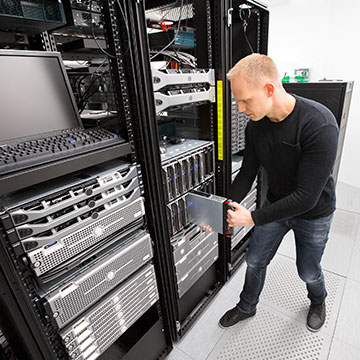

 Every business relies on communication to succeed. Because communication methods are only enhancing and changing, businesses are constantly seeking ways to cut telecommunications costs. In fact, it is estimated that telecommunications services are the third largest operating expense for most companies.

 Inevitably, technology is becoming more important to businesses of all shapes and sizes. Utilizing the right technology effectively can help a business become more profitable, versatile, and sustainable against its competitors. However, the rise of complex technology brings increased confusion and problems for many.





 2916 West TC Jester Blvd.,
Suite 104
2916 West TC Jester Blvd.,
Suite 104