


Author Archive
Every time you download or install a file on your PC, it keeps a temporary file. If your computer is running slow, you can delete these files to free up space. To do this, find the “Temp” folder in your drive. Select older files and press the delete key. Make sure you empty the recycling bin to completely wipe files from the computer.
 Delete Temporary Files
How to Recover Deleted Files
Have you ever accidentally deleted a file and then realized you need it back? Unfortunately, it’s happened to most of us at least once–and we’ve all experienced the headache that follows.Here are a few tips that can help you try to recover a deleted file from your device:
 Make sure the file is really deleted – If you’re not sure whether you permanently deleted a file, be sure to look for it before making an assumption. When attempting to recover deleted files, check the Recycle Bin or Trash on your computer. Typically, you can choose the filter “Date Deleted” to make your search easier. If your file was stored in a cloud storage like Dropbox or Google Drive, check your deleted files there–it may still be recoverable.
- Check your backups – Making regular backups of your most important files on your device can prevent you from losing critical data when you need it. If you do have a backup, you may be able to recover your deleted files. if you don’t have a backup, now may be the time to implement one.
- Try to recover the file – If you deleted a file on a magnetic hard drive, shut down the computer immediately. With the computer shut down, you should remove the hard drive from the computer entirely and place it in another computer as a secondary drive. Use file-recovery software to scan the drive. If you deleted the file recently and haven’t written to the drive much, you have a fairly good chance of recovering it.
- Professionally recover the file – If all other methods were not successful in recovering the deleted files, you may want to consider a professional data recovery service. Professional data recovery services deal with everything from deleted and overwritten files to dying hard drives that need to be disassembled and repaired.
For more information on our data backup or recovery services, contact the experts at WesTec today.
What You Need to Know About an Unexpected Computer Shutdown
An unexpected computer shutdown can potentially harm your computer and its data, which is why it is important to properly turn off your computer by selecting shut down, restart or sleep.Turning your computer off properly allows the computer to make sure that any running programs are closed. To avoid losing files or program corruption, it is best to cancel the computer shutdown and close the programs manually.
An unexpected computer shutdown can be caused by power outages, brown-outs, depleted battery or removed power cord, accidentally hitting the power button, or the computer may be experiencing some
 other internal technical issue.
Because of the issues that can occur with an improper shutdown, the only time to hold the power button until the computer turns off is if the computer freezes. Sometimes turning a computer off and on again will allow it to reset itself.
So, how does an unexpected computer shutdown affect your device? Even if you don’t have any programs running, there are other processes going on in the background. When a computer is performing an update or correcting device bugs, an unexpected shutdown may cause the files to download as incomplete and they will then be unable to perform their assigned tasks.
If software files or the operating system become corrupted from an unexpected shutdown, a professional may need to repair the files or reinstall the entire system.
Before making any major changes to your system, be sure to perform a backup of any important data. In fact, regular data backups are always recommended.
WesTec Services performs data backup and recovery services provided by our expert IT consultants. Our services include a free report, which will outline common mistakes that many business owners make with their computer network.
To avoid any worry during an unexpected computer shutdown, contact WesTec today.

How to Secure Your Business Mobile Phone
Business mobile phones can be used for a range of commercial operations, including inventory control, customer relations, advertising, marketing, banking and more.Here are few ways to ensure your mobile phone and its valuable data is protected against hackers and malware:
1. Update your phone.
Most of us are guilty of ignoring operating system updates on our business mobile phones. However, the longer you wait to update your phone, the more out of date your systems are, making you an easier target for hackers who can easily identify and exploit system vulnerabilities.
 2. Lock your device.
If your business mobile phone contains private information about you or your business, it is important to always engage the four- or six-digit passcode on your device. Don’t use the same password for all your accounts and be sure to change your password occasionally for good measure.
3. Manage app permissions.
On your mobile phone, you can grant apps permissions, like access to the camera, microphone, your contacts, your location, your pictures, and more. Be sure to keep track of which permissions you’ve given to which apps, and revoke permissions that are not completely necessary.
4. Back up your data.
Things happen, but you can always be prepared. When you back up the data on business mobile phones, you are able to protect your important documents and images in case of any loss.
5. Ignore spam and phishing emails.
One of the easiest ways for hackers to access your information is through email. Be sure you don’t click on links in promotional emails, open suspicious attachments or run updates that are promoted through emails. If you need to access sensitive information, report directly to the organization’s website to login.
Connecting the dots with business mobile phones can be confusing, time consuming and costly. For a reliable business mobile phone provider in Houston, contact the experts at WesTec today.

How to Get the Most Out of Your PC
Because computers are powerful tools that we are likely to use in our everyday business or personal lives, we want to be able to get the most out of them. Here are a few tips to help prevent the most common causes of a PC meltdown:Keep it cool
 Computers are complex electrical devices that hate to get overheated. The most common cause of overheating in your PC is dust accumulation inside the case, resulting in a slow-running, stopping and starting, and even a failed processor. To avoid overheating, locate and use your PC on a desk or other hard surface, as blankets or pillows block the cooling vents on the underside of the case.
Keep it secure
Passwords are important to keep malicious intrusion out of your wireless network, keep documents on your PC secure, and for use on internet sites where payments may be required. A strong password uses at least eight characters that combine upper and lower case letters, numerals, and punctuation marks. It is advised to avoid the use of personal information in your passwords and to not use the same password for every account you have.
Keep it backed up
Due either to your hard drive wearing out or due to software corruption, you may need to replace your PC or hard drive in the future. To preserve personal or business-related data, is it important to keep a current backup of it on a separate device (with an external hard drive) or with a Cloud-based service. If you don’t have a lot of data, flash drives will work well. Backups can be configured to occur automatically.
Whether you need backup disaster or recovery services, a network installation, or IT consulting, the experts at WesTec have you and your PC covered. For reliable IT managed services, give us a call today.

Benefits of IT Consulting for a Startup Business
A startup business looking to grow and establish its operations will find the value of an IT consultant life-changing. Here are a few benefits that startup businesses can expect when they hire an IT consulting company:1. Adoption of IT Best Practices – Many business owners handle several tasks daily. Since startup businesses are still at their formative stage, all hands are typically on deck. Because of this, business owners won’t have the time to learn about the current IT best practices. Hiring an IT consulting company allows the best IT practices to be implemented while you focus on getting your business started.
 2. Less Downtime – New businesses need every minute of operational time to maximize productivity. Whenever there is an IT issue, that is potentially costing the business money. However, hiring an IT consulting company can help your business quickly identify and fix the issue. Additionally, consultants can provide and develop monitoring protocols to help prevent and reduce future incidences.
3. Security and Compliance – Are you familiar with the data compliance laws in your industry? Do you know the security protocols you need when running your IT infrastructure? If not, hiring an IT consulting company can help you find the answers you need. In addition, IT consultants can help you identify your security weak spots and help design technical protocols that help deter unwanted actors.
4. Seamless Transitions – When it’s time to covert to new technology tools or a new IT system, you may not be too sure how your business will adapt. IT consultants can provide a smoother transition when making the switch. This will help your business avoid potential disruptions in operations and allow you to focus on your business and less on its technology.
If you’re seeking comprehensive, customized IT consulting services for your startup business, give the experts at WesTec a call today. Learn more about our IT consulting services.

Advantages of Wireless Internet for Business
While business is driven by technology and the internet, many companies today will deal with their computer network problems and frustrations instead of considering a needed upgrade to a wireless internet network, or WiFi.If your business is facing network challenges, such as network glitches and breakdowns, or accessing your network from home or on-the-go, it may be time to consider implementing a wireless internet network. Here a few advantages of installing a wireless network for your business:
Convenience
 Wireless internet allow users to access network resources from nearly any convenient location within their primary networking environments, such as a home or office. With the increasing saturation of laptops and smart phones, this is particularly relevant.
Mobility
Wireless internet networks allow users to access the web even outside of their normal work environment. Most coffee shops or restaurants offer their customers a wireless connection to the internet at little or no cost.
Productivity
When users can connect to a wireless network, they are able to maintain connectivity to their desired network as they move from place to place. For a business, employees can become more productive because work can be completed from nearly any location.
Expandability
Wireless networks can serve a suddenly-increased number of users with the existing equipment. On the other hand, in a wired network, additional clients would require additional wiring.
Cost
Although cost is difficult to quantify, there is a cost to constant computer glitches. Also, failure to access a wireless network on-the-go can keep projects from meeting their deadlines, ultimately causing company downtime.
If your business is ready to make the switch to wireless internet networking, call the experts at WesTec today, or read more about our network installation services.
How to Avoid a Spear-Phishing Attack
As we discussed in a previous article, phishing is an attack that uses disguised emails as weapons aimed at masses of people. However, spear-phishing is a targeted attempt to steal sensitive information from a specific victim, such as account credentials or financial information.During a spear-phishing attack, the perpetrator attempts to acquire personal details on the victim’s friends, hometown, employer, hang-outs, and their recent online purchases. This is typically done by disguising themselves as a trustworthy friend or entity through email, social media, phone calls, or text messages.
Because spear-phishing is the most successful form of acquiring confidential information online, it is important to practice how to avoid an attack.
 1. Beware what you post: Review your online profiles. How much personal information is available for potential attackers to view? If there is something you do not want the public to see, delete it, or ensure your privacy settings are properly configured.
2. Use smart passwords: It is not wise to use the password for every account you own. In this case, if an attacker has access to one account, they effectively have access to all of your accounts. Passwords with random phrases, letters, and numbers are secure.
3. Use logic with emails: If an organization sends you a link in an email requesting a specific action or sort of personal information, go directly to the organization’s site rather than clicking on the link. Calling the organization can also help clarify the issue. Real businesses will not email you asking for your username and password.
4. Update your software: Software systems include security updates that should help protect you from spear-phishing attacks, as well as others. If you receive notice of a new update, be sure to take advantage, or enable automatic updates.
To learn more about how you can protect your data or sensitive information, contact the experts at WesTec.
How to Protect Customer Data
We place our information online every day. We’re more than happy to hand over our email, phone number, address and credit card information to purchase a product on the internet. In a world where ecommerce is becoming the standard, businesses must do what they can to protect customer data.Follow Current Encryption Practices
Encryption practices change regularly to evolve and combat cybercriminals. Often, organizations who failed to stay up-to-date with the latest data protection trends fall victim to cyberattacks. To help protect customer data, create a recurring reminder to analyze your company’s security practices and make updates as necessary.Limit Access to Customer Information
For additional protection, limit who within your business can view customer data. Not every employee needs access to customers’ personal information. When only necessary employees have access to customer information, hackers have a harder time finding a weak point to break into company databases.Don’t Ask for Unnecessary Information
As a company, it is important to only collect the information you need to complete a transaction or service to your customer. Customers get weary when a business asks for unnecessary information. By only collecting necessary information, there is less for a hacker to steal. This protects customers and their livelihoods. Educate All Employees on Security Policy
While you may limit who can view customer data, make sure every employee knows and understands the company security policy. Even though an employee may not have access to the customer database, their actions could affect the privacy of customers. For example, if someone were to take a company laptop to a coffee shop and used the open wifi, a nearby hacker could potentially break into the company’s database through the network and steal personal information.
Let Consumers Know Their Information is Protected
The best way to build consumer trust is transparency. Let customers know you value their privacy. Take it one step further by detailing how you work to keep customer information stored safely in a privacy policy. If you’re unsure of how your business should protect customer data, or if your company wants information on the latest encryption practices, contact the experts at WesTec Services. We can help you create strong security protocols and install encryption software for data security.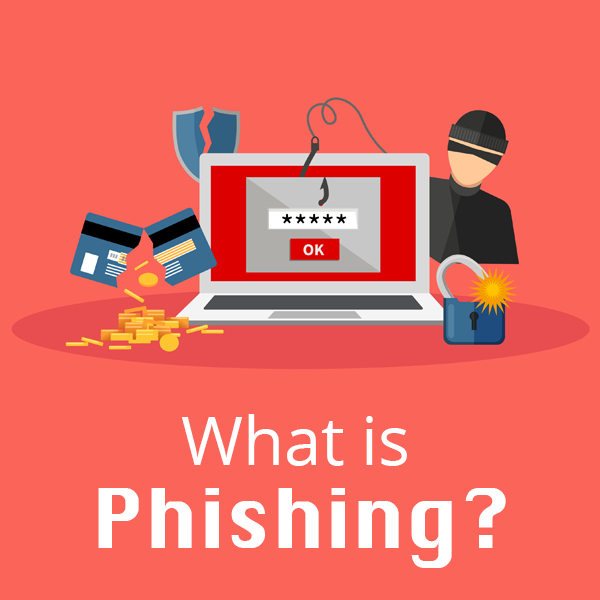
What is Phishing?
 Phishing is defined as a cyber attack that uses disguised emails as weapons. Hackers try to trick email recipients into clicking links or attachments they designed to steal personal information.
What is Phishing?
Here’s an analogy to better understand: Imagine a fisherman baiting a hook and tossing it into a lake in hopes of getting a bite. If a fish bites, the fisherman reels it in. But, if it doesn’t, the fisherman fails and the fish keeps swimming. Phishing is the same way. A cybercriminal can only gain access to your accounts or information if you fall for the bait. For example, a hacker might design an email disguised as your bank telling you your account has been compromised. They ask you to click on a link to verify your identity. If you click on the link and fill out the information, you have now provided them with the information to access your finances.Types of Phishing
Hackers attempt to get victims to do one of two things to get what they want. Some cybercriminals try to trick you into giving up your information. This is similar to the bank example above. Other hackers prefer to have you download malware. Often, these types of emails will include a download attachment, often a .zip file or Microsoft document, embedded with malicious code.How to Prevent Phishing Attacks
If you know how to spot a phishing attempt, you can avoid compromising your data and report it to the Federal Trade Commission. Here are the steps you can follow to confirm the identity of an email sender:- Always check the spelling of URLs in email links before you click
- Watch out for URL redirects, where hackers sent you to a different website with identical design
- If you receive a suspicious email from a source you know, contact them with a new email, rather than replying

How to Avoid Online Scams this Holiday Season
This holiday season, experts expect cyberattacks to rise by 60 percent. Retailers and consumers will see a spike in cybersecurity alerts on Black Friday and Cyber Monday, with heightened risk for the remainder of the year. Below are practices WesTec recommends to avoid online scams this Christmas.Analyze Email Advertisements and Deals
Most attacks are a result of commodity malware. Scammers send phishing emails, often posing as your favorite brand, to try and steal your financial information. These emails often include misspelled words and misused grammar. If you suspect any email you receive is a scam, avoid clicking any URLs. This is how scammers steal your data or install malware on your computer. Instead, to verify the email came from the true brand, visit their website and see if they are offering the same deal.Shop from Established Brands
Sometimes deals look too good to pass up. If an unknown website is offering a seemingly impossible deal, you could be looking at an online scam designed to steal your credit card information. Shoppers can look for the https in a retailer’s site URL, compared to http. The ‘s’ stands for secure and ensures all communications between the browser and website are encrypted.Avoid Public WiFi
If you plan to shop online, avoid purchasing on public WiFi. These networks are often unsecured, meaning anyone with a computer acumen can view what you are browsing and steal your personal information. Use a Credit Card
Pay with a credit card when making gift purchases. A credit card offers the best liability protection against potential fraud, unlike debit cards. If scammers gained access to your debit card information, they could drain your accounts.
Make Sure All Passwords are Unique
It’s easier to use the same password for all accounts. But is it safer? If a hacker discovered your login credentials, they could easily hack into other accounts and steal your information. To best protect yourself, your data, and your financial information, make sure each account has a random and unique password. For more information about password security, visit our recent blog post. With the holiday season quickly approaching, be proactive in identifying online scams. For more information about cybersecurity and avoiding attacks from scammers, contact us.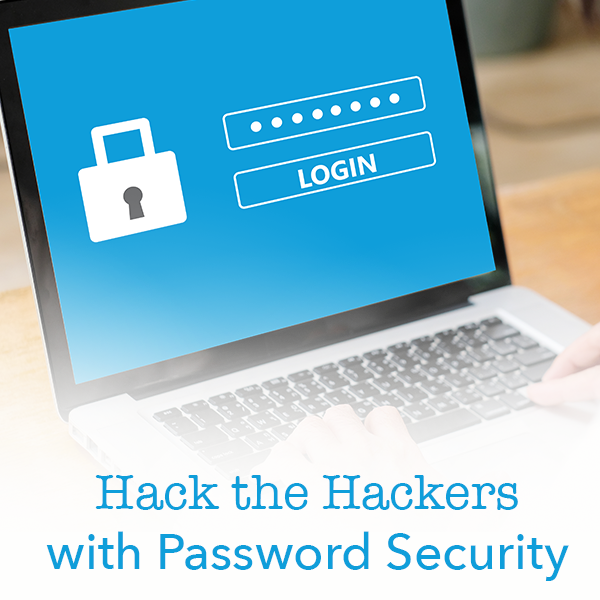
Hack the Hackers with Password Security
 Have you ever been the victim of a cyber attack? Do you use the same password for all of your accounts? Follow our guide to outsmart the hackers with increased password security.
How Hackers Get Your Passwords
Before you can better protect your accounts, you must understand how cybercriminals access steal your information. Typically, a hacker will compromise your account in one of three ways.- Personal attack: Hackers target your account specifically. They will typically guess your email password and use password recovery options to access other accounts.
- Brute-Force attack: Hackers systematically check all possible passwords until the correct one is found.
- Data Breach: Hackers attack large companies, resulting in millions of compromised accounts.
What Makes a Good Password?
Ideally, your password should be at least 16 letters and contain a combination of numbers, symbols, uppercase and lowercase letters. Passwords should not include any repetition, dictionary words, usernames, pronouns or IDs. Make a strong password by thinking of a phrase and then use the initials of each word, as well as the numbers and symbols, to combat potential attacks. For example, if your phrase is “Do you think a hacker will guess my 16 character password for Facebook?!”, your password might be: Dytahwgm16cp4F?!Enable Two-Step Authentication When Possible
If any sites or accounts offer two-factor authentication, take advantage of it. This system works to limit hacking attempts by making a user authenticate their identity with a second method of verification. Check out our recent blog post about two-factor authentication for more information.Use a Password Manager
The best thing you can do for your accounts is have a different password for each one. However, if you follow this one cardinal rule of password security, keeping up with all passwords can be difficult. Using a password manager allows you to save all of your passwords in a secure spot with a strong master password. WesTec offers consulting for any individuals or businesses wanting more information about password security, network installation, or managed IT services. Contact us for more information.
Top Access Control Trends for 2019
Access control systems continuously evolve with the newest technology trends. In fact, they must keep up with updates to protect companies, their employees and data from threats. With a rising number of security breaches, we can expect more companies to install access control systems.Access Control Reviews
Security breaches are encouraging companies to conduct full audits of access controls. Enterprises will review risks by user, role and business process to isolate and mitigate risks before they turn into high-profile breaches. By noting weak security measures, companies can make changes to better protect assets.Individualized Access
In 2019, we saw to see a rising trend in individualized access. This ensures each person has their own username, password or identification code. Companies now have access to automated provisioning, which sets up user accounts and creates automated workflows based on job duties.Security Patching
Hackers will do anything to break into security systems. While this has been a problem for decades, hackers are now specifically targeting overlooked points of access. To combat external threats, we expect access control systems to begin patching vulnerabilities, even if it means temporarily disrupting productivity.Threat Identification
Next year, systems will continue and expand their use of data analytics to monitor and mitigate threats. Companies will use their dashboards to monitor access, but they will also run possible scenarios to reduce risk and conflict. Cloud-based Systems
The need for analytics, automation and access will encourage more businesses to install cloud-based control systems. As companies increase their technology and mobile tools, they will want to protect their system in an effective way.
As we prepare to enter a new year and decade, businesses shouldn’t ignore threats from potential breaches. Our expert IT professionals at WesTec Services can help you analyze your current strategies and install a system designed to deflect security breaches. Contact us to learn more about our access control systems.
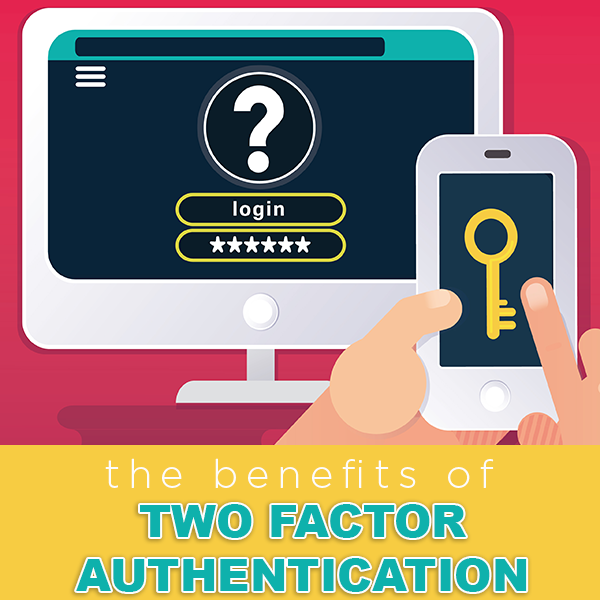
The Benefits of Two-Factor Authentication
As technology continues to advance, additional security measures become necessary. Until now, single-factor authentication has been the standard. Single-factor authentication requires a username and password to enter an account. Consumers need additional security measures as cybercriminals become smarter. This is where two-factor authentication helps protect sensitive information and log-in credentials. Two-factor authentication (2FA) isn’t a new concept, but is a necessary additional layer of security. It usually works by requiring the submission of a username and password, then asks for something additional to prove you are who you say you are. For example, some businesses will send a pin number to your cell phone you must provide for entry into a site.Improved Security
With a second form of identification needed for verification, two-factor authentication makes it harder for an attacker to impersonate a user. In the event a cybercriminal gains password access, they can’t produce the additional element required to authenticate.Increased Productivity and Flexibility
Employees can work remotely when their employers implement a second factor of authentication. They can securely access important applications, data, documents and back-office systems from any device or location with little risk.Lower Security Management Costs
Approximately 40% of all help desk calls are related to password resets. With secondary authentication, businesses can expect less of the budget to be spent on security needs. It provides a safe way for employees or consumers to reset their account password by using the additional element to prove their identity, meaning they can handle the issue without contacting an IT professional. Reduce Fraud
Identity theft is a common goal of cybercriminals. With two-factor authentication, businesses add extra mobile protection for customers, the site and the transaction. Adding a second element in your authentication process builds a sure brand consumers trust.
Ready to add two-factor authentication to your website? Contact your Houston IT experts.
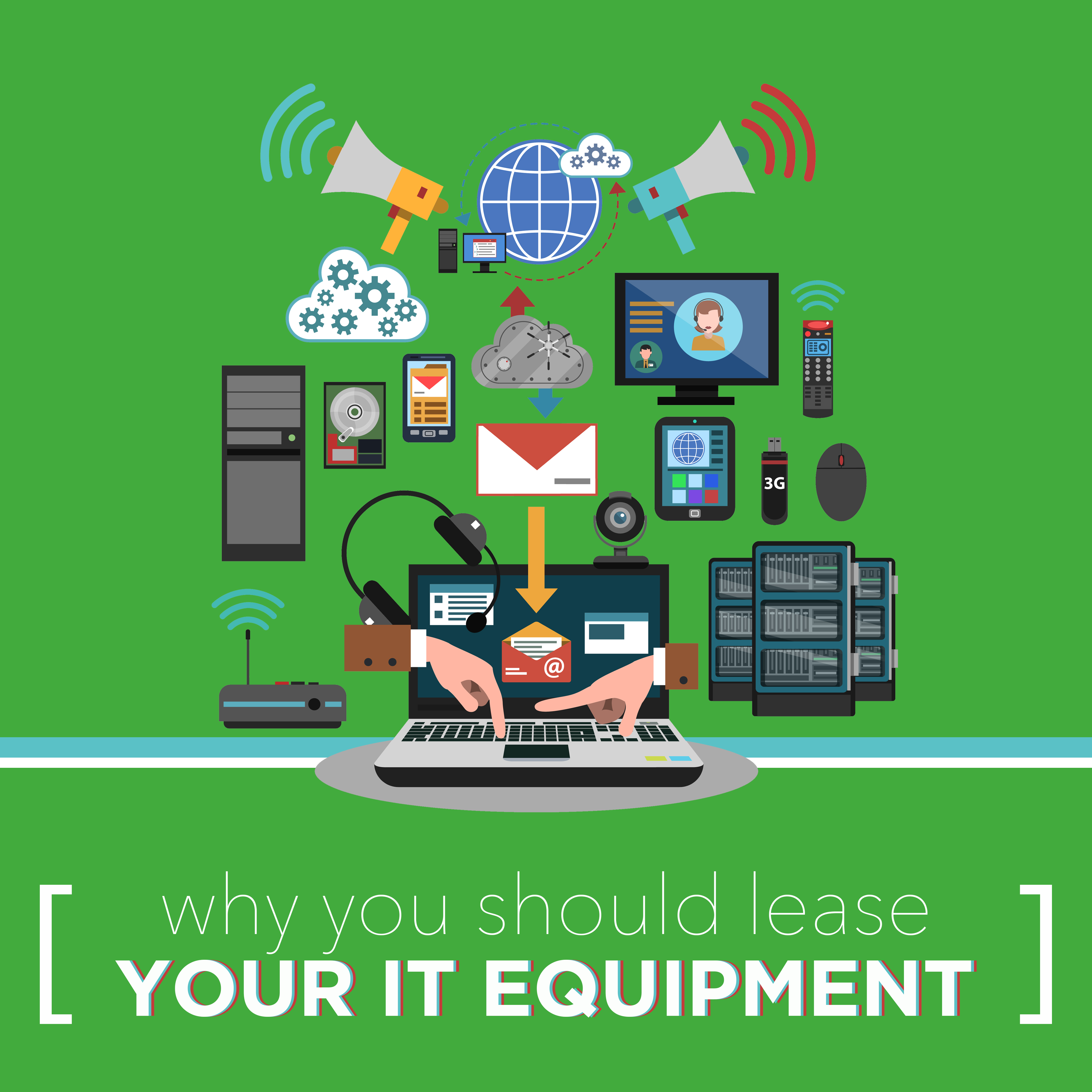
Why You Should Lease Your IT Equipment
Is your technology equipment outdated or running slow? New equipment may be the solution. Before making a big purchase, check out all of your options. At WesTec Services, we help businesses lease IT equipment that keeps them ahead of the competition.Up-To-Date Equipment
With every new model tech companies release, your current equipment set-up becomes irrelevant. When you lease IT, you can upgrade to whatever is newer, faster and cheaper when you finish your equipment contract. If your business relies on having the latest equipment, leasing is the most affordable option.Predictable Expenses
WesTec offers its customers a fixed-price guarantee without surprises and hidden fees. Leasing IT equipment allows you to know your set monthly expense, giving you a firmer grasp on your budget.Tax Incentives
When you lease IT equipment, you qualify for tax credits. Under Section 179 of the IRS tax code, leasing is often entirely tax-deductible. This means a company can possibly deduct up to 100% of their leasing expenses, pending qualification. Keep Up with Competitors
Leasing can give a company access to technology that might be out of reach otherwise. In competitive markets, new or advanced equipment might give you the upper hand against competitors.
Let WesTec take your business to the next level with our IT services. Contact us to learn more about how you can get the latest IT equipment for an affordable price.
Your Business Needs a Guest Wifi Account
Places of business who have frequent visitors can benefit from having an additional WiFi network for guests. With a guest Wifi network, temporary visitors enjoy full internet connectivity without being able to access sensitive internal network information. Continue reading to find out how both your business and customers can benefit from a guest wifi account.Security and Privacy
By reserving a section of your WiFi for guests, you protect your company’s data. This allows you to control who has access to the network of computers, servers and printers. Giving guests their own WiFi account also limits the ability of viruses and malware to infect your server.Changeable Passwords
Offering a guest network allows you to keep your primary password a secret. Guest passwords are also cached differently, meaning guests do not have permanent access to your network. Access and Parental Controls
A guest WiFi account allows you to set different levels of access. With a guest network, you can also implement parental controls to limit the types of sites your customers can visit, providing added security to your business.
Network Usage Controls
Guest networks can limit the amount of data your customers can use. By regulating the bandwidth of your guests’ WiFi network, you can limit the speed of customer internet access. This means their network usage will not affect the business network and employee efficiency. The experts at WesTec are ready to answer any questions you may have about installing a guest WiFi network at your place of business. Contact us today for more information.
What is Managed IT Service?
Small businesses can benefit from outsourcing their IT to a qualified business technology company. With managed IT service, WesTec can monitor and improve your company’s IT practices to ensure your employees can focus on their daily duties.What is Managed IT Service?
Managed IT service allows a company to pay a fixed monthly rate for IT services and equipment. With a fixed monthly rate, customers benefit from automatic software updates, regular equipment upgrades and relief from the day-to-day IT frustrations. Partnering with WesTec gives a company flexibility to set clear goals and objectives.What’s Included?
WesTec Services offers two plans with fixed fees for network management solutions. With WesTec Guardian Professional, companies receive network management and basic IT needs based on their current network infrastructure. With this program, businesses also benefit from discounted on-site support rates. WesTec Guardian All Covered provides our clients with maintenance, network management and technical support needs all in one fixed monthly rate. This ensures a company’s network is running efficiently without hourly rates. Why Your Business Needs to Outsource IT
In today’s society, technology is crucial for a company to thrive in a competitive market. Because of this, businesses can not wait until something is broken to fix it. Managed IT service changes the way companies are looking at technology. Instead of embracing the old fix-it mentality, IT companies can manage a company’s IT and prevent any issues that might disrupt employees or clients.
Let WesTec Services manage your IT and keep your company on its toes. Our managed IT services reduce the cost of replacing new equipment and keep you from paying hourly rates when your network fails by offering all-inclusive, fixed rates. Contact us to learn more about managed IT today.
How to Pick Your IT Provider
When your focus is on running a business and selling a product or service to customers, outsourcing IT can save valuable time. Before signing a contract, it is important to understand the services an IT provider offers and how it fits with your company.What is Included in the Cost?
First, determine what is included in your bill. Some providers claim to offer all-inclusive deals but sneak in hidden costs. Be sure to ask the potential IT provider questions about their services, prices and how you will be billed. This will keep you from receiving unexpected charges in the future.Are You Compatible?
When choosing an IT provider, it is important your company is compatible with theirs. Make sure their platforms and technology help your business. Keep in mind the goals and changes you hope to make to your business in the future. By establishing goals for your company in advance, you lessen the risk of having to break a contract with an IT provider later if they can no longer support your growth.How are Passwords Protected?
Knowing how an IT provider saves passwords can easily help you determine if they are a good fit for your company. Ask potential providers how they handle passwords internally. Since IT companies are easy targets for hackers, making sure a provider has complete protocols for keeping passwords and data secure is crucial. How do They Train Employees?
Make sure potential providers regularly train their employees. Their job is to protect your information and they should know how to avoid phishing or other security breaches.
A good IT provider understands the importance of your business and protecting its information. Make sure potential providers have similar goals to your business. WesTec Services strives to serve all clients with a servant’s heart to ensure their goals are met. Contact us today to discuss how we can benefit your company.
Advantages of Computer Networking
Computer networking allows the sharing of information across computers linked together by a common network. Businesses rely on networking to transfer messages and information with others.Easier Sharing
Computer networks give individuals access to useful material such as facts, news or industry-specific information. With computer networking, employees can easily share with others. For example, resources can quickly be shared with an entire company and saved for employees to reference at a later time. Networking also saves individuals time by providing them with a way to share files efficiently.Cost Efficiency
Installing a computer network is affordable. It requires minimal updates that are often completed in the background, allowing employees to keep working. Networks also save money by keeping a company from purchasing additional hardware. For example, without a network each computer would need it’s own printer. By installing a network, multiple computers can share the same printer, saving a company money and helping employees by simplifying their tasks.Increased Storage Capacity
 Computer networking increases storage capacity. Networks allow data and content to be properly shared within the system. A company’s files are also protected from malware, theft or natural disasters by being saved in different manners. For example, information can be stored on-site on tape drives to provide an extra layer of safety.
Enhanced Communication
Networks make it easier for employees to communicate with one another. Files can be shared with the click of a button. Instant messaging also allows for quick, useful communication with others. Instead of drafting an entire email, an employee can send a message to the recipient for a rapid response. This works well for questions, clarification and updates. WesTec employees are experts at computer networking. Contact us to see how we can install a computer network for your business.
Why Your Business Needs Video Surveillance
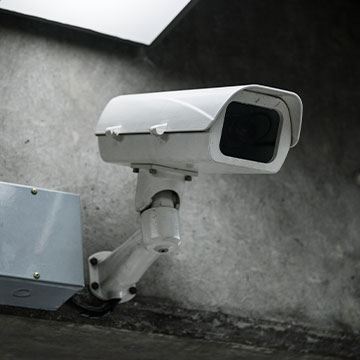 CCTV, or closed-circuit television cameras, allow a company to monitor and record areas on their property. Video surveillance offers many benefits to companies looking for added security and safety.



 2916 West TC Jester Blvd.,
Suite 104
2916 West TC Jester Blvd.,
Suite 104