In recent years cybersecurity has been a recurring topic in the world of technology. People are often finding ways of creating a safer way of using technology such as passwordless authentication. This modern way of controlling certain accounts is safer and more effective than previous passwords. Organizations can make this transition with these steps.
Password Replacement
When deciding to move towards passwordless authentication, you must have an option in place. Taking away passwords with no replacement leaves a hole in the system that is unprotected. One option that can be used is an active directory. This includes strong, hardware protected credentials that allow a single sign on.
Risk Assessment
Creating a stronger protective measure such as passwords, requires some trial and error. Having an assessment will allow you to view the possibilities of certain methods to determine what is best for you. This also takes into consideration the possibility of a breach or any harm to the system. You could also use the assessment as a way to prioritize any specific items.
Password Usage
It’s no surprise that people have gotten so used to typing their password every time they enter a service or device. In order to correctly transition into having no passwords, this barrier must be removed. A password shouldn’t have to be used routinely and this creates a seamless transition to multiple devices.
Eliminating Passwords
Once all the previous steps are completed, you can start to make the transition. The removal of passwords from the identity database will truly create the new authentication. This step is the most important and must be done when everything else has been in place. Once this is done, you are not at risk for password theft and create a modern way of passwords.
Technology is always changing to become more modernized and protective. It can be hard to keep up with all these changes, but we can help! Feel free to Give us a call todayorvisit our websiteto see what WesTec can do for you.
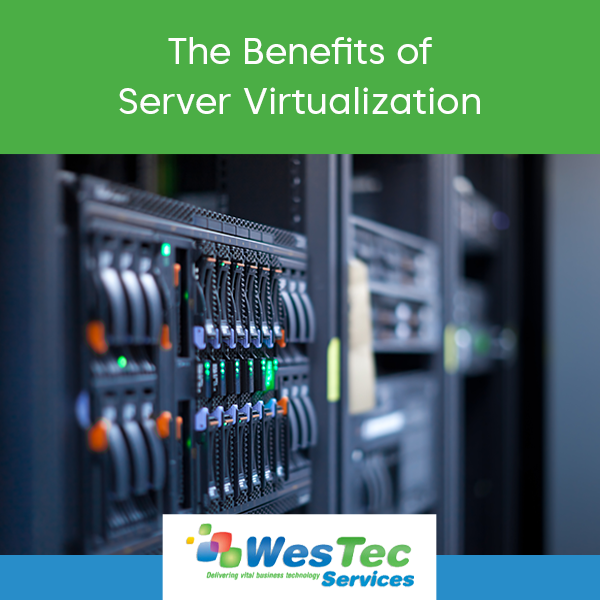
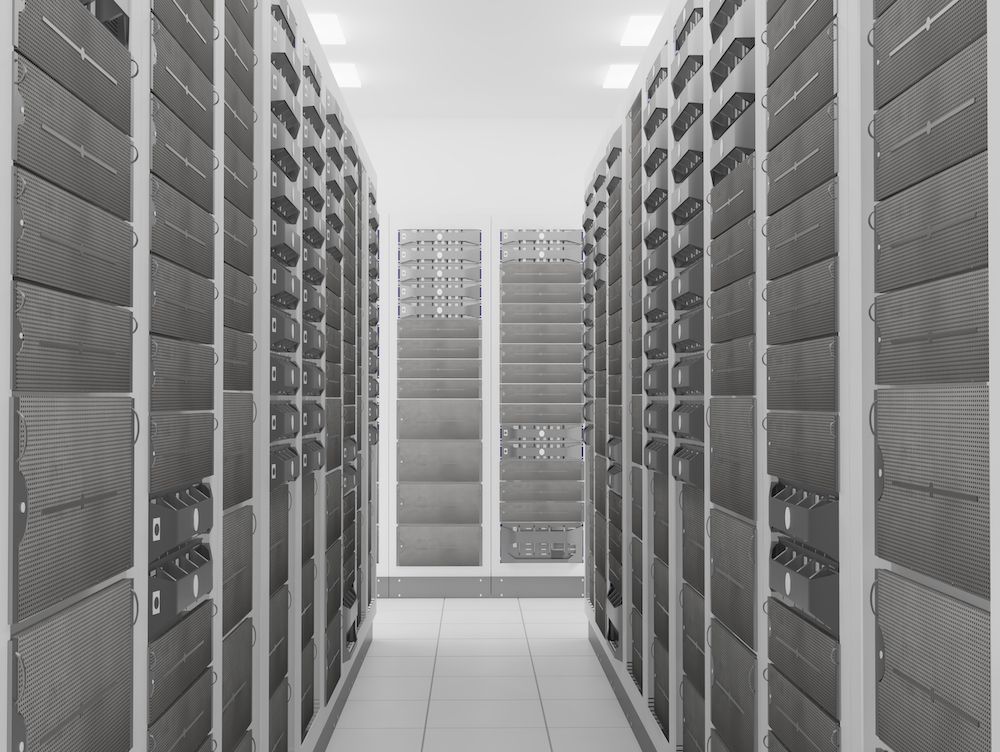
In this age of technology we try to find a way to make it work faster and more effectively. Server virtualization helps companies do multiple things at once and create an up to date workspace.
What is Server Virtualization?
Server virtualization is described as dividing hardwares into multiple separate servers. Each of these servers can do many tasks all at the same time. They have the capability to run at a faster speed without any internal complications. They can either be connected with other servers or work singly.
Benefits
With any type of virtualization, it maximizes the power used to do the job of multiple machines all on one server. They can be programmed to do exactly what you need and at what pace. Specific solutions, safety protocols can all be used with specific servers. There are multiple servers to choose from including:
Full- Virtualization: Specialized server that conducts power to remaining servers and cross operating systems.
Para- Virtualization: This server is aware of other servers in the systems and relies on them. This server works together with others to manage jobs and information.
OS- Level Virtualization: Most basic level of virtualization. This system is managed by the physical server’s operating system.
Modern technologies and companies are using virtualization to work more efficiently. This different type of server can reach full potential and take the stress off of the workload. In the long run, this is also a cheaper alternative as if any problems occur, it can be resolved internally and then connected to the other servers.
Server virtualization is the most powerful way to run a business. A single server can do the job of multiple machines at a faster pace and with less issues. They are unique and can be used for anything and any type of business. Virtualization is extremely beneficial and is becoming more of a must in technology.
Virtualization can be overwhelming, but WesTec is here to help! Any further questions about server virtualization? Feel free to contact us. We would love to hear from you.
IT equipment is essential for businesses in 2021. The main question is — leasing vs financing IT equipment? There are pros and cons for both options, but it depends on the kind of working environment, efficiency requirements, and budget.
Leasing
One of the greatest advantages of leasing is not being financially responsible for the equipment. Rather than having your company held responsible, you would be passing the financials to the leasing company. Instead of paying up front for the equipment needed, leasing allows you to set a monthly payment. A lease is also an option that will guarantee the same equipment with fixed monthly payments.
Financials aside, leasing provides access to the newest, up-to-date equipment. Once your equipment has run its course, you can easily upgrade. Newer equipment requires less maintenance, which allows for greater productivity.
However, there are some disadvantages to leasing IT equipment. Depending on your leasing terms and IT needs, leasing can be more expensive than financing — especially if you sign a lease and don’t end up using the equipment, as you are still obligated to pay.
Financing
If leasing isn’t for you, you also have the option to finance. When financing, there are no contracts involved — you simply buy the equipment directly from the source. If maintenance is required, financing allows you to go about it at your own discretion. You won’t need to make an appointment with the leasing company or be stuck with damaged equipment. When you own the equipment, you can simply take care of everything on your own.
For businesses on a tight budget, financing is the more cost-effective option. With one simple payment, the equipment is yours!
However, there are a few downsides when it comes to financing. Depending on the business, making a big investment like this could max out your credit lines. Furthermore, you could be stuck with outdated equipment, whereas in leasing, updated equipment is always available.
The Final Decision
Between financing and leasing IT equipment, both have their pros and cons. However, it is up to you to decide which option is most cost-efficient, given your budget and IT needs. For the most advanced models that don’t require one big payment, leasing would be the best option. For a one-time payment and maintenance freedom, the best option would be financing.
Not sure whether to finance or lease IT equipment? We can help! Feel free to give us a call or visit our website!
In the era of technology, some have concerns about their privacy. In schools, the top priority is to protect students and their information. With students constantly engaging in technology, whether it be submitting homework, emails with teachers, or saving documents, state and federal internet security laws protect all this information.
FERPA: Family Educational Rights and Privacy Act
FERPA: Family Educational Rights and Privacy Act is one of the most widely known federal laws regarding student privacy. It applies to every educational institution or those of a similar rank. This law protects the education records of all students and sets boundaries between what information students’ parents have access to when the student becomes 18 years of age. If educational records are needed by another school, parent, or in medical cases, there must be a written permission letter from the student or guardian to release that information. Details such as name, birthdate, phone number and school attendance is not under this law and does not require a written permission.
COPPA: Children’s Online Privacy Protection Act
Different from FERPA, COPPA: Children’s Online Privacy Protection Act is specific to the online services used by children 13 years and younger. This act controls what personal information is collected from young children. Applications and websites all have to abide by this act and schools can intervene as parental consent if needed.
CIPA: Children’s Internet Protection Act
In addition to protecting the privacy of students, it prevents them from seeing unwanted information while on the internet. CIPA: Children’s Internet Protection Act uses a filtered web system that schools and libraries use. This system blocks and hides harmful information or acts such as chat rooms and cyberbullying. CIPA also sets a curriculum on how to protect minors on the internet. This curriculum is required to use this program. Schools and libraries must implement these guidelines addressing a new internet safety policy.
These three acts and laws are a preventative measure from harmful internet activities and exploitation. With the main goal of protecting students’ privacy and engaging them in new internet safety protocols these acts are required by law.
Technology can be confusing, and it’s important to know your rights! Have any further questions on internet privacy? Contact WesTec today! And don’t forget to follow us on Facebook, Twitter and LinkedIn.
In recent years, we have seen cloud computing become the industry standard for computing and storage resources. Cloud computing uses four different models, indicating how services are made available to users. Learn more about the 4 Cloud Hosting Models:
Public Cloud
Public clouds are available for anyone who would like to make use of the resource, from low security application development to file and email sharing. One example of this would be Google applications such as Gmail and Google Drive. These are available through the use of a public cloud, accessible by any user with an account at any time.
Private Cloud
Just like it sounds, a private cloud is a private network typically used by a single organization for security. The cloud can be easily managed onsite or offsite by outside groups or third party organizations. While much more costly than its public counterpart, private clouds are the better option for organizations that require the extra security and privacy.
Hybrid Cloud
In a hybrid cloud, organizations make use of a combination of private and public cloud infrastructure. The most common use is when an organization needs to quickly scale up their IT infrastructure to provide the necessary cloud capacity, like an online retainer during the busy holiday season.
Multi-Cloud
A Multi-cloud is any combination of public, private, and hybrid clouds. Within an organization, there might be multiple private clouds in addition to private clouds. These clouds can be interconnected or separate. The multi-cloud category is a catch-all for any mixture of clouds, therefore allowing for the most flexibility and customization.
Having cloud hosting trouble? We can help! WesTec Services is a trusted and experienced IT services provider located in the Houston area. Give us a call today or visit our website to see what WesTec can do for you.
Are you on the fence about upgrading to VoIP? Deciding to upgrade can be a tricky process but the most important step is understanding your current issues. Here are a few signs it’s time to make the transition to a VoIP Phone System:
Can’t Grow With Your Business
If your company is looking to expand to new locations or is in a state of constant growth, VoIP could be the right solution for you. Traditional phone lines take a long time to add, maintenance is expensive, and moving your phone number with your business can be tricky. VoIP allows new lines to be easily added within seconds and also includes access to many other business benefits.
Costs Outweigh the Benefits
Is your traditional phone bill becoming costly and unpredictable? This may be a sign to upgrade your system. The cost of traditional phones continues to build over time, including costs for equipment, costs per line, international calls, and routine maintenance, while also lacking many of the benefits that VoIP phones include for free.
By switching to a cloud computing system, local calls are free and international calls require a miniscule fee in comparison to the cost of a traditional phone call. VoIP phones connect through the internet, removing the need for a majority of the equipment and maintenance associated with normal phone lines.
Lacks Important Features
The larger your business, the more important it is for the company to be working at a level of full productivity. You may think your phone system is doing enough, but why keep using one that takes more of your time to use while also costing you money?
VoIP phones have many advantageous features, including answering all calls, routing them to the intended recipient, monitoring call quality, and automatically transcribing voicemails. Each of these features saves your company time and money, all while making the workplace easier for everyone. Consider taking your business to the next level with VoIP.
Our team will help you decide which system best suits your business and its needs. With our streamlined and rapid set-up process, you’ll be making and receiving VoIP calls in just a matter of minutes. Interested in learning more? Contact WesTec Services today! Do you find our blog posts to be beneficial and informative? Follow us on Facebook, Twitter, and LinkedIn so you don’t miss an update!
It’s hard to believe we are already halfway through 2021! It’s been a whirlwind year thus far, but we have seen many advancements in business technology. As remote work becomes the new normal, businesses everywhere have begun adopting new technology and software to make this transition easier. Here are a few small business tech trends that have proven to be revolutionary this year:
AI-Operated CRMs
In 2021, small businesses everywhere are looking to streamline their work with CRM software. AI-operated CRMs (Customer Relationship Management) allow businesses to effectively identify, track, and target leads through automated campaigns. Businesses have found that CRMs are a more effective approach to their sales processes, as this software produces more personalized customer engagement.
Remote Onboarding
Since the pandemic, many industries are making the switch to remote work. As smooth and successful as this transition has been for some, remote work may become a more long-term option. Now, businesses are implementing remote onboarding software to simplify and expedite the hiring process. This new software is more convenient and cost-effective than traditional hiring processes.
Centralized, Comprehensive HR Software
Remote work provides so much ease and convenience for employees and executives alike. However, with limited human-to-human contact, HR departments have had difficulty keeping up with the needs of their employees. With the introduction of centralized HR software, HR professionals can automate daily processes and store data. This software will also improve performance management and employee communication.
At WesTec Services, business technology is our specialty. From Managed Services and Network Installation to IT Consulting and more, we’re your one-stop shop. From computer hardware and software to telephone systems and integrated security, we’ll make it all work seamlessly together.
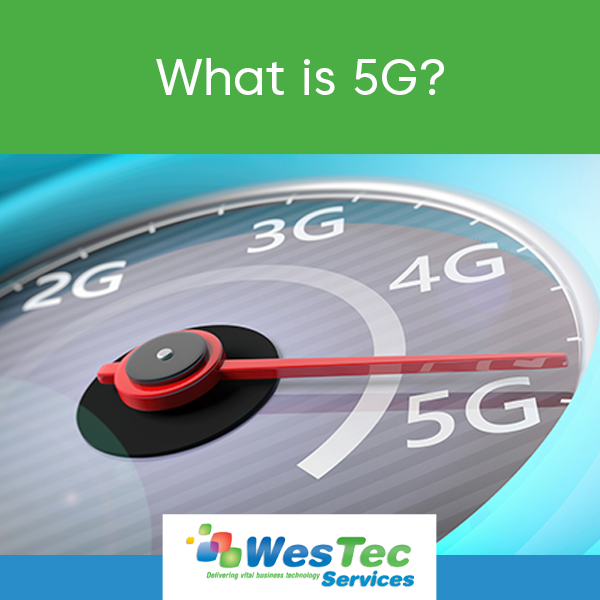
The world of technology is constantly evolving and presenting new ideas that promise ease, reliability, and productivity. 5G is one of these innovations and is not falling short of its promises.
5G has revolutionized telecommunications as we know it. You’ve probably heard of 5G, but what is it and why do we need it? Here’s everything you need to know:
What is it?
5G is the fifth-generation mobile network that creates an Internet of Things (IoT) by connecting everything, including machines, objects, and devices. 5G boasts better data speeds, greater network capacity, and lower latency — ultimately creating an enhanced mobile broadband and improving user experience.
With these new, more reliable capabilities, this network has opened the door to new possibilities for industries across the board. For instance, 5G has made remote healthcare possible; this was especially groundbreaking for the healthcare industry in the midst of the recent global pandemic.
The Benefits
The perceived benefits of 5G surpass those of its predecessors. With its ability to support a wide range of industries, we can expect to see massive economic growth. According to QualComm, it is projected that this network will enable a $13.1 trillion flow of goods and services by 2035. Additionally, with all the new, emerging applications, this network has the opportunity to create 22.8 million new jobs.
With lower latency, industries like agriculture, manufacturing, and logistics will experience less wait time before completing a data transfer — less wait time means increased productivity! Furthermore, with its enhanced network capacity, 5G enables businesses everywhere to scale their technology.
For gamers, the higher speeds and minimal lag will improve the gaming experience. We can also expect virtual reality and augmented reality applications to become more popular, as the improved connectivity will allow for a more immersive experience.
5G was introduced in late 2019, so its availability is still somewhat limited in the United States. Want to stay up-to-date on all things 5G? Visit our blog for updates as we receive them.
Summer is right around the corner. If you haven’t tackled Spring cleaning yet, now is your opportunity! Here are a few ways to clean up your system and improve its overall performance with regular maintenance:
Dust with compressed air and wipe down the monitor
Starting with the outside of your system, dust the keyboard and mouse with a can of compressed air. Compressed air is strong and will clean out any built up dust particles and other grime. You may also consider wiping down your keyboard and mouse with an antibacterial solution, to rid the surfaces of germs and bacteria. Avoid spraying the keyboard and mouse directly — instead, lightly spritz a rag and wipe. Wipe down your monitor with a microfiber cloth to remove fingerprints and anything else that may be crusted to the monitor.
Clean hardware system
Once you have dusted the outside of your system, you should focus on cleaning your hardware. Before you begin, close any active programs/files, shut your computer down, and unplug the computer from the wall. Unscrew the hardware casing and use compressed air to dust all the nooks and crannies of your system. Compressed air is safe to use on hardware and should not cause any damage.
Turn your computer off or restart regularly
Simply putting your computer to sleep while it is not in use will cause your system minimal damage. However, you should make a habit of restarting or shutting your system down every now and then — especially if you use an older system. Rebooting your computer will prevent overheating and will allow your system to refresh its settings and resources. Allowing your computer to reboot and refresh will improve its overall performance.
Clear up drive space
One thing that will slow your computer’s performance is a full drive. Improve your computer’s performance by clearing up drive space regularly — there’s no reason to hold on to files and downloads you no longer need! Delete any unnecessary files and consider moving files you wish to keep to an external harddrive.
Remove malware and viruses
Malware can affect operability and cause data loss or theft. There are a number of ways your system can be infected by malware and other viruses. Therefore, it is important that you use antivirus software to protect your computer and remove any potential threats. This software will run diagnostics, identify viruses, and resolve these.
Install updates
It is important that you install program updates regularly, as to ensure all programs are running efficiently. Failing to install new updates can affect the speed and performance of your programs. Most programs have regular updates that will address security holes and minimize unnecessary features.
At WesTec Services, we believe regular maintenance is crucial for maintaining the health of your system. With regular maintenance, you can prevent the worst from happening — and prevention is key!
Most IT consultants simply put band-aid fixes on computer network problems and react to problems instead of looking for ways to prevent them from happening in the first place. As with most things in life, prevention really is better than cure — and it’s no surprise to find that prevention is the secret of good IT support too. Interested in learning more about our IT services? Contact us today!
If you work on a computer all day long, you’re likely to encounter tech issues. At WesTec, we believe knowledge is power. Therefore, we have compiled a list of a few quick fixes to common tech issues:
Unresponsive applications
For a number of reasons, you may receive a dialogue box stating that the application you are trying to use is unresponsive. This issue will prevent you from using the application and will likely slow the performance of your system. Fortunately, there’s no need to call IT support, as this issue has an easy fix!
On PC, press Ctrl + Alt + Delete in order to access your Task Manager. From this dialogue box, you can end specific tasks. Your Task Manager will indicate which applications are unresponsive, and you can hit “End Task” to close the application.
On Mac, you can achieve the same result by pressing Command + Option + Esc. You will receive a pop-up displaying active applications. Select the unresponsive application and click “Force Quit.”
Slow or poor internet connection
There’s nothing more disruptive than a slow or poor internet connection. When you encounter this issue, minimize downtime with this quick fix.
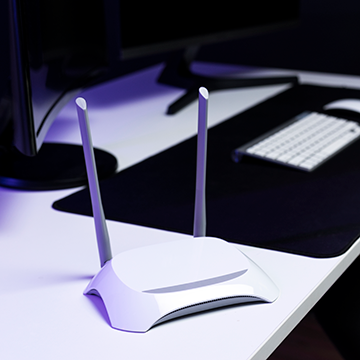
Your wireless internet connection is supported by a router. Restart your router by unplugging its power source for 30 – 60 seconds. Then, plug the router back in. You will notice it may take a few minutes before you have a stable internet connection. If this does not work, try restarting your computer and checking your connection again.
You may also consider clearing your browsing history and cache. A collection of cookies and cache could be slowing specific sites. Every internet browser is different, but you can easily clear your cache in your general settings.
Slow computer performance
Is your system underperforming? There could be several reasons for this! Before calling IT, there are a few things you can try in order to improve the speed of your computer.
If you have too many windows or programs open and running at once, this could be affecting your computer’s performance. Close any windows or programs you are not using. If your computer is full of downloads, try deleting any files you no longer need and empty your trash bin. This will likely improve your computer’s performance, but it also wouldn’t hurt to restart your computer.
If this issue persists, we recommend calling IT, as you may have a virus that is affecting your system.
Struggling to troubleshoot your tech issues? Minimize the downtime spent searching for solutions and outsource IT support with WesTec Services! Interested in learning more? Contact us today!
The PC vs. Mac debate has the tech world divided. Whether it’s PC or Mac, users are loyal to their system. This begs the question: which system is better? What are the pros and cons of each system? WesTec Services has created a breakdown for each computer:
PC
One of the most obvious benefits to purchasing a PC is the price. PCs not only offer a wide range of products, but these products are more affordable than Mac products. According to VoltCave, a standard PC in 2021 costs anywhere from $500-$1000. Meanwhile, a Mac starts at $1299.
PCs also offer better hardware and configuration than Mac products. Boasting superior hardware and graphics cards, a PC is the better option for someone with interests in gaming.
PCs use Windows operating systems, which allows users more freedom to customize and modify their system’s functionality and storage. Since Windows is the most commonly used operating system, there is more compatible software available for PCs.
Mac
Apple is known for their user-friendly, intuitive systems, making Mac computers the obvious choice for beginners. Meanwhile, PCs using Windows operating systems come with a bit of learning curve.
Though superficial, Mac is the preferred choice for its sleek appearance, as Mac products are more aesthetically pleasing than most PCs. For those with iPhones, iPads, or iPods, Mac’s easy multi-device integration allows its users to seamlessly sync all their Apple products together. When integrating devices, users can place calls and send iMessages directly from their computer, and easily access/share files directly from their devices.
Additionally, Mac systems boast clear, built-in “Retina” displays. Therefore, these systems are ideal for those who require superior visual elements, such as graphic designers and artists.
When choosing between PC and Mac, it’s important to understand that not one system is better than the other — you simply must consider what system meets your needs and budget! Regardless of what system your company favors, WesTec Services is here to provide superior IT support. Interested in learning more about our Managed Services or IT Consulting? Contact us today!
For many computer novices, IT protocol is widely misunderstood. Given the complexity of some of these procedures, computer users are left feeling frustrated with IT support. However, IT is only here to help! Here are 4 things your IT support team wants you to know:
Your network is being monitored
Whether you have an internal IT department or you outsource your IT support, there is a chance that your network is being monitored around the clock. This often does not occur to many people. Therefore, you should avoid storing personal information or searching sensitive material on your work computer. If you wouldn’t want your boss or coworkers seeing it, it’s safe to say it shouldn’t be on your work computer.
IT has to assume you have zero tech knowledge
In order for your IT support team to assist you in resolving issues, they must first assume you have very little knowledge of computers. This means they will offer simple solutions to start. For someone with a basic understanding of computer functions, it may be frustrating to be asked, “Have you tried restarting your computer?” These questions seem like no-brainers, but IT wants to find the solution to your problem as quickly and efficiently as possible. If there’s a quick fix, they can find this solution by asking basic questions.
They’re not magicians
For IT professionals with years of knowledge and experience, most tech issues will have easy, obvious solutions. However, that does not mean IT won’t encounter issues from time to time that require a little more thought and effort. Be patient with IT — they want to find a solution to your problem just as badly as you do. Remember, they’re people, not miracle workers.
Suggestions are meant to help you, not make your job harder
There’s a reason IT recommends you update your passwords regularly and perform program updates — they want to ensure your computer is secure and performing as it should be! When you take these suggestions seriously, you spend less time on the phone with IT resolving issues that could have been avoided to begin with; less time on the phone with IT means less downtime.
WesTec Services is your one-stop-source for all things IT support & consulting in Houston! Does your business require network installation, backup & disaster recovery, managed services, consulting, and more? We’ve got you covered! Contact us today.
With emerging technology, comes a major learning curve. For many, it’s difficult to even keep up! No worries — WesTec has got you covered and our IT support professionals are keeping it simple. Here are 6 things every computer user should know how to do in 2021:
Setup Your Wireless Network
If computer users must know one thing, it should be how to setup a wireless network and resolve wifi issues. A wireless connection is supported by a router; this router must be plugged in for users to access the internet. Most routers have several lights on the front that indicate the strength of the connection. If these lights are not on, the user should unplug and reset the router. Your computer will also indicate whether you are connected to the wireless network. On PC, the status of your connection can be found in the bottom right corner. On Mac, it can be found in the upper right corner.
Perform a Data Backup
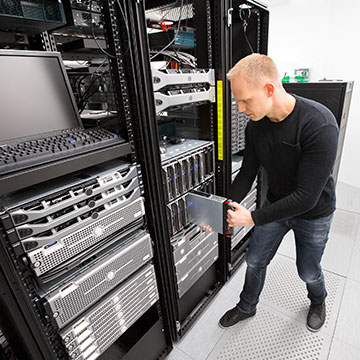
System failure and natural disaster often strike with little to no warning. Therefore, it is crucial you know how to perform regular data backups. You can backup important data and files on flash drives and external hard drives. PC and Mac also offer software and servers that you can use to backup your data.
Install Antivirus Software
According to InfoWorld, 30% of computers in the United States are infected by some type of virus. Therefore, antivirus software is a must! Any IT professional would be happy to install your anti-virus software, but this process is actually pretty beginner-friendly. Antivirus software, like McAfee and Norton, can be downloaded directly from the internet and installed with ease. Dialogue boxes will walk you through the installation process.
Basic Troubleshooting
IT support professionals troubleshoot computer issues all the time, but it doesn’t hurt for a computer user to know basic troubleshooting skills. If your programs are failing or you are encountering an issue you cannot resolve, you must troubleshoot. Troubleshooting will identify what the problem is. To troubleshoot on PC, open your Start menu, then select “Settings” > “Update & Security” > “Troubleshoot.” On Mac, open your Apple menu and select “Restart.” Then, press and hold the “D” key while your Mac restarts. A screen with a list of languages will appear. Select your language of choice and your computer will begin running diagnostics.
Change Basic Settings
If you own a computer, you must know how to change your settings. Whether it’s adjusting sound levels or connecting a printer, knowing how to change basic settings comes in handy. On PC, open your Start menu and select “Settings” or “Control Panel” to make these necessary adjustments. On Mac, simply select the Preferences application, which can be found on your Dock.
Access Task Manager
If your computer is slow or unresponsive, you may have too many active programs open or a specific program has failed. Before calling your IT support team, try accessing your computer’s Task Manager. The Task Manager allows you to view active programs and force quit specific programs if necessary. On PC, you can access the Task Manager by holding Ctrl + Alt + Delete. On Mac, hold Command + Option + Esc.
It’s helpful to know how to perform a few basic computer tasks, but if you’re just not tech-savvy, WesTec Services can help! We offer a variety of IT support services that can be tailored to your needs. Interested in learning more? Contact us today!
Maintaining your computer’s health requires regular care and maintenance. Here are a few things you can do to protect the health of your computer on a daily basis:
Routine deep cleans
You would be surprised by the number of files that collect on a computer over time. Too many files and programs can actually affect a computer’s load speed and overall performance. Therefore, it is crucial that you perform routine deep cleans on your system. Delete any files that you no longer need and are simply taking up space. If there are files you would like to keep, store these on an external hard drive (and back this drive up) before removing the files from your system.
Download security updates
You’ve likely received notifications to download new security updates and declined for the sake of time and convenience. If you do not regularly download security updates, your computer may be vulnerable to hacking. These updates work to “patch” any holes in your computer’s security. Without these updates, hackers can intercept your security and access your information, files, programs, etc.
Install and update antivirus software
Viruses and malware can affect your computer’s overall performance, which can disrupt productivity. Therefore, it is important that you install an antivirus software and update this software regularly. Antivirus software will scan your computer for existing viruses, resolve these issues, and block more viruses from infecting your computer.
When you fail to perform routine deep cleans and maintain your antivirus and security software, your computer is at risk of system failure. At WesTec Services, we understand it can be easy to forget to do these things. Don’t neglect your computer any longer — outsource IT support with WesTec Services! From IT consulting services and network installation to backup & disaster recovery, we’ve got you covered. Protect your computer’s health with WesTec Services. Contact us today!
97% of the day to day problems that you experience with your computer network can be fixed easily and inexpensively with regular and proactive maintenance. If you’re experiencing unnecessary technical disruptions, you need a computer network health check audit. WesTec Services has compiled a list of benefits of network health audits:
Measures performance
One of the primary purposes of conducting a network health check audit is to measure the performance of your system. A health audit will measure the speed and security of your computer. Speed and security can affect your productivity. Therefore, it is important to determine whether your computer is performing the way it should be.
Identifies vulnerabilities
A health audit can also help you identify all the ways your computer could be vulnerable to malware and other viruses. According to DataProt, 30% of computers in the United States are infected with some type of virus — that means there are a lot of people experiencing downtime. Downtime can put you out of business, so it is important to identify vulnerabilities before they affect your system. If your computer has already been infected, a health audit will find this, as well.
Offers recommendations and solutions
Once the health audit is completed, IT professionals can offer recommendations or solutions to problems plaguing your system. The IT professionals working on your system are trained in knowing how to address common concerns that can prevent your system from performing the way it should be.
At WesTec Services, we offer computer network health check audits (worth $295) at no cost to you! After performing an audit of your system, we will generate a report that details all system vulnerabilities and offer recommendations for improving the functionality of your system. Interested in learning more? Schedule a call with one of our professionals today!
Even the “smartest” devices fail sometimes, and when this occurs, your business is at risk for data loss. This can be catastrophic for productivity and revenue. Therefore, it is crucial that businesses implement a data recovery strategy. Here are five facts you need to know about data loss and recovery:
78% of data loss is a result of system failure or malfunction
You heard that right — well over half of data loss is a result of system failure! System failure is unpredictable, meaning that it is beyond human control. The only safe way to prevent data loss of this kind is be proactive and prepared for the unexpected.
60% of companies that experience data loss will go out of business within six months
In 2021, we rely on technology for almost everything. Businesses often store important or confidential information in their computer systems with no physical copies for backup. When disaster strikes, companies have a lot more to lose than just their data. In fact, 60% of companies that experience this loss will go out of business within six months.
50% of backup restores fail
Backing up your files is one of the best ways to ensure your data is safe if system failure were to occur. However, data backup is not as simple as backing up your files one time! Half of all backup restores fail. Therefore, you must regularly backup your files on several devices and servers.
1 in 5 businesses do not have a recovery plan
In an effort to cut costs, many businesses have no data recovery plan in place — as many as 1 in 5! However, not having a plan can actually be more costly, as data loss often results in downtime and even closures. Preparation and taking preventative measures is the only way to safeguard your systems and business.
96% of businesses with a recovery plan fully recover
It’s no surprise that businesses that develop and implement a data loss recovery plan are far more likely to recover after disaster. Are you prepared?
WesTec Services wants to help you safeguard your data! The professionals at WesTec Services specialize in data backup and recovery, and serve firms all across Houston. Don’t put your business at risk by being ill-prepared — schedule a call with one of our professionals today!
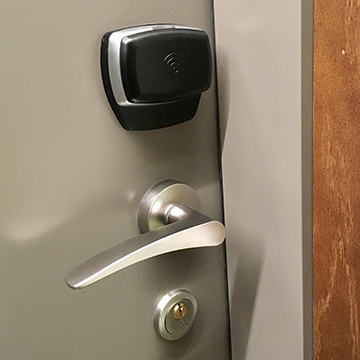
If you are looking to upgrade your security, consider an access control system. Access control systems offer many centrally controlled security options, including video surveillance, fingerprint entry systems, and key card scanners. If you’re still on the fence, here are a few stats you should know about access control systems:
60% of commercial burglary attempts happen after hours
Crime can happen anytime anywhere. However, for businesses, 60% of burglary attempts happen after hours. Therefore, it is crucial that businesses adopt an access control system to secure their facilities 24/7.
Criminals prefer easy access — if gaining access to your facility would require a lot of effort, you’re less likely to fall victim to burglary. These added security measures will serve as a crime deterrent.
With the COVID-19 pandemic, 44% of workers say access control is more important now than ever before
Over the past year, we have seen a rise in COVID-19 cases. In an effort to control the spread of the illness, we have had to take extra safety precautions. Many believe access control systems could keep employees safe, as it can minimize the flow of traffic in any facility.
With these systems, you can decide who comes and goes with the use of keycards or fingerprint recognition. With fewer people coming and going, there is less risk of further spreading the virus.
The access control system industry is projected to be worth $12.8 billion by 2025
There is a reason the access control system industry is steadily growing — and it’s because these systems work! Access control systems are the only truly proactive step a user can take to augment the security within a facility. With access control systems, you can monitor the attendance of your employees and set parameters for visitors and guests that visit your building.
With an access control system, you can better regulate who comes and goes in your facility. Interested in learning more about the benefits of adopting an access control system? WesTec Services can help. Schedule a call with one of our professionals today!
Most technology users are aware of the need to protect their devices but fail to understand that the mobile device can be a much bigger, and different, risk than a work desktop computer. Learn more about mobile security threats and how you can avoid them:
Is mobile security important?
While many people choose easy passwords or fail to password-protect their phone at all, mobile devices are a host to some of our most personal and sensitive data. Most users keep passwords, credit cards, and personal information all in their phones, a gold mine of information for any cyber-criminal. Protecting your cell phone is more important now than ever due to the increase of valuable data we store on it as well as the increase in mobile security breaches and cyber-criminals.
Mobile Security Breaches
Mobile security breaches are completely different from desktops. On mobile phones, there is not much need to log on, especially if the user does not have a password. Furthermore, most times apps are constantly running in the background and do not require passwords to access all of your different accounts.
Secondly, most mobile users are less likely to check the validity of a link before it is clicked on. The small phone screen makes it difficult to see an entire link and pages often show up differently or incorrectly on mobile. This makes it much easier for fake links and phishing schemes to attack your phone and threaten your security.
How to Protect Your Information
A key part of avoiding mobile security threats is understanding what apps are tracking your information and which information they are using. Many apps use information such as pictures, contacts, and internet data to make decisions about what to show you. It is important that users understand how their information is being used.
Another security recommendation is to avoid malicious apps. There are third-party app stores available on the internet with many different offerings but it is recommended that you only buy from official app stores like Apple or Google Play. These app stores are much more closely monitored and therefore safer than apps downloaded from deep in the Web.
If possible, avoid using public wifi networks. Using unsecured public WiFi can give people the opportunity to intercept your information and easily gain access to it. If you must use public WiFi, download a VPN. A VPN, or virtual private network, creates a private network from the public internet, allowing you to establish an encrypted and secure connection while accessing the public internet.
Mobile security threats are very real and can very dangerous to the privacy of your personal information. Choose a business technology provider that you can trust. WesTec offers many different services, from IT consulting to smartphone support. For more information, visit our website or contact us today.
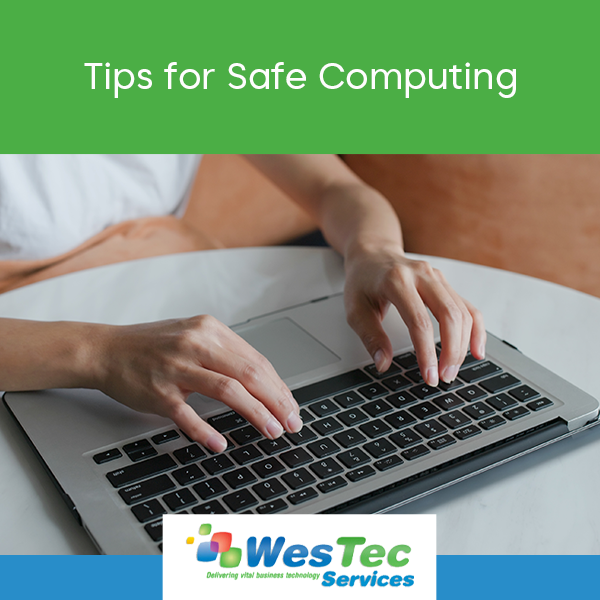
As our society leans more on technology, the opportunities for threats to interfere continue to increase. Safe computing requires more user awareness than ever before as well as maintenance of passwords and data security.
Here are a few tips on how you can keep your information safe online:
Secure your passwords.
Password hacking is the easiest way for anyone to access your information and cause damage. Switch up your password on each website you use, store them in a safe place, and be sure to change them frequently for the most security. Include both uppercase and lowercase, symbols, and numbers for the most difficult-to-guess passwords.
Automatically download important updates.
Updates such as MacOS are critical to the integrity of your computer and should therefore be completed as soon as they become available. Adjust your updates in settings to download automatically.
Never access sensitive websites on public WiFi.
Your data could be easily copied or stolen on a sensitive network. In addition, do not access or share sensitive data on unreliable networks.
Be aware of phishing attempts.
Never open an email from someone you do not know. If there is a link or document attached in the email, absolutely do not open it. Hackers often use this to automatically download malware onto your computer when opened and to access your information or ruin it altogether.
Back up your important information onto an external drive.
Whether it be a full backup hard drive or a flash drive, secure sensitive data onto a protected drive in case of emergency and for extra protection.
Don’t let yourself become the next hacked credit card or identity theft. Practice safe computing and protect your valuable information with the security it deserves. WesTec Services is a trusted and experienced IT services provider located in the Houston area. Allow us to keep your data safe by giving us a call today or visiting our website.
With every year that passes, we make more and more advancements in technology. Here are a few technology trends in 2021 that you can expect to see:
Robotics, Drones, Vehicle Automation
In recent years, we have seen a steady increase in the use of robotics in the care and living sectors. This is meant to cut down on the need for human labor and to make jobs easier for people to complete. We expect to see a rise in robots and drones as a tool used by humans to streamline processes, not to replace human jobs altogether.
5G
With 5G, our opportunities for connectivity and internet use continue to expand. Services could include increased usage of cloud technology, making technology including virtual reality and gaming networks available from anywhere. This removes the need for stationary consoles and could make our world even more mobile than ever before.
Extended Reality
While virtual reality is known to be when a user enters a completely virtual environment through technology, augmented reality is when it is used to view the real world. Both of these make up the category of extended reality and are expected to become even more prevalent in 2021. ER tools have been used mainly for recreational purposes in the past but can also be used in medicine and education to solve problems in creative, new ways. As more data becomes available, we will make use of this new technology to sort out new solutions and information within it.
Artificial Intelligence
Lastly, AI is and will continue to be one of the biggest trends we see follow us into 2021. The use of Big Data will continue to increase as information is collected from more sources, requiring the use of artificial intelligence to process and sort out the solutions within them.
Artificial Intelligence allows us the ability to visualize and understand patterns in customer behavior and other activities that take place online. As we progress, we expect an increase in the number of tools and our ability to analyze this data and pull better insights and conclusions.
With all of these possibilities for technology trends in 2021, you need an IT Support Team that can keep up with the changes. Here at WesTec Services, our professionals are trained and tested to ensure we can meet the ever-changing marketplace and advances in technology. Give us a call today or learn more on our website to see how WesTec can help you.
Mission: WesTec will be a “turn-key” solution for all of its clients’ business connectivity needs. It will offer efficient and effective solutions, directly and with strategic partners, that create tangible value for its clients at every point of contact. Westec will serve all people and entities with a servant’s heart.
Get in touch
2916 West TC Jester Blvd.,
Suite 104
Houston, TX 77018






 In the era of technology, some have concerns about their privacy. In schools, the top priority is to protect students and their information. With students constantly engaging in technology, whether it be submitting homework, emails with teachers, or saving documents, state and federal internet security laws protect all this information.
  CIPA: Children’s Internet Protection Act






 The world of technology is constantly evolving and presenting new ideas that promise ease, reliability, and productivity. 5G is one of these innovations and is not falling short of its promises.
 Dust with compressed air and wipe down the monitor
 Clear up drive space
 If you work on a computer all day long, you’re likely to encounter tech issues. At WesTec, we believe knowledge is power. Therefore, we have compiled a list of a few quick fixes to common tech issues:
 There’s nothing more disruptive than a slow or poor internet connection. When you encounter this issue, minimize downtime with this quick fix.





 Maintaining your computer’s health requires regular care and maintenance. Here are a few things you can do to protect the health of your computer on a daily basis:
 97% of the day to day problems that you experience with your computer network can be fixed easily and inexpensively with regular and proactive maintenance. If you’re experiencing unnecessary technical disruptions, you need a computer network health check audit. WesTec Services has compiled a list of benefits of network health audits:
 Identifies vulnerabilities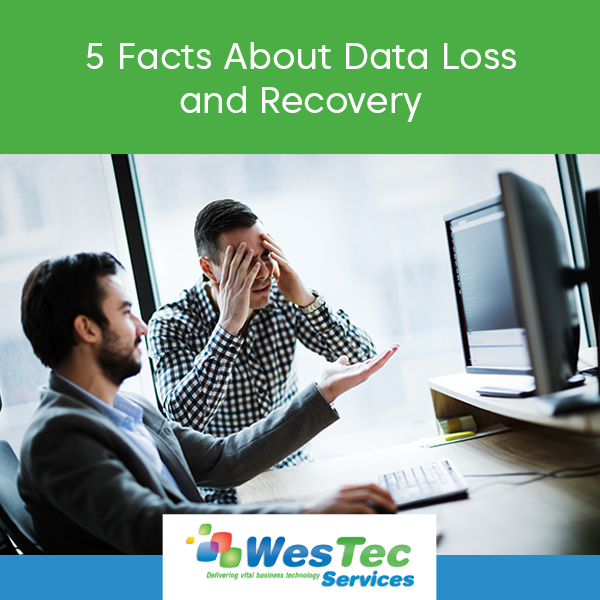
 Even the “smartest” devices fail sometimes, and when this occurs, your business is at risk for data loss. This can be catastrophic for productivity and revenue. Therefore, it is crucial that businesses implement a data recovery strategy. Here are five facts you need to know about data loss and recovery:
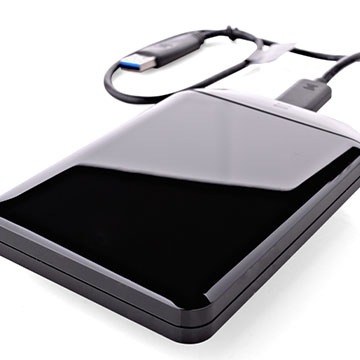 Backing up your files is one of the best ways to ensure your data is safe if system failure were to occur. However, data backup is not as simple as backing up your files one time! Half of all backup restores fail. Therefore, you must regularly backup your files on several devices and servers.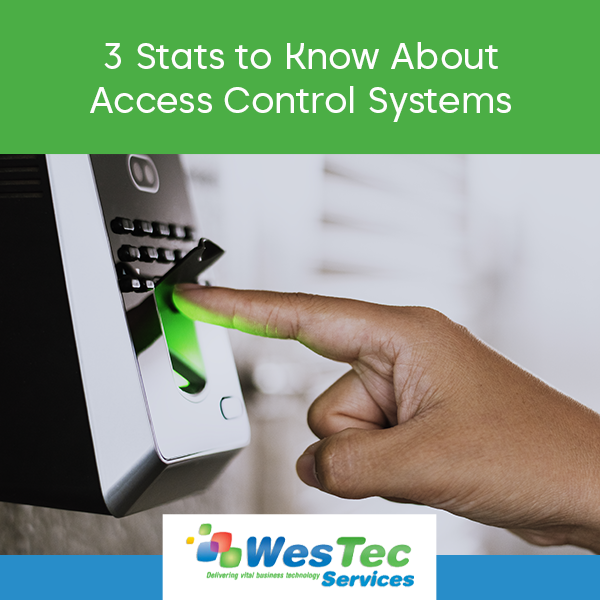
 If you are looking to upgrade your security, consider an access control system. Access control systems offer many centrally controlled security options, including video surveillance, fingerprint entry systems, and key card scanners. If you’re still on the fence, here are a few stats you should know about access control systems:








 2916 West TC Jester Blvd.,
Suite 104
2916 West TC Jester Blvd.,
Suite 104