Now, more than ever, we have to be cautious of our personal documents – whether professional or personal. Information can be easily leaked, lost, or hacked. Follow this step-by-step guide to safely store confidential data:
Disk Encryption
First, enable full disk encryption. This protects all confidential data if its devices fall into the wrong hands. There is software that does the job for you on Microsoft and Apple devices. It is important to note that said software should not be turned off or deleted once applied – this will assure that data stays safe.
Secure Hard Disks and Flash Drives
Second, important data can be stolen through physical media such as external hard disks or flash drives rather than digitally. Said devices should never be taken out of the place of business or left unattended. In addition, there should always be a backup to your backup, which is where encryption comes into play.
Password-Protected Archives
Third, any data that has not been previously stored/encrypted should never be transferred over the internet. Sending important data over programs such as e-mail or file sharing services is sometimes required, but never ideal; however, the easiest way to avoid data theft is to encrypt the data and put it in a password-protected archive. Passwords for the archive should be set through a different channel.
Safely Delete Old Data
Fourth, companies sometimes hoard information that they no longer need. Most times, said information has classified or important data that should not be possessed by the wrong person. The best way to keep the information safe is by getting rid of it once it is of no use to the company. Additionally, never forget to also delete it from the Recycle bin as well; for anything sensitive, use a file-shredder to prevent recovery.
Secure Passwords
Lastly, any archives or passwords created for data storage should be safely secured. Losing and leaking passwords is not a difficult task. The easiest way to keep passwords secure is through programs such as Kasperski.
To Store Confidential Data is simple, when the right steps are followed. Practice the above, and your data will be protected for years to come. For any additional questions or requests, contact us!
Phone technology is constantly evolving. Although new tech toys are fun and functional, there are always underlying dangers. Here are 5 smartphone security risks and how to prevent them.
Risks:
Unintentional Disclosure of Data
Malicious disclosure of sensitive or private information.
Phishing Attacks
Scams made by actors pretending to be a trusted source or individual.
Spyware Attacks
Type of malicious malware or software downloaded without the consent or knowledge of a victim.
Diallware Attacks
Stealing money from a designated user through malware that uses hidden message service or numbers.
Network Congestion
Network is overloaded with links and malware, causing lots of traffic.
Preventions:
Encrypt Mobile Devices
Encrypting is the process of converting information into secret codes which prohibits unknown users from accessing.
Update All Apps and Operating Systems
Updating apps and operation systems with frequency lowers the chances of your information being compromised – sometimes through improved bug fixes.
Set Strong Passwords
Strong passwords often include:
A minimum of 8 characters
At least one capitalized letter
The use of special characters such as, @!#
At least one numeric character
Consider Deactivating Smartphone Functionalities Such as Siri, Cortana, and Others
Smartphone functions such as Siri and Cortana save all data for future use. Make sure that if these functions are being utilized, no private information is shared — or do not use them at all.
Don’t Ignore Error Messages About The Validity of Certificates
A variety of websites do a proper job of calling out accounts or messages that are unsafe. Always read any error messages for certificates or accounts.
Remember: There are thousands of other smartphone security risks, but if you take the proper precautions the chances of any data leakage are slim.
Have any more concerns about smartphone technology? WesTec Services can help! Contact us with any questions you may have and follow us on Facebook, LinkedIn, and Twitter.
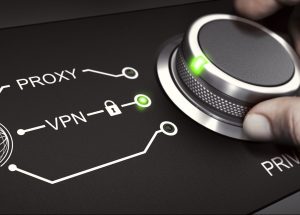
In the new age of technology, everyone is wanting to protect their data, especially for their business. VPNs and Proxies can both be used as a barrier to protect vital information from being stolen or hacked. But which one is better for you and your business? Here is a breakdown of VPNs vs Proxies:
VPNs
A VPN, or Virtual Private Network is an established private service that is used when connected to a public internet network. It provides a user with a different IP address before connecting to the service. It creates a secure connection of different destinations that ensures the privacy of data and information. When using a VPN, it will encrypt any information being sent so it can further be protected. People can easily install a VPN through their computer or an app. Not only that, but certain VPNs give the user the ability to change their location of the IP address.
Pros and Cons of VPNs
Pros of VPNs include:
Encryption of all data
Filter everything on the website
Higher security coverage
Cons of VPNs include:
Can make connection speed slower
Some VPN softwares are expensive
Pros and Cons of Proxies
Pros of proxies include:
Cheaper than VPNs
Can balance traffic loads without slowing down the connection
Can be used with big companies and servers
Cons of Proxies Include:
Less secure than VPNs
Some proxies can track certain information including passwords
Proxies
Proxies are simply a barrier between the user and the internet. The proxy acts as a filter when entering data on a website, securing any data that may be at risk. There are many different types of proxies including, forward proxy, reverse proxy, transparent proxy and anonymous proxy. All do the same thing but act upon it in a different way.
Which One is Better?
When it comes to which one is better for you, there is no definitive answer. They both successfully protect user identity and information. They both have pros and cons and it is important to do research in order to find the perfect option for you.
WesTec services can assist you with any IT questions or services. We offer skilled expertise in all technologies and are ready to help. Contact us for any further information on data security and how to protect yourself.
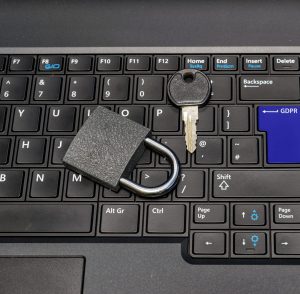
Today’s technology is constantly changing and evolving, oftentimes leaving our vital personal information at risk of being sold, leaked or taken. But did you know that there are certain laws in place to protect your data? Here is everything you need to know about data privacy laws in the US:
US Privacy Act of 1974
The US Privacy Act was passed by congress in 1974. The main purpose of this act is to protect the privacy of individuals and prevent unwanted invasions of their privacy or data from federal companies. This includes the closure of personal information. Some key points of this act include:
All citizens have the right to any data held by the government
Citizens can correct or change any data
Sharing information between different federal corporations is prohibited
FTC Act
The FTC or the Federal Trade Commission Act is another important privacy act in the US. It was first introduced in 1914 and is used to enforce the protection of data and privacy of individuals. This act is also used in court to investigate data violations. Similar to other data privacy laws, the FTC focuses on the use of equality and prevents deceptive acts that may affect commerce.
HIPAA
Personal medical information is one of the most vital pieces of data that is protected. HIPAA, or Health Insurance Portability and Accountability Act protects all forms of medical information. This act sets limits and uses disclosures in order to get medical information private and secure.
FCRA
Credit scores and anything pertaining to credit card agencies are protected under The Fair Credit Reporting Act. This act’s purpose is to establish fair, equal and private information that credit card agencies might have. This also prevents certain companies from selling your information to other companies.
Having all your information online can be scary, but just know that there are laws in place to protect you and your information.
Technology can be confusing, and it’s important to know your rights! Have any further questions on internet privacy? Contact WesTec today! And don’t forget to follow us on Facebook, Twitter and LinkedIn.
Are you interested in creating your own startup? Are you afraid of any cyber risks? Any business, especially startups, are at risk for cyber attacks. These attacks can be detrimental to a business or online presence. It is vital to know what these attackers are looking for and how to protect yourself. Here are some tips to secure you and your startup from cyber attacks:
Account Admin
Depending on how big your startup is and how many accounts will be online, it is a good idea to have one admin account. This means the one admin account will have the authority to grant access to fellow accounts and ability to download data and software. This will cut back on online vulnerability as only one person will have access to important data. Along with an admin account, you can also unlock certain data and access to different accounts within the startup. For example, you can grant access to the financial department of bank account statements and billing information. Not only will this limit the risk of cyber threats, it will also cut back on time that the admin would have to grant access every time.
Strong Passwords
Having strong passwords isn’t a surprise when it comes to cybersecurity. But, the top way hackers get into systems is going through weak passwords. In order to stop this, it is recommended that every password should have a capital letter, special characters and numbers. It is also important to never share passwords.
Multi-Factor Authentication
No matter how strong passwords can be, hackers can still find a way in. Thankfully, more systems are requiring a multi-factor authentication process when logging into an account. This means that even if someone has your password, it can require a phone number or email to fully login. Most online softwares offer this level of security, you just have to authorize it.
Knowing how to protect you and your startup from cyber attacks is crucial. With selecting admin accounts, strong passwords and multi-factor authentication process, hackers will have a harder time logging into your accounts.
Cyber threats can be irritating and hard to effectively prevent them. WesTec services can help you in any way. We offer skilled expertise in all technologies and are ready to help. Contact us for any further information on phishing and how to protect yourself.
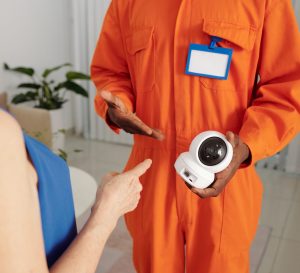
Video surveillance systems are one of the most effective ways for protecting and monitoring a space or business. With loads of surveillance services on the market, it can be hard to choose the best one for you. Here are the top video surveillance systems predicted for 2022.
Protection 1
Ranked the highest, Protection 1 video surveillance company offers a wide variety of services for many companies and areas. Each hardware can be customized to your specific liking. They include 24 hour surveillance that is protected, leaving the most accurate video data. This data can be located through their mobile application. Pricing is dependent on what plan is chosen, but the only downside is that you must sign a three year contact with every plan.
Blink by Amazon
Blink by Amazon is a user-friendly and cost effective option for surveillance. Popular for their no monthly fee or contracts, this device is becoming more popular for everyday users. Like other popular companies, they also work through an app, however it requires wifi in order to work.
Alibi Security
Alibi is a system that is usually paired with an already existing company. This simplys upgrades the performance of the system and is considered a hybrid option. You can pair this with the previous system, IP or analog, without changing the camera itself. It allows you to connect the old device with the new system allowing you to still access the data. For pricing, you must contact an Alibi Security representative.
No matter what surveillance system you decide on, it is important to do research and make sure the system is perfect for you.
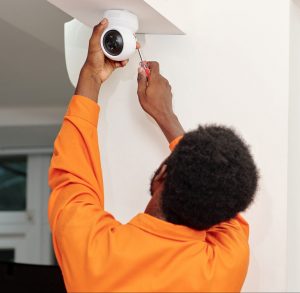
Let Westec Services help you decide on and install the best video surveillance system for you or your business. We offer our expertise in all IT issues and are willing to work diligently and professionally for all of our clients. Feel free to contact us and check out the services we offer.
With holiday’s right around the corner, this makes for a scammer’s perfect opportunity to conduct phishing scams. Researchers have stated that this year, phishing scams are going to increase significantly. More phishing scams are done via mobile devices, making it easier than ever to have your information stolen. But how do we protect ourselves during this vulnerable time?
Phishing Scams
Phishing scams are intensified during the holiday season due to the high traffic of online shoppers and the urge for people to look for deals. One popular way scammers do this is by sending emails or text messages about an offer that is too good to be passed up. For example, they list a popular technology device for cheap. Most people would just look at the price and proceed with the scam. Another scam is when they mimic bigger companies online to get credit card information or being able to log onto the device when a certain URL is clicked. These mainly happen through emails. They might send an email about a recent fake purchase to get you to click on the URL. These scams are going unnoticed and can do lots of harm. It is important to know how to prevent these scams and protect your information.
Prevention
It is inevitable that these scams will make their way to you. One way to identify a scam is to check the grammar of the message. Usually scams will be misspelled or the message came from a third party source. This is the easiest way to quickly identify the scam.
Be cautious about providing personal information such as phone numbers or credit card numbers. Make sure before you provide information that it is a reliable and trustworthy source.
If a phishing scam is sent to you, it is best to not respond. A response to these scams lets the scammer know you are a ‘real’ person and will likely be targeted again. If this does happen, there is an option to report the scam to the Spam Reporting Service.
Holidays make for a great time to buy gifts for loved ones, but this also means it is more likely to come across a phishing scam. It is important to know how to identify the scam and how to prevent and protect yourself.
Scams can be irritating and hard to effectively prevent them. WesTec services can help you in any way. We offer skilled expertise in all technologies and are ready to help. Contact us for any further information on phishing and how to protect yourself.
With the advancement of technology over time, new types of cybersecurity threats emerge for consumers and businesses to worry about. Lately, deepfake cybersecurity breaches have become more common. According to Tech Beacon, deepfakes are defined as “synthetic media in which a person in a video or audio is replaced with someone else’s likeness or voice.” This type of threat can ruin businesses quickly due to how convincing the synthetic media are.
The Dangers
Due to the advancement of artificial intelligence (AI) and machine learning, cyberhackers and criminals can create false audio and images pretending to be you or another coworker. Hackers are so precise, they can perform flawless impersonations. The frustrating part of the process is that if you don’t know this is a false video call or audio, hackers can easily obtain the information they need. Once financial details or unreleased company information falls into the wrong hands, it can be disastrous.
Experts found that deepfake hacking methods have increased by 84% between December 2018 and October 2019. Research estimates $250 million in losses, as a result of deepfake hacking for the 2020 fiscal year.
Why It’s Popular Among Hackers
Businesses still struggle with high-level email phishing scams, making deepfakes harder to prevent. Due to the lack of knowledge surrounding this threat, deepfakes are becoming a new favorite method for cybercriminals who have the time and patience to implement this method. Deepfake hackers attack businesses in these ways:
Impersonating clients or suppliers asking for payments
Pretending to be supervisors and business owners, asking for fund transfers or sensitive information
Using fake blackmail audio and videos for extortion
Presenting fake pictures, videos, and audio files on social media to create slander campaigns
The Solution
The first step in preventing deepfake attacks is to be aware it is a method of cybersecurity destruction. Once you are informed, the next question is how you can protect your business. There are a few available solutions, like Deeptrace or Cogito. These software programs can be expensive for small- and medium-sized businesses. For those on a limited budget, here are some things to consider executing immediately:
Educate staff members about deepfakes, reporting odd situations before proceeding with any actions asked
Add two-step verification to your system for emails, phone calls, and video sessions, ensuring none provided over these communication methods are used over existing ones
Strengthen security measures for cybersecurity, adding systems if you currently have none or looking into upgrades for your current system
Add additional steps for fund transfer verification — this helps ensure the transfer is supposed to occur and can save your business thousands of dollars, if not.
Taking action now is the best thing you can do for your business. Employees and business owners should also periodically check in on the issue to see if better methods of protection are discovered.
As new threats arise, you must be proactive! At WesTec Services, our IT professionals want to help you safeguard your business and its assets. If you’re unsure how to get started, contact us today.
With the rise of COVID-19, cloud-based remote work has become increasingly popular and necessary. With new and emerging cloud-based technology comes new cybersecurity threats, like “cloud jacking.”
What is cloud jacking?
Cloud jacking occurs when a hacker steals the information of a cloud account holder and gains access to the server. Hackers often use this act as a means to conduct criminal activities, such as identity theft.
Because businesses often store confidential, sensitive information on cloud servers, they are major targets for cloud jacking. When it relates to sensitive information, these kinds of security breaches can be devastating for a business’ clients, partners, and reputation. Cloud jacking is not simply a one-time offense, as it creates a web of victims.
How do I protect myself against cloud jacking?
There are several things you can do to protect your business, clients, and partners from falling victim:
Require strict, multi-factor user authentication
Limit internal access to your cloud server
Perform background checks before granting anyone access to your cloud server
Backup all data stored on the server, in the event that there is data loss
Use encryption to secure all data before storing on your server
Require all users to create strong, secure passwords
Here are the properties of a strong password:
The longer, the better
A combination of lowercase and uppercase letters
Numbers and symbols
Avoid words or terms that could be easily linked to your identity
The professionals at WesTec Services want to help you protect your network and business. We provide vital business technology and consulting services that can be tailored to your needs and budget. Interested in learning more? Contact us today!
As we make new advancements in internet technology, hackers are getting smarter! Therefore, it is crucial that you stay informed on emerging cybersecurity threats. WesTec Services has compiled a list of cybersecurity threats to be aware of:
Cloud Jacking
As remote work has become more popular and necessary as a result of COVID-19, cloud jacking has become more prevalent. Cloud jacking occurs when a hacker gains access to your cloud server. Often, hackers will hijack cloud accounts to steal identities and conduct unauthorized or illegal activities. Cloud jacking should not be taken lightly, especially if you store sensitive, confidential information on your cloud server.
Endpoints
In the past, centralized security measures were enough to protect a network from security breaches. However, the introduction of mobile phones and laptops posed new security threats — and brought awareness to security vulnerabilities (or “endpoints”). Using encryption, endpoint security seals any vulnerabilities in a network’s connection. This additional layer of security protects against threats if an infected device connects to the network. However, with the rise of remote work, we are seeing an increase in endpoint interception, as many are using mobile devices and laptops on networks that are not secure.
Phishing
Phishing is still alive and well in 2020! Hackers are now targeting small businesses with spam emails. These emails will appear to be from companies that sell a product or service that may be of interest to small businesses — and of course, upon the user clicking a link or downloading a file, their computer has been infected. Furthermore, some emails will provide a link that prompts the user to enter their log-in credentials for a familiar website, while even displaying a reCaptcha security pop-up to appear more credible and secure.
It is important to use the internet with care. Cybersecurity threats can cause a variety of issues for your business, ranging from system failure to productivity loss. At WesTec Services, we believe there is power in educating yourself. As a business owner, you should familiarize yourself with potential threats and educate your employees on internet safety. Have questions about cybersecurity? Contact us today!
You have likely seen the acronym “HTTP” while navigating the internet. HTTP (Hypertext Transfer Protocol) appears at the beginning of a web address and supports data transfer between the web browser and website. You may have also seen the acronym “HTTPS” and wondered, “What’s the difference?” Hypertext Transfer Protocol Secure (HTTPS) derives from HTTP and is an encrypted security certificate that protects sensitive information in data transfer. HTTP refers to a standard, unencrypted server, while HTTPS indicates a server is secure. HTTPS is a necessary extension if your website requires log-in credentials or the entry of private information. Without HTTPS, hackers can easily extract sensitive information. As the need for internet security increases, web browsers like Google and Yahoo! take HTTPS quite seriously. If you do not have this security certificate, your website will be flagged “not secure” – and who wants to enter their credit card information on a website that isn’t secure? Don’t fall victim to a security breach. Educate yourself on how HTTPS works and why it’s important:
How It Works
HTTPS simply takes HTTP and adds a layer of SSL protection. SSL (Secure Sockets Layer) is a connection that encrypts and decrypts a user’s requests and responses. SSL ensures that communication occurring between the user and the website server cannot be read or extracted by hackers.
Why It’s Important
Since its inception, the internet has changed life as we know it. With the introduction of e-commerce, we no longer have to leave our houses to shop for the items we need – we simply fill up our “cart”, enter our credit card information, and wait 5-7 business days for our items to arrive. We no longer have to mail a check or pick up the phone to pay our bills – we can conveniently pay our bills online! When we create a social media account or fill out a job application online, we are surrendering information like our full names, addresses, social security numbers, and more.Because HTTP websites are more susceptible to hacking, it is imperative that we make the transition to an entirely HTTPS web. We can have peace of mind, knowing that our personal information is safe. Additionally, HTTP does not protect against malware infection. When a website is infected with malware, its users are at risk of being infected as well.A cybersecurity threat can cause data breach, system failure, and ultimately impact your reputation and productivity as a business. Therefore, it is important that you educate yourself on internet safety. The IT professionals at WesTec Services can answer any questions you may have about cybersecurity. Contact us today!
A Password meter is an indicator of the strength of a password entered by a user on a website. In most cases, meters estimate the amount of tries necessary for your password to be guessed by an attacker by factoring in password length and complexity. A University of Plymouth study tested 16 of the most encountered password meters on the internet to test their effectiveness. Based on the results, here are a few tips on how to keep your passwords secure, regardless of an “approval” given by the password meter:
Do not always trust the password meter
Just because a password meter says “strong password” does not mean it is. The meters can be helpful but are also extremely flawed, giving you a sense of false security. When deciding on a password, do not base it solely on the rating given by the website.
Avoid using keyboard patterns
On many password meters, passwords such as “querty”, “abc123”, and “Password” sometimes cannot be detected as problematic. Common letter combinations, such as going down a row of the keyword or commonly used words, are easily guessed and not always flagged on the meters.
Make passwords complicated and personal
The most secure passwords are those with a combination of uppercase, lowercase, numbers, and symbols. Choose combinations that seem difficult to guess by an outside person or computer. The more complicated and seemingly random the password, the stronger it will be.In addition to character variation, do not use the same password for all of your accounts. Change up your passwords so that if one is discovered, not all of your information is at risk. Secure your valuable data with the protection it deserves. Do you part to protect your information with a strong password, WesTec is here to do the rest. WesTec Services is dedicated to providing the highest quality of IT consulting as well as backup disaster and recovery planning. Give WesTecCall a call today to discover more about our available services.
Are you sure that email came from a real company? Individuals are commonly targeted by cybercriminals claiming to be a large organization, copying the format legitimate companies and phishing for personal information.
This poses a real security threat to recipients but thankfully, there are steps you can take to spot phishing attempts:
Recognize
When it comes to identifying phishing attempts, there are a few important things to learn. Scammers are constantly switching tactics and creating new ways to trick email recipients.
Upon receiving a possible phishing email, check the sender for a domain email. If you have received an email from the person before, check to make sure alterations have not been made to the spelling of the name or email domain. Many scammers adjust a number or letter in the email to trick the recipient.
Real companies will not ask you for sensitive information over email. Most legitimate companies will call you by your name in the email, redirect you to a secure webpage, and ask you to log in before asking for or updating sensitive information.
Protect
Install proper security measures on your personal computer. While spam filters attempt to sort legitimate emails in your inbox, cybercriminals try new methods to slip through the cracks and outsmart this system.
If your email account or other websites offer a multi-step authentication option to prove your identity before accessing your information, always take advantage of this. Take any extra opportunities to better secure your data and ensure it cannot fall into the wrong hands.
In cases where you are unsure about the legitimacy of a message and files or hyperlinks are included, do not click on or open them. These often contain malicious software that attack your computer and gain access to information.
Report
If you find yourself in a situation with what you believe to be a phishing scam, contact the company using an email or number you know to be real. The company could confirm if that email was truly sent by them or not.
If you have received a phishing email, forward it to the Anti-Phishing Working Group at re************@**wg.org. You may also report the phishing attack to the FTC at ftc.gov/complaint.
For your business technology needs, WesTec Services is here to provide the security and support you need. Contact us by phone at (713) 682-4000 or by email at sa***@************es.net to discuss what we can do for you.
When your computer slows down or begins acting in an unusual way, it may be infected with a virus or malware. While most malwares are annoying, others may be malicious and hijack your computer’s information. Here are some tips to keep your hardware safe and prevent your computer from becoming infected.
Install Anti-Virus Software
Installing an antivirus or anti-malware software is the first step to protecting your computer. Without some type of protection software, your computer is an easy target for hackers. It is important to make sure the software stays up to date as well. For the best protection, install updates regularly as they alert you on your computer.
Run Regularly Scheduled Scans
You should be scanning your computer regularly with the anti-virus software you install. To best protect your computer, schedule your scan one night every week. Make sure your computer does not shut down automatically or go into hibernation mode to ensure the scan completes.
Use a Secure Network
Always use a secure network for computers to connect to files, printers or internet. Using an open network makes it easier for hackers to access your information. This means you should avoid using your computer at places that offer free WiFi. If your business likes to offer complimentary wifi to customers, consider offering a guest wifi with a different password than your main network for added protection.
Think Before You Click
Good protection software will automatically scan any links or unusual emails on your computer. However, it does not hurt to always be cautious when opening an email from an unknown sender or making sure a link is taking you where it says it is.
Use Multiple Strong Passwords
Finally, never use the same password for all of your important accounts. We often use the same email address or username for all accounts. Knowing this, it becomes crucial to use multiple strong passwords to prevent hacks. Your passwords should be easy to remember, difficult to guess, and always avoids dates or names.
Following these tips can help protect your computers and information from viruses and malware. For more information on how WesTec’s IT experts can help your business keep its information safe from hackers, contact us.
Sometimes, accounts will ask you to update your passwords for security reasons. This often feels like an unnecessary task meant to make your life more complicated. However, in a world full of hackers and online predators, one must regularly update their password to protect valuable information.
Change Your Passwords Regularly…
By regularly changing your login information and passwords, you make it harder for someone to steal information. This is increasingly important for accounts without two-factor authentication. Communication accounts, like email and chatting apps, should also be updated every so often for increased protection.
…But Don’t Change Them Too Often
Traditionally, experts recommended you change passwords every 30 to 60 days–this is no longer the case. Mandatory password updates lead to money loss and lack of productivity with minimal security payoff. Now, changing your password doesn’t hold near the protection it used to. Because cybercriminals continue to learn more advanced hardware and software, they can typically discover your password if they look hard enough.
As humans, we tend to create patterns. This is no different in password creation. Typically, we use similar letters, numbers and themes when updating a password. Updating your password too often leads to confusion with little added benefit.
Keep Your Data Secure
As a rule of thumb, update your passwords when there is proof of some sort of security breach or online attack. This includes unauthorized use of an account or evidence of malware. By doing so, you’re preventing a hacker from gaining access into your personal accounts and obtaining sensitive, private information or data.
There are other ways to protect your data. Contact the experts at WesTec Services for more information about our cybersecurity services.
If you’re not sure how to create a secure password that will outsmart the online hackers, read our recent article for tips.
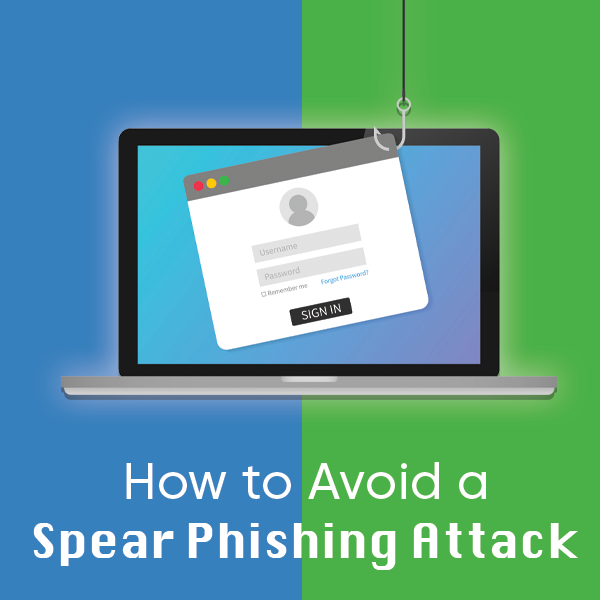
As we discussed in a previous article, phishing is an attack that uses disguised emails as weapons aimed at masses of people. However, spear-phishing is a targeted attempt to steal sensitive information from a specific victim, such as account credentials or financial information.
During a spear-phishing attack, the perpetrator attempts to acquire personal details on the victim’s friends, hometown, employer, hang-outs, and their recent online purchases. This is typically done by disguising themselves as a trustworthy friend or entity through email, social media, phone calls, or text messages.
Because spear-phishing is the most successful form of acquiring confidential information online, it is important to practice how to avoid an attack. 1. Beware what you post: Review your online profiles. How much personal information is available for potential attackers to view? If there is something you do not want the public to see, delete it, or ensure your privacy settings are properly configured. 2. Use smart passwords: It is not wise to use the password for every account you own. In this case, if an attacker has access to one account, they effectively have access to all of your accounts. Passwords with random phrases, letters, and numbers are secure. 3. Use logic with emails: If an organization sends you a link in an email requesting a specific action or sort of personal information, go directly to the organization’s site rather than clicking on the link. Calling the organization can also help clarify the issue. Real businesses will not email you asking for your username and password. 4. Update your software: Software systems include security updates that should help protect you from spear-phishing attacks, as well as others. If you receive notice of a new update, be sure to take advantage, or enable automatic updates.
To learn more about how you can protect your data or sensitive information, contact the experts at WesTec.
We place our information online every day. We’re more than happy to hand over our email, phone number, address and credit card information to purchase a product on the internet. In a world where ecommerce is becoming the standard, businesses must do what they can to protect customer data.
Follow Current Encryption Practices
Encryption practices change regularly to evolve and combat cybercriminals. Often, organizations who failed to stay up-to-date with the latest data protection trends fall victim to cyberattacks. To help protect customer data, create a recurring reminder to analyze your company’s security practices and make updates as necessary.
Limit Access to Customer Information
For additional protection, limit who within your business can view customer data. Not every employee needs access to customers’ personal information. When only necessary employees have access to customer information, hackers have a harder time finding a weak point to break into company databases.
Don’t Ask for Unnecessary Information
As a company, it is important to only collect the information you need to complete a transaction or service to your customer. Customers get weary when a business asks for unnecessary information. By only collecting necessary information, there is less for a hacker to steal. This protects customers and their livelihoods.
Educate All Employees on Security Policy
While you may limit who can view customer data, make sure every employee knows and understands the company security policy. Even though an employee may not have access to the customer database, their actions could affect the privacy of customers. For example, if someone were to take a company laptop to a coffee shop and used the open wifi, a nearby hacker could potentially break into the company’s database through the network and steal personal information.
Let Consumers Know Their Information is Protected
The best way to build consumer trust is transparency. Let customers know you value their privacy. Take it one step further by detailing how you work to keep customer information stored safely in a privacy policy.If you’re unsure of how your business should protect customer data, or if your company wants information on the latest encryption practices, contact the experts at WesTec Services. We can help you create strong security protocols and install encryption software for data security.
This holiday season, experts expect cyberattacks to rise by 60 percent. Retailers and consumers will see a spike in cybersecurity alerts on Black Friday and Cyber Monday, with heightened risk for the remainder of the year. Below are practices WesTec recommends to avoid online scams this Christmas.
Analyze Email Advertisements and Deals
Most attacks are a result of commodity malware. Scammers send phishing emails, often posing as your favorite brand, to try and steal your financial information. These emails often include misspelled words and misused grammar. If you suspect any email you receive is a scam, avoid clicking any URLs. This is how scammers steal your data or install malware on your computer. Instead, to verify the email came from the true brand, visit their website and see if they are offering the same deal.
Shop from Established Brands
Sometimes deals look too good to pass up. If an unknown website is offering a seemingly impossible deal, you could be looking at an online scam designed to steal your credit card information. Shoppers can look for the https in a retailer’s site URL, compared to http. The ‘s’ stands for secure and ensures all communications between the browser and website are encrypted.
Avoid Public WiFi
If you plan to shop online, avoid purchasing on public WiFi. These networks are often unsecured, meaning anyone with a computer acumen can view what you are browsing and steal your personal information.
Use a Credit Card
Pay with a credit card when making gift purchases. A credit card offers the best liability protection against potential fraud, unlike debit cards. If scammers gained access to your debit card information, they could drain your accounts.
Make Sure All Passwords are Unique
It’s easier to use the same password for all accounts. But is it safer? If a hacker discovered your login credentials, they could easily hack into other accounts and steal your information. To best protect yourself, your data, and your financial information, make sure each account has a random and unique password. For more information about password security, visit our recent blog post.With the holiday season quickly approaching, be proactive in identifying online scams. For more information about cybersecurity and avoiding attacks from scammers, contact us.
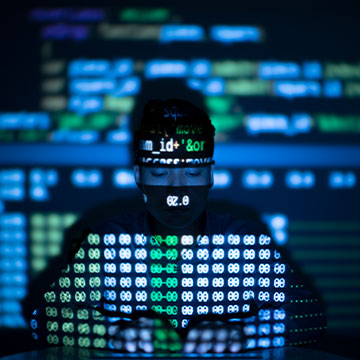
Have you ever been the victim of a cyber attack? Do you use the same password for all of your accounts? Follow our guide to outsmart the hackers with increased password security.
How Hackers Get Your Passwords
Before you can better protect your accounts, you must understand how cybercriminals access steal your information. Typically, a hacker will compromise your account in one of three ways.
Personal attack: Hackers target your account specifically. They will typically guess your email password and use password recovery options to access other accounts.
Brute-Force attack: Hackers systematically check all possible passwords until the correct one is found.
Data Breach: Hackers attack large companies, resulting in millions of compromised accounts.
What Makes a Good Password?
Ideally, your password should be at least 16 letters and contain a combination of numbers, symbols, uppercase and lowercase letters. Passwords should not include any repetition, dictionary words, usernames, pronouns or IDs. Make a strong password by thinking of a phrase and then use the initials of each word, as well as the numbers and symbols, to combat potential attacks. For example, if your phrase is “Do you think a hacker will guess my 16 character password for Facebook?!”, your password might be: Dytahwgm16cp4F?!
Enable Two-Step Authentication When Possible
If any sites or accounts offer two-factor authentication, take advantage of it. This system works to limit hacking attempts by making a user authenticate their identity with a second method of verification. Check out our recent blog post about two-factor authentication for more information.
Use a Password Manager
The best thing you can do for your accounts is have a different password for each one. However, if you follow this one cardinal rule of password security, keeping up with all passwords can be difficult. Using a password manager allows you to save all of your passwords in a secure spot with a strong master password. WesTec offers consulting for any individuals or businesses wanting more information about password security, network installation, or managed IT services. Contact us for more information.
Access control systems continuously evolve with the newest technology trends. In fact, they must keep up with updates to protect companies, their employees and data from threats. With a rising number of security breaches, we can expect more companies to install access control systems.
Access Control Reviews
Security breaches are encouraging companies to conduct full audits of access controls. Enterprises will review risks by user, role and business process to isolate and mitigate risks before they turn into high-profile breaches. By noting weak security measures, companies can make changes to better protect assets.
Individualized Access
In 2019, we saw to see a rising trend in individualized access. This ensures each person has their own username, password or identification code. Companies now have access to automated provisioning, which sets up user accounts and creates automated workflows based on job duties.
Security Patching
Hackers will do anything to break into security systems. While this has been a problem for decades, hackers are now specifically targeting overlooked points of access. To combat external threats, we expect access control systems to begin patching vulnerabilities, even if it means temporarily disrupting productivity.
Threat Identification
Next year, systems will continue and expand their use of data analytics to monitor and mitigate threats. Companies will use their dashboards to monitor access, but they will also run possible scenarios to reduce risk and conflict.
Cloud-based Systems
The need for analytics, automation and access will encourage more businesses to install cloud-based control systems. As companies increase their technology and mobile tools, they will want to protect their system in an effective way. As we prepare to enter a new year and decade, businesses shouldn’t ignore threats from potential breaches. Our expert IT professionals at WesTec Services can help you analyze your current strategies and install a system designed to deflect security breaches. Contact us to learn more about our access control systems.
Mission: WesTec will be a “turn-key” solution for all of its clients’ business connectivity needs. It will offer efficient and effective solutions, directly and with strategic partners, that create tangible value for its clients at every point of contact. Westec will serve all people and entities with a servant’s heart.
Get in touch
2916 West TC Jester Blvd.,
Suite 104
Houston, TX 77018











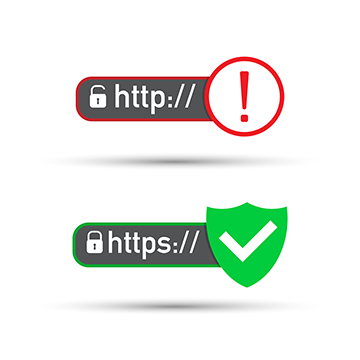 You have likely seen the acronym “HTTP” while navigating the internet. HTTP (Hypertext Transfer Protocol) appears at the beginning of a web address and supports data transfer between the web browser and website.
  Why It’s Important

 By regularly changing your login information and passwords, you make it harder for someone to steal information. This is increasingly important for accounts without two-factor authentication. Communication accounts, like email and chatting apps, should also be updated every so often for increased protection.
 1. Beware what you post: Review your online profiles. How much personal information is available for potential attackers to view? If there is something you do not want the public to see, delete it, or ensure your privacy settings are properly configured.
 Educate All Employees on Security Policy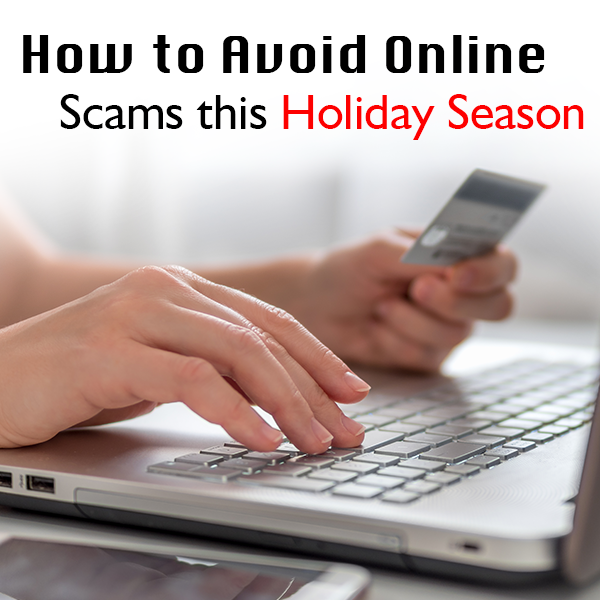
 Use a Credit Card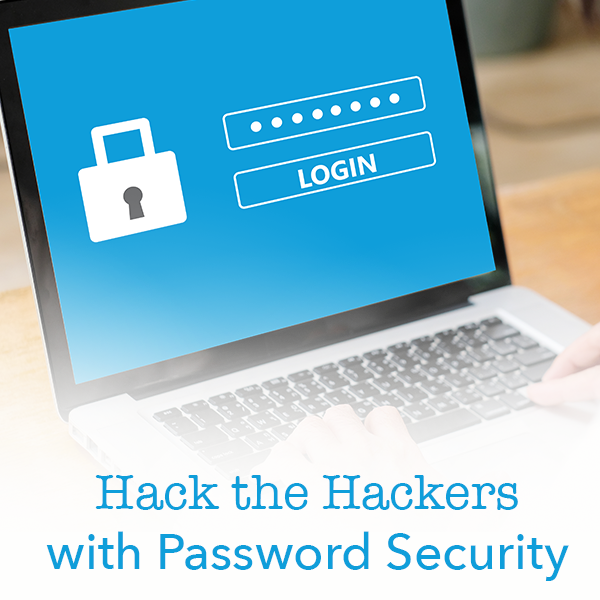
 Have you ever been the victim of a cyber attack? Do you use the same password for all of your accounts? Follow our guide to outsmart the hackers with increased password security.
 Cloud-based Systems


 2916 West TC Jester Blvd.,
Suite 104
2916 West TC Jester Blvd.,
Suite 104