No business thinks their systems will fail or they will be the victim of a cyberattack until the unthinkable happens. However, incidents such as these happen more often than one would think. This is why disaster recovery planning is so important for businesses of all sizes. Read on to learn more about the importance of disaster recovery planning and how it can be implemented for businesses of all sizes.
How to Develop a Disaster Recovery Plan
One of the most important aspects of recovering from a disaster, such as equipment error or a cyberattack, is to have all business-related data backed up in the first place. Whether in the cloud or on physical hard drives, having data backed up is essential to ensuring optimal disaster recovery.
Generally, WesTec recommends backing up computers every night and doing a full system restore once a month. By doing this, it may be discovered that files didn’t back up correctly the night before, and the error can be corrected in the morning when employees return to the office. This prevents a situation where data has become corrupt and no one realizes that data hasn’t been backed up in months.
Regularly Assessing the Plan
For a disaster recovery plan to be effective, it needs to be assessed regularly. Changes in staff or changes in the system that a company uses could also cause a plan to need to be assessed and changed. If a cyber attack or drive failure occurs, an outdated plan would not be useful to assist with data recovery.
Contact WesTec to Create Your Disaster Recovery Plan
WesTec’s IT consultants work with our clients to solve a range of IT-related problems, including data recovery and creating data backup solutions. Our professionals are well-versed in IT solutions for small to medium-sized businesses and will assist you with finding the right combination of software and hardware that will suit your business’ needs.
Interested in learning more about WesTec’s services? Contact us today to speak with one of our team members. Check out our blog to read more of our IT tips, and be sure to follow us on Facebook and LinkedIn!
Today’s technology is constantly changing and evolving, oftentimes leaving our vital personal information at risk of being sold, leaked or taken. But did you know that there are certain laws in place to protect your data? Here is everything you need to know about data privacy laws in the US:
US Privacy Act of 1974
The US Privacy Act was passed by congress in 1974. The main purpose of this act is to protect the privacy of individuals and prevent unwanted invasions of their privacy or data from federal companies. This includes the closure of personal information. Some key points of this act include:
All citizens have the right to any data held by the government
Citizens can correct or change any data
Sharing information between different federal corporations is prohibited
FTC Act
The FTC or the Federal Trade Commission Act is another important privacy act in the US. It was first introduced in 1914 and is used to enforce the protection of data and privacy of individuals. This act is also used in court to investigate data violations. Similar to other data privacy laws, the FTC focuses on the use of equality and prevents deceptive acts that may affect commerce.
HIPAA
Personal medical information is one of the most vital pieces of data that is protected. HIPAA, or Health Insurance Portability and Accountability Act protects all forms of medical information. This act sets limits and uses disclosures in order to get medical information private and secure.
FCRA
Credit scores and anything pertaining to credit card agencies are protected under The Fair Credit Reporting Act. This act’s purpose is to establish fair, equal and private information that credit card agencies might have. This also prevents certain companies from selling your information to other companies.
Having all your information online can be scary, but just know that there are laws in place to protect you and your information.
Technology can be confusing, and it’s important to know your rights! Have any further questions on internet privacy? Contact WesTec today! And don’t forget to follow us on Facebook, Twitter and LinkedIn.
Cloud computing is one the most beneficial ways for businesses to operate, but still creates online threats. Many threats can appear, but Shadow IT can interfere with devices, technology systems, applications and software. Learn about the dangers of Shadow IT and why is it being used:
What is it?
Shadow IT can be described as projects or networks that are managed by outside providers, without prior approval from the IT department. With cloud database popularity, shadow IT is growing and creates vulnerabilities including data leaks and database violations.
Risks
Now that you know what shadow IT is, what are the risks? The main risk is data leaks. Oftentimes when shadow IT is being used, it prevents certain backups from being performed. This means important data could be lost forever. From sending a document to a personal email, to file sharing on the cloud, this makes it possible for shadow IT to intervene and allow the information to be compromised by outside networks that cannot be monitored by the IT department.
These risks can go beyond simply leaking information. Depending on the network, shadow IT can harm financials, internal communications and errors within the system. When systems have access to this vital information, they can duplicate it and cause harm to your business and result in losing money.
Not all networks who use shadow IT are purposely doing it to cause harm, and most of the time big companies use this to increase productivity. Companies who use this include Google Drive, Dropbox and Microsoft Office. It is important to know that even though shadow IT can be beneficial, it still makes companies vulnerable to internal harm and should be dealt with.
Prevention
It can be determined that shadow IT will not be going away soon, which is why educating employees on this issue will be the best prevention plan. Along with knowing the risks, routinely checking your data will help manage and determine if shadow IT is affecting your business.
Want to know more about shadow IT? WesTec services can help! Feel free tocontactus and check out ourservicesto see how we can assist you. Don’t forget to follow us on Facebook,LinkedInandTwitterfor updates.
Almost every device has a database system, but do you know how to best manage it? Database management systems ensure that your system performs to its highest potential while creating a more effective way of logging data. Here are the top reasons why you should start a management system for your databases:
Greater Than Human Knowledge
Technology is advancing quicker than ever, and is becoming smarter and more useful in the workplace. We as humans cannot comprehend everything that a computer can do, and without databases, there are lots of limitations. That is why having this management system is so important, it can solve problems faster than we can and can store loads of crucial information.
Automation
Automation is used to perform tasks repetitively, on a schedule that can be difficult when doing it one by one. Management systems can pre-order information and create internal schedules that can be customized for and by the user. While information increases, an effective automation system should increase efficiency and productivity to ensure the best organization.
Questions
There are many questions that are asked every second of every day. Most of which are answered due to database management systems. Most systems have an internal spreadsheet of answers that save humans time and energy to go search for them in traditional ways. This is accessible for everyone and is used all the time for us to better manage information.
Overwhelmed
Even with these types of systems, we can easily get overwhelmed by the information. However, the management system allows the user to focus on the core information rather than the complexities of the little things. Users can easily track and manage their data and time based on their database.
Have any questions about the right technology services for you or your business? WesTec services can help.Contactus with any questions you may have and follow us onFacebook, LinkedIn and Twitter.
Blockchain technology is one of the most effective ways to have secure and connected information. It stores information and then ‘chains’ it with more databases linking them together. This creates an irreversible timeline of data that can be beneficial.
How Does it Work?
The main purpose of a blockchain is to send information that can be sent to other databases but cannot be edited. This is important when distributing important information. The first step in this process is the transaction. This is when the information is first introduced to the database. As more information is entered, it creates a chain that can spread to other systems.
How Secure is it?
The main question regarding blockchain technology is how safe it is. Due to its inability to edit any information, this makes this one of the safest ways to spread information. Not only that, but it stores everything chronologically and linearly. Even if hackers try to interrupt a chain, it wouldn’t line up with the rest of the block, immediately notifying users.
Ways to Use Blockchains
This technology can be used in many ways including banking, currency, healthcare, smart contacts, supply chains and voting. Since this system is secure and easily distributed, many companies find this the most effective way to store their information. Big companies such as Walmart and Pfizer actively use blockchains to distribute their records or important documents.
Blockchain technology is finally making it’s way into modern life. From its effectiveness and security, more companies are finding ways to incorporate this technology into their businesses.
Have any questions about the right technology services for you or your business? WesTec services can help. Contact us with any questions you may have and follow us on Facebook, LinkedIn and Twitter.
Have you ever accidentally deleted a file and then realized you need it back? Unfortunately, it’s happened to most of us at least once–and we’ve all experienced the headache that follows.
Here are a few tips that can help you try to recover a deleted file from your device:
Make sure the file is really deleted – If you’re not sure whether you permanently deleted a file, be sure to look for it before making an assumption. When attempting to recover deleted files, check the Recycle Bin or Trash on your computer. Typically, you can choose the filter “Date Deleted” to make your search easier. If your file was stored in a cloud storage like Dropbox or Google Drive, check your deleted files there–it may still be recoverable.
Check your backups– Making regular backups of your most important files on your device can prevent you from losing critical data when you need it. If you do have a backup, you may be able to recover your deleted files. if you don’t have a backup, now may be the time to implement one.
Try to recover the file– If you deleted a file on a magnetic hard drive, shut down the computer immediately. With the computer shut down, you should remove the hard drive from the computer entirely and place it in another computer as a secondary drive. Use file-recovery software to scan the drive. If you deleted the file recently and haven’t written to the drive much, you have a fairly good chance of recovering it.
Professionally recover the file– If all other methods were not successful in recovering the deleted files, you may want to consider a professional data recovery service. Professional data recovery services deal with everything from deleted and overwritten files to dying hard drives that need to be disassembled and repaired.
To continually ensure the security of business data and important files, it is recommended to perform regular data backups to your computer. If you feel that you don’t have the time or expertise, WesTec Services performs data backup and recovery services provided by our expert IT consultants.
For more information on our data backup or recovery services, contact the experts at WesTec today.
An unexpected computer shutdown can potentially harm your computer and its data, which is why it is important to properly turn off your computer by selecting shut down, restart or sleep.
Turning your computer off properly allows the computer to make sure that any running programs are closed. To avoid losing files or program corruption, it is best to cancel the computer shutdown and close the programs manually.
An unexpected computer shutdown can be caused by power outages, brown-outs, depleted battery or removed power cord, accidentally hitting the power button, or the computer may be experiencing some other internal technical issue.
Because of the issues that can occur with an improper shutdown, the only time to hold the power button until the computer turns off is if the computer freezes. Sometimes turning a computer off and on again will allow it to reset itself.
So, how does an unexpected computer shutdown affect your device? Even if you don’t have any programs running, there are other processes going on in the background. When a computer is performing an update or correcting device bugs, an unexpected shutdown may cause the files to download as incomplete and they will then be unable to perform their assigned tasks.
If software files or the operating system become corrupted from an unexpected shutdown, a professional may need to repair the files or reinstall the entire system.
Before making any major changes to your system, be sure to perform a backup of any important data. In fact, regular data backups are always recommended.
WesTec Services performs data backup and recovery services provided by our expert IT consultants. Our services include a free report, which will outline common mistakes that many business owners make with their computer network.
To avoid any worry during an unexpected computer shutdown, contact WesTec today.
Business mobile phones can be used for a range of commercial operations, including inventory control, customer relations, advertising, marketing, banking and more.
Here are few ways to ensure your mobile phone and its valuable data is protected against hackers and malware:
1. Update your phone.
Most of us are guilty of ignoring operating system updates on our business mobile phones. However, the longer you wait to update your phone, the more out of date your systems are, making you an easier target for hackers who can easily identify and exploit system vulnerabilities.
2. Lock your device.
If your business mobile phone contains private information about you or your business, it is important to always engage the four- or six-digit passcode on your device. Don’t use the same password for all your accounts and be sure to change your password occasionally for good measure.
3. Manage app permissions.
On your mobile phone, you can grant apps permissions, like access to the camera, microphone, your contacts, your location, your pictures, and more. Be sure to keep track of which permissions you’ve given to which apps, and revoke permissions that are not completely necessary.
4. Back up your data.
Things happen, but you can always be prepared. When you back up the data on business mobile phones, you are able to protect your important documents and images in case of any loss.
5. Ignore spam and phishing emails.
One of the easiest ways for hackers to access your information is through email. Be sure you don’t click on links in promotional emails, open suspicious attachments or run updates that are promoted through emails. If you need to access sensitive information, report directly to the organization’s website to login.
Connecting the dots with business mobile phones can be confusing, time consuming and costly. For a reliable business mobile phone provider in Houston, contact the experts at WesTec today.
We place our information online every day. We’re more than happy to hand over our email, phone number, address and credit card information to purchase a product on the internet. In a world where ecommerce is becoming the standard, businesses must do what they can to protect customer data.
Follow Current Encryption Practices
Encryption practices change regularly to evolve and combat cybercriminals. Often, organizations who failed to stay up-to-date with the latest data protection trends fall victim to cyberattacks. To help protect customer data, create a recurring reminder to analyze your company’s security practices and make updates as necessary.
Limit Access to Customer Information
For additional protection, limit who within your business can view customer data. Not every employee needs access to customers’ personal information. When only necessary employees have access to customer information, hackers have a harder time finding a weak point to break into company databases.
Don’t Ask for Unnecessary Information
As a company, it is important to only collect the information you need to complete a transaction or service to your customer. Customers get weary when a business asks for unnecessary information. By only collecting necessary information, there is less for a hacker to steal. This protects customers and their livelihoods.
Educate All Employees on Security Policy
While you may limit who can view customer data, make sure every employee knows and understands the company security policy. Even though an employee may not have access to the customer database, their actions could affect the privacy of customers. For example, if someone were to take a company laptop to a coffee shop and used the open wifi, a nearby hacker could potentially break into the company’s database through the network and steal personal information.
Let Consumers Know Their Information is Protected
The best way to build consumer trust is transparency. Let customers know you value their privacy. Take it one step further by detailing how you work to keep customer information stored safely in a privacy policy.If you’re unsure of how your business should protect customer data, or if your company wants information on the latest encryption practices, contact the experts at WesTec Services. We can help you create strong security protocols and install encryption software for data security.
Phishing is defined as a cyber attack that uses disguised emails as weapons. Hackers try to trick email recipients into clicking links or attachments they designed to steal personal information.
What is Phishing?
Here’s an analogy to better understand: Imagine a fisherman baiting a hook and tossing it into a lake in hopes of getting a bite. If a fish bites, the fisherman reels it in. But, if it doesn’t, the fisherman fails and the fish keeps swimming.Phishing is the same way. A cybercriminal can only gain access to your accounts or information if you fall for the bait. For example, a hacker might design an email disguised as your bank telling you your account has been compromised. They ask you to click on a link to verify your identity. If you click on the link and fill out the information, you have now provided them with the information to access your finances.
Types of Phishing
Hackers attempt to get victims to do one of two things to get what they want. Some cybercriminals try to trick you into giving up your information. This is similar to the bank example above. Other hackers prefer to have you download malware. Often, these types of emails will include a download attachment, often a .zip file or Microsoft document, embedded with malicious code.
How to Prevent Phishing Attacks
If you know how to spot a phishing attempt, you can avoid compromising your data and report it to the Federal Trade Commission. Here are the steps you can follow to confirm the identity of an email sender:
Always check the spelling of URLs in email links before you click
Watch out for URL redirects, where hackers sent you to a different website with identical design
If you receive a suspicious email from a source you know, contact them with a new email, rather than replying
To learn more about how you can protect your data and sensitive information, contact the experts at WesTec.
Access control systems continuously evolve with the newest technology trends. In fact, they must keep up with updates to protect companies, their employees and data from threats. With a rising number of security breaches, we can expect more companies to install access control systems.
Access Control Reviews
Security breaches are encouraging companies to conduct full audits of access controls. Enterprises will review risks by user, role and business process to isolate and mitigate risks before they turn into high-profile breaches. By noting weak security measures, companies can make changes to better protect assets.
Individualized Access
In 2019, we saw to see a rising trend in individualized access. This ensures each person has their own username, password or identification code. Companies now have access to automated provisioning, which sets up user accounts and creates automated workflows based on job duties.
Security Patching
Hackers will do anything to break into security systems. While this has been a problem for decades, hackers are now specifically targeting overlooked points of access. To combat external threats, we expect access control systems to begin patching vulnerabilities, even if it means temporarily disrupting productivity.
Threat Identification
Next year, systems will continue and expand their use of data analytics to monitor and mitigate threats. Companies will use their dashboards to monitor access, but they will also run possible scenarios to reduce risk and conflict.
Cloud-based Systems
The need for analytics, automation and access will encourage more businesses to install cloud-based control systems. As companies increase their technology and mobile tools, they will want to protect their system in an effective way. As we prepare to enter a new year and decade, businesses shouldn’t ignore threats from potential breaches. Our expert IT professionals at WesTec Services can help you analyze your current strategies and install a system designed to deflect security breaches. Contact us to learn more about our access control systems.
Threats to a company’s data come in many forms. Cyber-attacks like malware, spyware and viruses attack valuable data from companies each day. While anti-malware and anti-virus can help prevent breaches, these softwares can’t protect data from physical disasters. Data backup is imperative for a company’s continued success.
Local and Network Backups
Storing information on-site is one of the easiest ways to backup data. It can be stored on hard drives, tape drives, or other storage systems connected to a company’s network. Copying files to USB drives or external drives also provide an easily accessible copy of files. However, this should not be the sole method of data backup. Physical disaster, theft and ransomware all pose threats to local backups.
Cloud Backups
Cloud backups are quickly being integrated into businesses looking for added protection. This method of data backup allows copies of data to be stored on remote servers and accessed by internet connection. Unlike other methods, the cloud allows for automated backup of data to provide up-to-date copies of files.
Online File Storage
Similar to cloud backup, online file storage stores files on the internet. Sites like Dropbox and Google Drive allow businesses to store and share files off-site. While online file storage works well as an additional backup method, it also comes with limitations. Depending on the files, backup can cost time and bandwidth.The experts at WesTec Services recommend a business keep at least three copies of data in different places and on two different formats for proper data backup. Our team can help protect your data from threats. Contact us to get started.
It’s easy to see why Office 365 is an attractive solution for small and medium-sized businesses already familiar with the Office interface. More and more companies are making the move to the cloud, but there are security issues to consider.
Identify your company’s sensitive data…
Most files housed within your servers contain sensitive commercial and personal data that must be properly identified and protected. Do this by conducting a security audit before you undertake your migration.
Your audit should identify the types of data stored in the various parts of your company network, including which specific information needs extra safeguarding. Be sure to consider everything from trade secrets and contract details to the personal information of your clients.
…and then restrict access to it
Once you’ve worked out where your most precious data lies, you can check who currently has access to it and whether their access is appropriate. After all, it’s not necessary for everyone to be able to get at all the data your company owns.
Ensure that each of your employees has access only to the data that’s necessary for them to perform their duties. The great thing about Office 365 is it lets you conveniently set different levels of permissions based on user roles.
Watch out for insider threats
It’s wise to consider everyone in your organization when it comes to auditing data access permissions – and that includes system administrators who may have master access to every element of your network infrastructure.
A rogue administrator is the stuff of nightmares, since their elevated position gives them much greater leeway to siphon off valuable data without being noticed – or even to allow others to conduct questionable business and bypass the usual built-in security precautions. You can mitigate this risk by monitoring your administrators’ data usage and activities.
Use machine learning to foresee security breaches
Every action performed by your staff within Office 365 is automatically logged, and with relative ease you can create detailed activity reports. But the sheer number of events taking place within Office 365 in the course of your business’s normal operations means that even attempting to identify questionable behavior will be akin to finding a needle in a haystack.
That’s not to say it’s unwise to be on the lookout for anomalies in normal usage – the export of unexplainably large volumes of data, for instance, could suggest that a member of your team is leaking intelligence to a competitor, or that they’re about to jump ship and take your trade secrets with them.
To make things easier, machine learning technologies can identify potential breaches before they happen by analyzing large swathes of data in seconds. Graph API is incorporated into Office 365, and allows for the integration of machine learning tools into your security environment to achieve just that. The same tools can also help you avoid being caught unawares by hackers, by identifying system login attempts from locations that are out of the ordinary.
By following these tips, you’ll be able to enjoy the powerful collaborative features of Office 365 while ensuring the robust security your business demands. To find out more about how we can help your Office 365 migration run smoothly, just give us a call.
Published with permission from TechAdvisory.org. Source.
When it comes to Internet security, most small businesses don’t have security policies in place. And considering that employee error is one of the most common causes of a security breach, it makes sense to implement rules your staff needs to follow. Here are four things your IT policies should cover.
Internet
In today’s business world, employees spend a lot of time on the internet. To ensure they’re not putting your business at risk, you need a clear set of web policies. This must limit internet use for business purposes only, prohibit unauthorized downloads, and restrict access to personal emails on company devices. You can also include recommended browsing practices and policies for using business devices on public wifi.
Email
Just like the Internet policy mentioned above, company email accounts should only be utilized for business use. That means your employees should never use it to send personal files, forward links, or perform any type of business-related activities outside their specific job role. Additionally, consider implementing a standard email signature for all employees. This not only creates brand cohesion on all outgoing emails, but also makes it easy to identify messages from other employees, thus preventing spear phishing.
Passwords
We’ve all heard the importance of a strong password time and time again. And this same principle should also apply to your employees. The reason is rather simple. Many employees will create the easiest to crack passwords for their business accounts. After all, if your organization gets hacked, it’s not their money or business at stake. So to encourage employees to create strong passwords, your policy should instruct them to include special characters, uppercase and lowercase letters, and numbers in their passwords.
Data
Whether or not you allow your employees to conduct work on their own devices, such as a smartphone or tablet, it is important to have a bring your own device (BYOD) policy. If your employees aren’t aware of your stance on BYOD, some are sure to assume they can conduct work-related tasks on their personal laptop or tablet. So have a BYOD policy and put it in the employee handbook. In addition to this, make sure to explain that data on any workstation is business property. This means employees aren’t allowed to remove or copy it without your authorization.
We hope these four policies shed some light on the industry’s best security practices. If you’d like more tips or are interested in a security audit of your business, give us a call.
Published with permission from TechAdvisory.org. Source.
Data is incredibly valuable. The more of it your business generates, the easier it is to predict market and customer behaviors. Analytics solutions aren’t always the right fit for small businesses, but that doesn’t mean their data isn’t valuable. Here are some ways to add real value to your business by harnessing the power of data.
Many businesses shy away from data analytics due to the perceived costs and resources required to get anything of value. However, even the most humble mom-and-pop stores and home-based entrepreneurs have access to a broad range of worthwhile information.
It doesn’t make sense to spend half your week mired in spreadsheets and charts if you’re not extracting information that helps increase revenue. Basic data analytics solutions from companies like Microsoft and Google offer solutions to streamline the collection and examination of company information. But with an array of different tools to choose from, what should you consider before investing in one?
How easy is it to use? There’s no point investing in a dashboard solution if you don’t understand the way the insights are presented. Analysis functions must be straightforward and user-friendly.
Are the results actionable? Great insights are worthless if applying them requires another staff member that you can’t afford. Test drive an analytics solution before investing to ensure that its insights are easy to understand and apply.
Does it save you time? If you’re already relying on data analysis for growth, your first priority should be boosting productivity. Look for solutions that will enable you to complete your current analytics tasks in less time.
Is it compatible with other apps? You need a solution that cuts down on manual data entry and doesn’t add steps to any existing processes. Make sure any analytics software you’re considering can integrate with your existing solutions before signing on the dotted line.
Whether your aim is to attract new customers, retain existing clients, expand your services, or decide on a new location, your data is an indispensable asset. It’s there in good times and bad times, just waiting for you to take a closer look.
If you’d like to learn more about adding value to your business with data analysis, or want to explore data analysis software options, get in touch with us today – we’ll be happy to recommend options based on your needs and requirements.
Published with permission from TechAdvisory.org. Source.
Mission: WesTec will be a “turn-key” solution for all of its clients’ business connectivity needs. It will offer efficient and effective solutions, directly and with strategic partners, that create tangible value for its clients at every point of contact. Westec will serve all people and entities with a servant’s heart.
Get in touch
2916 West TC Jester Blvd.,
Suite 104
Houston, TX 77018











 Make sure the file is really deleted – If you’re not sure whether you permanently deleted a file, be sure to look for it before making an assumption. When attempting to recover deleted files, check the Recycle Bin or Trash on your computer. Typically, you can choose the filter “Date Deleted” to make your search easier. If your file was stored in a cloud storage like Dropbox or Google Drive, check your deleted files there–it may still be recoverable.
 other internal technical issue.

 2. Lock your device.
 Educate All Employees on Security Policy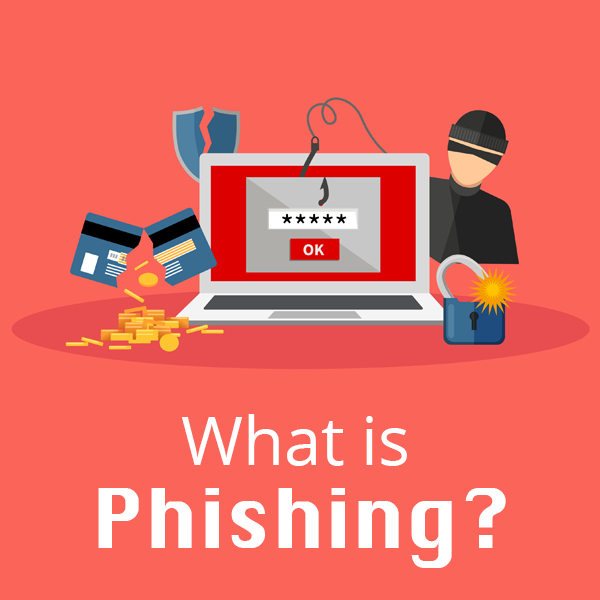
 Phishing is defined as a cyber attack that uses disguised emails as weapons. Hackers try to trick email recipients into clicking links or attachments they designed to steal personal information.
 Cloud-based Systems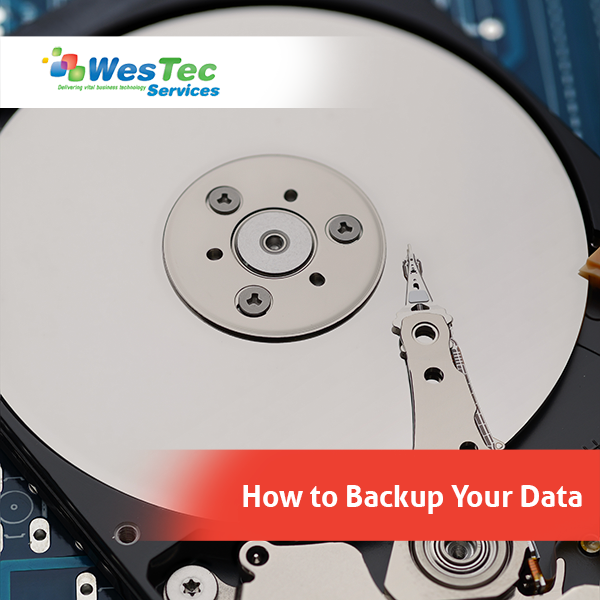
 Local and Network Backups
 Online File Storage








 2916 West TC Jester Blvd.,
Suite 104
2916 West TC Jester Blvd.,
Suite 104