Cloud storage is becoming increasingly popular due to how much physical storage space is saved and the lower cost associated with it. While cloud storage is convenient, cloud security measures should be implemented and strictly enforced to ensure that data is not compromised. Read on to learn more about cloud security best practices for 2025.
Routine Assessments of Passwords and Access Points
Utilizing the same simple passwords on multiple sites is a recipe for disaster. Additionally, using a simple password for cloud storage accounts puts your data at a much higher risk than complex passwords. Utilizing complex, hard-to-guess passwords is a baseline measure to ensure the safety of your business’ data.
Additionally, regularly assessing these passwords and changing ones that may have been compromised is essential. Access points should also regularly be assessed. Having a list of the devices that are signed in to your accounts makes it easily identifiable if an unrecognized device gains access.
VPNs (Virtual Private Network)
Especially when working for a large, well-known company, utilizing a VPN is essential. VPNs essentially secure your device’s connection and increase the difficulty of an unauthorized source gaining access to your business’ network. There are many different options available, and it’s important to research which is best for your business.
Compliance and Training
Ultimately, it’s common that cybersecurity breaches happen as a result of human error in clicking scam links via email, using common passwords that can be guessed via brute force, or not following proper cybersecurity measures. Making employees aware of policies and providing regular training on new ones will ensure that your company’s data remains safe and secure in cloud storage.
Partner with WesTec for Your IT Needs
WesTec’s team of experienced IT consultants and professionals has the knowledge needed to recommend software and hardware solutions for small to medium-sized businesses in a variety of industries. Looking for storage solutions for your growing company? Contact us today on our website to learn more about our services. To see more tips and information, check out our articles page.
Slow network speed, viruses, or general computer errors slow down productivity and cost your business time and money. While many may accept these small frustrations as a part of daily operations, with a Network Health Check from WesTec Services, these problems can be solved. Read on to learn more about network health checks and why they are important.
Internet Speed
Slow internet speed is a common example of frustrations that can be assessed in a network health check audit. WesTec can perform a simple test to determine your internet speed and provide your business with recommendations to improve speed, therefore increasing productivity.
Viruses
Anti-virus protection is essential for any business. WesTec’s experts can assess computer systems and screen for any viruses that may be slowing down your business’ computers and causing frustrating issues. Unfortunately, some viruses may go unnoticed, but WesTec’s team assesses your system with an expert eye.
Overall Network Health Check
In addition to screening for specific things, WesTec’s team performs an overall check of your business’ computer systems to address any core issues that may be causing problems for your business. In today’s business environment, keeping up with technology is essential, but WesTec knows that the more complicated technology gets, the more difficult it is to keep up. That’s why our experts are here to help and explain problems in non-technical terms to allow for ease of understanding. Our team is here to help, not cause further complications.
Contact WesTec for a Network Health Check Audit
If your business is experiencing a loss of time and productivity due to technology issues, contact WesTec Services on our website to learn more about how we can help solve these problems. To see more tips and information about WesTec’s services, check out our articles page. Don’t forget to follow us on Facebook and LinkedIn!
When planning for company growth, upgrading and expanding your business’ technology is essential; however, it can be difficult to know where to begin. Connecting with an IT consultant helps your company prepare for growth and smoothly evolve.
Assessing Current Company Conditions
Company growth brings technology challenges, but IT consultants bring expert recommendations that ensure the transition is seamless. WesTec’s IT consultants are experienced in assessing and making recommendations for software and hardware for small to medium-sized businesses that will leave room for growth and enable them to effectively run their business profitably.
Our IT consultants identify each client’s specific needs and target areas that should be upgraded to accommodate business growth, whether that’s a larger number of employees or an influx of customers.
Recommending Options for Scalable Growth
There is a wide range of upgrades that can be implemented to plan for sizable growth within a company. Whether a more efficient customer management system (CRM) is needed or general hardware needs to be updated, IT consultants can help identify these problem areas and target weaknesses.
Strengthening Cybersecurity Measures to Prepare for Growth
With company growth comes the need for stronger cybersecurity. While smaller businesses are generally targets of cyberattacks due to weaker security measures, any company is at risk of its data being compromised. Strengthening cybersecurity measures is an essential part of a growth strategy that IT consultants will help your business navigate. This can range from antivirus software to simply updating outdated software or upgrading outdated hardware.
Putting off updates for computer software puts your business at a greater risk of compromise because updates often come with bug fixes and patches. These fixes could include issues that compromise your cybersecurity. Ensuring your software is regularly updated is essential to increasing your data’s security.
Partner with WesTec for Experienced IT Consultants
WesTec’s IT consultants have years of experience assisting small to medium-sized businesses plan for growth while strengthening their overall business technology systems. Interested in learning more about our services? Contact us on our website today! To learn more IT tips, follow us on Facebook and check out our articles page.
Conference video calls and emails may make up a large portion of business communication today, but phone calls are still an important part of business communication in our tech-centered society. Read on to learn more about how updated telephone systems can benefit businesses.
Updated Telephone System Benefits
The last thing a business needs is phone calls getting interrupted during an important conference or sales call. By choosing WesTec as your business phone installer, we guarantee the reliability of our systems. We have options to suit every small to medium-sized business that will enable them to compete with their larger competitors at a price that they can afford.
Switchvox
WesTec installs and manages Switchvox systems for small- to medium-sized businesses, which enables them to run enterprise-level solutions for their growing number of employees. Depending on the system, Switchvox installation allows businesses to manage all of their phone lines in one place for a price that suits their budget.
VoIP Solutions
Traditional hardware and phone lines can be frustrating and costly to install. VoIP (Voice over Internet Protocol) solutions use the internet to connect phone calls rather than physical telephone lines. These updated telephone systems are user-friendly, cost-effective, and simple to install. As they are integrated into a business’s existing setup, they require much less maintenance than traditional systems.
VoIP systems have much more flexibility than traditional phone systems. Depending on the system, phone calls can often be forwarded to a cell phone if employees are not in the office, making remote work simpler and stress-free.
Choose WesTec to Install Your Updated Telephone Systems
WesTec has years of experience in managing IT and telephone systems for small to medium-sized businesses. By choosing us as your provider, we guarantee that our team of experts will install reliable, affordable solutions that meet your business’ needs.
The world of IT is evolving at an unprecedented pace and being driven by the rise of emerging technologies. Businesses that embrace these trends stand to gain a competitive edge, unlocking new possibilities and efficiencies. As we navigate the future of IT, staying informed and adapting to these transformative technologies will be crucial for organizations and individuals alike. Learn about which of our IT services may suit your business’s needs the best. If you have any questions about our IT services, contact us today! Follow us on Facebook to keep up with our latest blogs!
As the holiday season approaches, online shopping surges and so do cyber scams. Cybercriminals are quick to exploit the increased digital activity, creating sophisticated schemes that can compromise your personal and business data. Here’s how to stay vigilant and protect yourself and your business from holiday cyber scams.
Phishing
Phishing scams are one of the most common types of holiday scams. Cybercriminals often send fake emails or text messages disguised as special offers, shipping updates, or promotions from well-known retailers. These messages may look convincing, but they typically contain links that lead to malicious websites or prompt you to enter sensitive information. Always verify the source by checking the sender’s email address closely or visiting the official website directly instead of clicking on links.
Online Ads and Pop-Ups
Cybercriminals know people are actively searching for deals during the holidays, so they create fake ads or pop-ups to lure unsuspecting shoppers. These ads often lead to websites that steal credit card information or infect devices with malware. To avoid these scams, stick to trusted, reputable websites, and avoid clicking on unfamiliar pop-up ads. If you see an ad for an unbeatable deal, go directly to the retailer’s website instead of clicking.
Strengthen Your Passwords
Weak passwords are a common security vulnerability. Strengthen all of your accounts by creating unique, complex passwords that combine letters, numbers, and symbols. Enabling multi-factor authentication adds an extra layer of protection by requiring a secondary form of verification, such as a text message code, making it harder for scammers to access your accounts.
Educate Your Team
For business owners, it’s essential to educate employees about common holiday cyber threats and best practices. Conduct brief training sessions on phishing scams, the importance of strong passwords, and how to verify links. Ensuring that your team is aware of the latest cyber threats can go a long way in protecting your business.With heightened awareness and proactive steps, you can enjoy the holiday season without falling victim to cyber scams. Staying vigilant is key to protecting both your personal information and your business from these seasonal threats. If you have any questions about our IT services, contact us today! Follow us on Facebook to keep up with our latest blogs!
In an era where security concerns are at the forefront of priorities, investing in advanced technologies such as video surveillance has become imperative. Video surveillance has emerged as a powerful tool for enhancing security measures, offering a wide range of benefits that extend beyond simple monitoring. Whether you are a homeowner or a business, security should be a pressing concern for your property. Those looking to strengthen their security measures should always consider video surveillance for multiple reasons we will explore in this article.
First and foremost, the mere presence of visible video surveillance cameras acts as a strong deterrent to criminal activity. Potential intruders, vandals, and trespassers are less likely to target a property that is equipped with surveillance systems, knowing that their actions are being recorded. The proactive nature of video surveillance helps prevent crimes before they occur, creating a safer environment for both physical assets and individuals. In cases like these, video surveillance acts as a preventative measure to any harm that could occur on your property.
In the unfortunate event of criminal activity, accidents, or disputes, video surveillance serves as a crucial tool for documentation and evidence collection. High-quality video footage can help law enforcement and legal authorities in investigating incidents, identifying culprits, and establishing the facts surrounding an event. This evidentiary support can be the key piece in resolving disputes and ensuring justice.
All of these advantages lead to another one which is the overall feeling of safety to those on the premises being secured. Video surveillance provides an extensive means of monitoring and safeguarding spaces, promoting a sense of safety among occupants. In the event of an emergency or security threat, real-time monitoring allows for swift responses, enabling security personnel or authorities to address situations promptly. Advancements in technology have promoted these quick responses with the integration of security systems with remote monitoring capabilities. This allows users to access live feeds and recorded footage from their smartphones, tablets, or computers, providing real-time visibility into their premises. Whether monitoring a business, residence, or public space, remote accessibility enhances situational awareness and enables timely decision-making, regardless of physical location.
Investing in video surveillance is an essential step toward reinforcing security measures and addressing the evolving challenges of today’s world. From deterring criminal activity and enhancing safety to providing documented evidence and supporting remote monitoring, video surveillance offers a well-rounded approach to security. As technology continues to advance, these systems will play an increasingly vital role in safeguarding assets, individuals, and the overall well-being of communities. Learn about which of our IT services may suit your business’s needs the best. If you have any questions about our IT services, contact us today! Follow us on Facebook to keep up with our latest blogs!
The world of Information Technology (IT) is constantly evolving which makes staying on top of emerging technologies and trends crucial for businesses. Several new, groundbreaking innovations are reshaping IT every day and making advancements in many industries. It is important to stay updated on what these trends are in order to find out how they can be applied to your business and its operations. This article will cover five emerging technologies and trends that are just on the horizon for IT.
Artificial Intelligence (AI) and Machine Learning (ML)
Artificial Intelligence and Machine Learning continue to be at the forefront of technological advancements. These technologies enable machines to learn and make decisions, mimicking human intelligence. In the IT realm, AI and ML are being harnessed for data analytics, predictive modeling, and automation. From chatbots providing customer support to predictive maintenance in industries, the applications are vast and continually expanding.
Robotic Process Automation (RPA)
Robotic Process Automation involves the use of software robots to automate repetitive and rule-based tasks. This technology streamlines business processes which improves efficiency and significantly reduces the risk of human error. From data entry to customer service, RPA is transforming how organizations handle routine tasks and making business easier for many.
Augmented Reality (AR) and Virtual Reality (VR)
AR and VR technologies are going beyond entertainment and gaming by finding applications in various industries. From virtual training environments to immersive customer experiences, AR and VR are transforming the way businesses engage with their audiences and employees. Using this technology for a variety of simulations is just the beginning of the many applications possible.
5G Technology
The rise of 5G networks is accelerating the connectivity of devices and systems. As a result, high-speed communication with little delay is more accessible to businesses. With faster and more reliable internet connections, 5G enables the widespread adoption of IoT (Internet of Things) devices, smart cities, and augmented reality applications, transforming the way we live and work.
Cybersecurity Advancements
With the increasing frequency and sophistication of cyber threats, cybersecurity remains a top priority for IT professionals. Emerging technologies such as AI-driven threat detection, blockchain for secure transactions, and zero-trust architecture are fortifying organizations against evolving cyber risks, ensuring the confidentiality and integrity of sensitive information. These advancements should provide a sense of security that all business owners should be aware of and seek.
The world of IT is evolving at an unprecedented pace and being driven by the rise of emerging technologies. Businesses that embrace these trends stand to gain a competitive edge, unlocking new possibilities and efficiencies. As we navigate the future of IT, staying informed and adapting to these transformative technologies will be crucial for organizations and individuals alike. Learn about which of our IT services may suit your business’s needs the best. If you have any questions about our IT services, contact us today! Follow us on Facebook to keep up with our latest blogs!
In the ever-evolving landscape of cybersecurity, businesses face not only external threats but also internal dangers that put sensitive information at risk and compromise the security of the establishment. The importance of detecting and mitigating internal security threats cannot be overstated, as they are often overlooked due to the familiarity of the threat actors within the organization’s systems and operations. In this article, we will explore strategies to effectively identify and address internal security threats.
One way to identify internal security threats is by monitoring user activities within the company’s system by employees and users. Regularly conducting comprehensive training sessions with employees can lower risks associated with inside threats. These sessions can cover the fundamentals of cybersecurity and the potential repercussions of negligent or malicious actions. Analyzing user behavior and activity to identify anomalies or unusual patterns that may indicate malicious intent is also a good practice in identifying internal risks. By spreading awareness and monitoring employees, organizations can recognize and report suspicious activities.
Conducting regular security audits is another method used to identify internal security risks within an organization. Regular security audits and assessments can evaluate the effectiveness of existing security measures. This includes reviewing access logs, analyzing network traffic, and assessing the overall security structure of the organization. Security audits can uncover vulnerabilities and weaknesses that may be exploited by insider threats. With the results from these audits, the proper adjustments and protocols can be put in place to minimize the risk of internal threats.
Lastly, implementing Data Loss Prevention (DLP) solutions and strong access controls is crucial for preventing the unauthorized transfer of sensitive data. These tools can aid in identifying and blocking attempts to access and share confidential information. DLP solutions also assist in monitoring and controlling the use of removable storage devices, minimizing the risk of data leakage through various channels. Employees should have access only to the resources essential for their specific roles and responsibilities. Businesses must regularly review and update user privileges to align with changing job functions, effectively minimizing the risk of unauthorized access and reducing the potential impact of insider threats.
In the world of cybersecurity, organizations must remain vigilant against internal security threats. By implementing a combination of these approaches, organizations can significantly enhance their ability to detect and mitigate the risks posed by insider threats. A proactive stance, coupled with continuous improvement and adaptation, will empower organizations to safeguard their information and maintain strong security in the face of evolving internal threats. Learn about which of our IT services may suit your business’s needs the best. If you have any questions about our IT services, contact us today! Follow us on Facebook to keep up with our latest blogs!
In an era dominated by digital advancements and interconnected systems, having a stable security strategy for your business’s IT infrastructure is essential. The increasing frequency and sophistication of cyber threats require businesses to adopt strong and reliable IT security strategies even more. Choosing the right approach can be a daunting task, given the multitude of options available. This article can help guide you on what to consider when selecting the best IT security strategy for your company.
There is no one-size-fits-all solution for IT security. You must consider your company’s specific industry, size, and operational requirements when selecting security measures. For example, a strategy that works well for a financial institution may not be suitable for a creative agency. Defining your company is the first step in determining what IT security solution is best for your business.
It is also important to choose a strategy that can adapt to the evolving nature of cyber threats and accommodate the growth of your company. You must examine the current size of your company and future goals to ensure that the scale of your IT security plan covers all areas. Scalable and flexible solutions ensure that your security measures remain effective as your business expands. The technology of the world is constantly changing, so it is vital to have a security solution that can keep up with that change.
Looking into what risks your business is most prone to is also useful in selecting the best IT security solution for it. By conducting a thorough risk assessment, potential vulnerabilities are identified and can be prioritized based on potential impact and likelihood. This analysis provides a foundation for tailoring your security measures to the specific needs and risks faced by your company.
Selecting the best IT security strategy for your company requires careful consideration of the unique risks and requirements you face. Even after choosing a security solution, it is important to regularly reassess and update your IT security strategy to stay ahead of emerging threats and protect your company’s sensitive information in the ever-changing digital landscape. Learn about which of our IT services may suit your business’s needs the best. If you have any questions about our IT services, contact us today! Follow us on Facebook to keep up with our latest blogs!
Ransomware is a type of malicious software, also known as malware, designed to encrypt a victim’s files or entire computer system, making it inaccessible until a certain ransom is paid to the attacker. The attacker will typically demand payment in cryptocurrency, making it difficult to trace the destination of the transactions. Once the ransom is paid, the attacker claims that they will provide a decryption key or tool to unlock the victim’s data, allowing them to regain access. Both individuals and businesses should be able to identify ransomware attacks as early on as possible in order to take the best course of action in mitigating the attack minimizing its damages.
Identifying Ransomware Attacks Ransomware attacks should be identified as early as possible in order to minimize the damages and losses. Early tells of ransomware include out-of-the-ordinary file behavior as it typically changes the file extensions of encrypted files to something unusual. For example, your files might have “.locked,” “.encrypted,” or other unfamiliar extensions at the end or completely unrecognizable file names. When you attempt to open your files, you could also receive an error message or find that the contents have been scrambled and are inaccessible. These are just a couple of ways to identify a ransomware attack early on before the actual ransom note. It is essential to have strong cybersecurity measures in place to protect against ransomware attacks. Regularly updating software, implementing strong security practices, maintaining backups, and educating users about the dangers of phishing and malicious attachments are some of the best practices to prevent falling victim to ransomware.
Mitigating Ransomware Attacks What do you do after you have identified the use of ransomware in your system? Generally speaking, it is not advisable to pay the ransom, as there is no guarantee of receiving a decryption key, and paying only fuels the criminal activity. Instead, victims should seek assistance from law enforcement agencies and cybersecurity experts to explore other potential solutions for data recovery. These are experts in the field and have the resources to either track the attack back to the attacker or provide potential data recovery options in the case of stolen information. Additionally, users should disconnect the device with ransomware from the network in order to prevent it from spreading even further to other devices. Isolating the affected system from the network, refraining from paying the ransom, and seeking assistance from cybersecurity experts are all parts of mitigating a ransomware attack.
Ransomware attacks can be highly disruptive and damaging, affecting individuals, businesses, and even critical infrastructure. The motivations behind these attacks vary; some attackers are financially motivated, while others may have political, ideological, or malicious intentions. Make sure your technology is always up to date and secure to protect your data. If you have any questions about our IT services, contact us today! Follow us on Facebook to keep up with our latest blogs!
Spoofing attacks are a type of cyberattack in which a cybercriminal will hide their identity by disguising themselves as a trustworthy source in order to gain highly sensitive and valuable information from their victims. There are multiple methods of spoofing attacks such as email, IP, and caller ID spoofing that put victims at high risk of their cybersecurity. Being able to detect and prevent these attacks are skills that all internet users should have to protect both themselves and their organizations.
Detecting Spoofing Attacks
Early detection is key to combating the consequences of spoofing attacks. Implementing extra layers of security to all of one’s systems and accounts through methods such as Multi-Factor Authentication and Anti-spoofing Software are effective ways to detect suspicious activities before it is too late. Additionally, installing certain protocols or digital signatures on forms of digital communication such as emails allows users to have security when sharing valuable information as they feel assured that it is going to a source that they trust. A combination of multiple methods of spoofing attack detection will increase the amount of protection that one has against them. It will also allow time for one to develop a response plan whenever an attack is detected by discovering and tackling the issue from its source.
Preventing Spoofing Attacks
There are also multiple methods to prevent attacks from occurring in the first place. Practicing habits such as updating software regularly, undergoing phishing awareness training, and installing intrusion detection systems are all recommended to avert falling victim to spoofing attacks. These are all methods that create more obstacles for spoofers to overcome to gain the important information they seek. By having a team with individuals who are all aware of the threat that spoofing attacks pose to cyber security, the attacks and their consequences can be averted before the damage is already done. Being able to prevent the attacks also increases the amount of trust that someone may have in the company or organization as it demonstrates the measures taken to ensure the cybersecurity of their data and information.
The detection and prevention of spoofing attacks are vital to ensure consequences such as data breaches, financial losses, and damage to an organization’s reputation are avoided at all costs. In the age of evolving technology, it is important to also evolve in cybersecurity methods as well. This is only one of many examples of digital corruption, and an awareness of how to detect and prevent them can restore trust in digital systems. If you have any questions about our IT services, contact us today! Follow us on Facebook to keep up with our latest blogs!
Have you ever got the feeling that someone is watching you? That feeling might not be completely out of pocket. Whoever is watching you may not be outside your window or monitoring your physical movements, but are viewing your activity on your electronic devices. Anyone is vulnerable to spyware, and can be a victim of theft or hacking at any moment. Here’s how to detect it and what to do to protect yourself.
What is Spyware?
Spyware is a type of malicious software designed to secretly gather information from a user’s computer or device without their knowledge or consent. This information can include sensitive personal data, such as login credentials, financial information, browsing habits, and more. This malware is hidden from the user’s naked eye and is used without their awareness. This is then followed by sending the collected data to a remote server or third party. Types can vary, but can derive from email attachments, downloading pirated software, and clicking on questionable links.
Detection & Prevention
Detecting spyware on your computer or device can be challenging because it is designed to operate discreetly. However, there are several signs and methods you can use to detect the presence of spyware such as installing antivirus softwares. These programs are designed to detect and remove spyware and other malware, ridding your device of potential threats. Run regular scans to check for any infections and be sure to keep them updated. Be vigilant for any unusual behavior on your device such as sluggish performance, crashing, freezing, pop-ups, or suspicious browser settings.
Spyware can be unpredictable at times, but it’s important to stay aware and look for any signs of malicious behavior. If you have any questions about our IT services, contact us today! Follow us on Facebook to keep up with our latest blogs!
It’s common to jump on a website and immediately see a pop-up regarding accepting cookies, and can even be mandatory if you wish to continue to the site. But have you ever truly understood what exactly you’re accepting? Cookies and privacy terms can vary website to website, but here’s what you should know before you make the click.
What Are Cookies?
Cookies allow websites to remember and store information when you use their site. This information can include your name, your login, your purchase history, and more. Depending on what site you visit, it may or may not be wise to accept cookies. Some sites enforce the use of cookies to produce a better experience for the user. This can include personalizing the site based on your preferences and to save your desired items for later. Some cookies are placed by advertisers, which is considered a third party to the site. In this instance, you may want to install safety software to prevent private information from being stolen. The privacy terms you are accepting are there to let you know that the site is transparent about data tracking. So if this concerns you, be sure to read over the conditions before allowing cookie usage.
When To Say No
While most websites use cookies to create a better experience, there are plenty of reasons to be cautious. If you notice a website is not encrypted, it means there is very little protection for your information. If you are able to catch that the cookie agreement is for third parties, refrain from accepting them. This can allow your data to be stolen, sold, and more vulnerable to hackers. Finally, if you are entering in personal or banking information, do not allow cookies to be used. It is always better to be safe than sorry when it comes to your data.
It can be hard to differentiate between a trustworthy or an untrustworthy site, so always pay attention to what terms you accept. If you have any questions about our IT services, contact us today! Follow us on Facebook to keep up with our latest blogs!
Passwords are used to protect your devices, finances, health records, and so much more. We rely on them to prevent unauthorized users from accessing devices and accounts, which is crucial for most companies. Passwords are meant to change frequently to properly fulfill their purpose, as no password is unbreakable. Alas, World Password Day was born to act as a reminder to everyone that maintenance is required to retain account security.
Why It’s Celebrated
It is imperative that everyone has a strong password to ensure privacy. Before the internet and all of its glory, passwords were used as a method of entry for secret societies and clubs. Today, passwords are used a little less loosely to avoid cyber hacking. As the world becomes more advanced, cyber threats evolve as well. This means it is crucial to maintain the security of your passwords by updating them regularly. Falling on the first Thursday of May every year, World Password Day serves to encourage users to protect their data by maintaining their authentication methods.
Password Mistakes
Many people see their passwords as a way to get into their accounts rather than a way to keep others out. With this, many people try to make their passwords short, easy to remember, and personally relatable. Hackers are well aware of this, and will likely guess a password based on this criteria. Users have a habit of using the name of a pet, child, hobby, or profession when creating a password. A way to make passwords more difficult to guess is to use one that is irrelevant to the user. People also commonly use the same passwords across different platforms. This makes it easier for a hacker to access all accounts with one successful attempt.
With data being as precious as it is, it is up to you as the user to pay mind to your level of security. Celebrate this World Password Day by updating all your passwords for any account that holds value.
In today’s world, everyone relies heavily on technology to do just about anything. We use it to communicate with one another, to work and pay our bills, and purchase goods at the click of a button. We expect our devices to work without error, and can often forget that electronics can fail us at any point without any warning. It is important to remember that computers, phones, and other devices are not to be depended on for everything, and lost information can sometimes be the fault of the user.
The Situation
Imagine walking into work one morning to find a great mechanical failure has occurred overnight. This could have been caused by a number of events such as a virus, a natural disaster, a human error, or a system failure that has erased all of your company data. Nevertheless, the recovery system you had failed and your business could be facing serious risks. This disaster can happen at any moment, which is why it is crucial to install a more trustworthy IT recovery system to ensure proper data backup.
Prevention
The best steps to take to make sure your plan is safe is to manually back up data and information regardless of the trust you have for your recovery system. It is also wise to perform a full system restore once a month to make sure that the recovery system you have actually works. The single most expensive mistake most small business owners make is related to protecting their company data, so it is better to be safe than sorry. All businesses should document their IT recovery plan as part of their business continuity plan, and should not neglect testing it periodically.
Conclusion
It can be easy to forget that electronic devices are not without their flaws, and can fail you and your business any day of the week. In order to retain all those irreplaceable files, make sure your recovery plan has your back. If you have any questions about our IT services, contact us today!
Something as simple as sending an email may seem like normal task, but every email sent out holds precious information that thieves prey upon. Whether it’s for personal or company use, any information can be utilized to expose any confidential details you may not wish to share. These details can be used to perform cyberattacks, which is more than ideal to avoid. With the use of email security, your or your company’s cloud can be protected from potential cyber threats.
Why is it Important?
Having cloud-based email security is important for a number of reasons, especially since email is the most vulnerable line of communication. This is because hundreds of emails go out each day depending on the size of your company, raising the overall probability of getting attacked. Since most employees are busy working, the chances of them noticing a suspicious link attached to an email may be slim. Clicking on this link could result in attackers collecting precious credentials or installing viruses to employee computers. To prevent this from happening takes a lot less exertion than trying to reverse it, so consider taking action before it’s too late.
Potential Threats
Companies and personal users of email face potential consequences everyday when without cybersecurity. But what types of threats are there to look out for? Phishing emails take a hefty 90% of the blame for attacks for their talent of deception. These emails are sent to employees and usually consist of believable scenarios such as:
Changing payment methods for certain services (Netflix, Amazon, ect.)
Changing a password for an account under their name or company’s name
Alarming notices regarding unwarranted purchases
There are other ways for phishing emails to trick your employees, and they continue to evolve every single day. Phishing emails are the starting point of cloud-email exploitation, which happens through the use of document sharing. Many companies rely on Google Drive and other document sharing tools, so a recognizable email may not strike anyone as suspicious. Without proper cybersecurity, attackers can access these private documents and other data found in the cloud.
How Can I Improve it?
Applying integrated security to protect company data is the best way to prevent cyber attacks. Email encryption prevents data leaks wherever there is vulnerability in the server. Adding this extra step to ensure security between emails will definitely help. It is also beneficial to educate employees of these scams and how to identify them before moving forward. Thieves become more intelligent with every passing day, so learning how to specify what to avoid will benefit you or your business greatly.
Conclusion
As a company, it is a great responsibility to make sure your data is protected. As it’s been said before, prevention is a lot easier than finding a cure. Preparing for the worst scenario and staying aware of cyber threats will save you a lot of time and concern.
To learn more about our services, contact us today!
Follow us on Facebook or to keep up with our latest blogs!
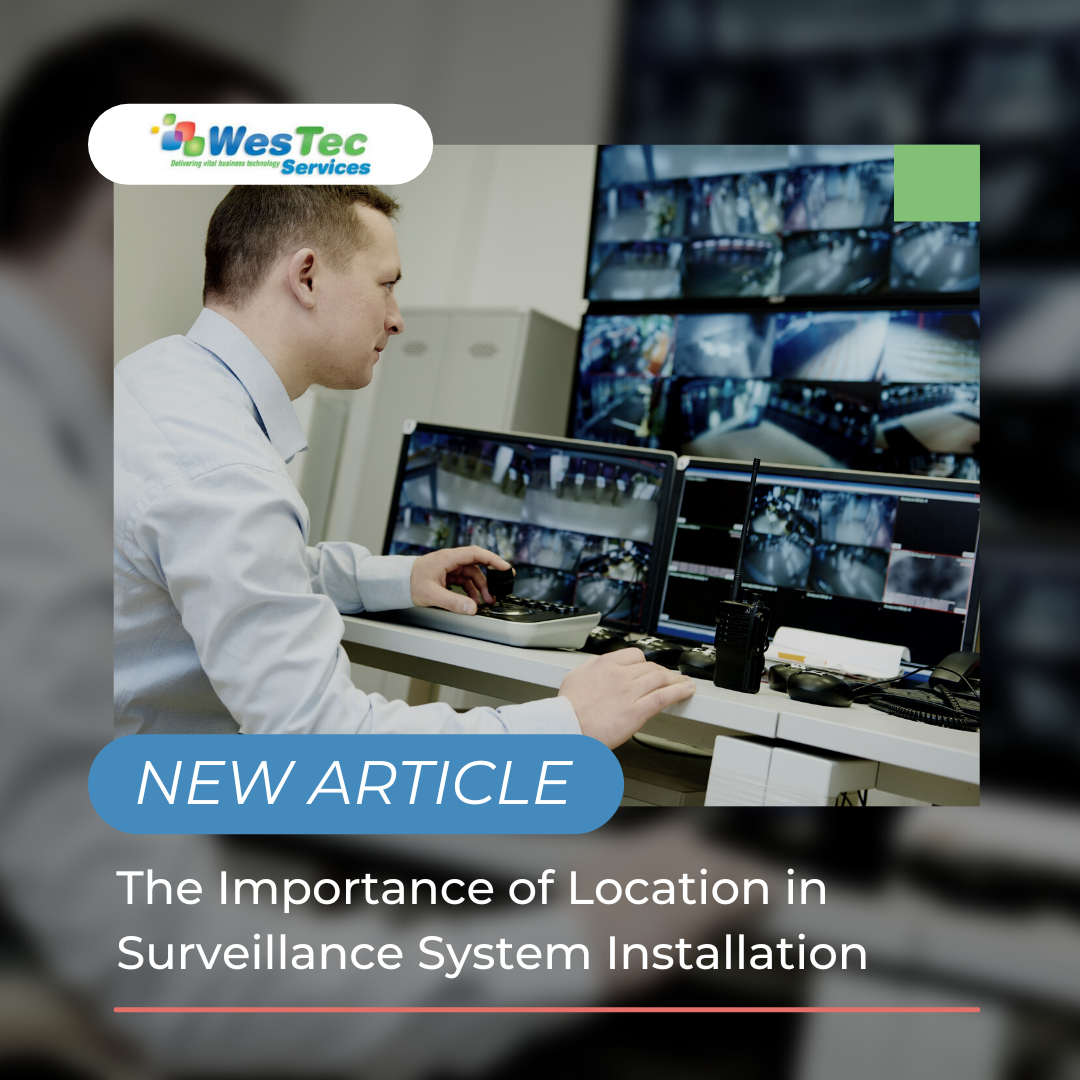
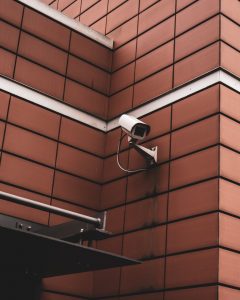
If you own a business, protecting it is probably on the top of your priority list. Surveillance systems and cameras can help you do just that. When making the decisions about CCTV or IP cameras, there are a few different factors to consider before mounting them.
Purpose
The first thing you want to identify when deciding on the location(s) of your security cameras is, what are you trying to protect? Is it one building? All the doors to the office? Outdoor equipment? Employee workspaces? Thinking about these questions will help you narrow down exactly where you need cameras and what type. The whole purpose of a security camera is to protect your business from numerous different threats. Making sure you are capturing the correct areas is the first step.
Power Source
Cameras need a power source to operate. Is there access to a power connection or can new wiring be installed in the areas you are wanting to place the cameras, or do you want to go with a battery powered or solar panel option.
Mounting
Thinking about the places you are installing the cameras and the material that the surveillance cameras will be mounted to. There are many different brackets and methods for mounting security cameras. Our professionals can help you decide what would work best for your needs.
Environment
There are many all-weather or weather resistant cameras. Thinking about what kind of environment your security system will need to operate in will help you decide the location and what type of camera you will need.
Lighting
Are there lights in the area you want to cover? Is it natural or artificial lights? At night is the space well lit or will you need a camera with night vision?
There are many factors that go into deciding the location of your security cameras and the type of system that would be best for your business. Surveillance cameras help protect your company from a range of hazards from theft and crime to workplace accidents. WesTec Services can help make sure you are getting the most out of your surveillance system and assist with answering those questions about camera placement.
Contact us today if you have any questions about adding a surveillance system to your business or learn more about installing a WesTec Guardian CCTV/ Video Surveillance System here.
When you think of surveillance systems, do you think of the fuzzy CCTV shots from old true crime documentaries? Video systems have come a long way since then. Past are the days of not being able to identify individuals from recordings. So how can a surveillance system add a level of security to your business and help you mitigate risk?
Protection from Theft and Crime
Security cameras can help stop crimes before they even occur. Setting up exposed cameras lets trespassers know that they are being recorded and the likelihood of them being caught just went up. A surveillance system proactively protects your business, and can reduce insurance costs.
If a crime does occur, you’ll have a place for the investigation to start and be able to provide evidence. You can choose cameras that continually record or are triggered by an event, such as someone walking by. All-weather cameras allow you to continue capturing activity in extreme conditions. With the climate in the Houston area, you never know what circumstances your surveillance system will need to be working under.
Reducing Workplace Hazards
CCTV and IP camera systems are not just for the outside of your building, installing cameras in work areas can help reduce work-related accidents. By monitoring work spaces, you can mitigate risk such as verifying machinery is functioning properly, confirm safety procedures are being followed and eliminate hazards that could cause injury. More employee accidents results in higher workers’ compensation rates. A surveillance system allows you to document exactly what occurred.
The decision to add surveillance cameras comes down to keeping your business and employees safe and reducing costs associated with thief, employee accidents and workers’ compensation and insurance.
If you would like to learn more about leveling up your security and adding a surveillance system, contact us today. Learn more about installing a WesTec Guardian CCTV/ Video Surveillance System to your business here.
WesTec offers a full line of Houston cabling services including Voice, Data, Fiber, and Coaxial cabling. In this article, we will take you through the specifications of each one, and what makes each of them different.
Voice and Data Cabling
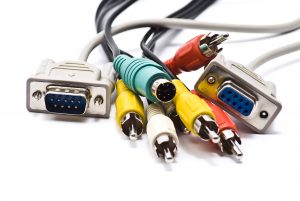
Voice and data cabling are used for just that – voice and data. They are inclusive but not limited to phone system cabling, data network cabling, server room cabling, surveillance cameras, video cabling, and more. Distinctly, data cabling is inclusive to two different types of cables – copper and fiber. The type of cables used define the standards of the method used. Furthermore, these types of cabling make up offices or campus networks, which are able to adapt with new and upcoming technologies; in the long run, allowing businesses to expand.
Fiber Cabling
Fiber cables are able to connect multiple cabinets together and often include a center glass core surrounded by layers of protective materials. This type of cabling avoids electrical obstruction by transmitting light, making them the perfect method for environments with vast amounts of electrical interference. Fiber cabling is now the standard for connective networks across buildings due to their resistance of moisture and lightning.
Coaxial Cabling
Coaxial cables are probably one of the most complex types of cabling to install due to their complex infrastructure. These cables have a single copper conductor at the center, a braided metal shield, and a plastic layer in the center which provides insulation. The metal shield is used to block outside interference from motors, fluorescent lights, and other computers. Additionally, coaxial cabling is resistant to obstruction and can handle larger cable lengths between network devices.
Cabling services differ according to your needs, and many beyond just these four exist. WesTec Services is ready to assist you with your cabling needs. For additional information, questions, or comments, contact us or read here.
For a business or home to run successfully, strong network connection in computers is essential. WesTec offers computer Network Health Checks, but what does that entail?
If your computer(s) are running slower than usual, your network is glitching, or there have been security breaches, you might be due for a Network Health Check.
What Are Network Health Checks?
Network Health Check can be defined as a way to test the critical components of a network for performance, reliability, and other security issues. These checks provide security which ensure that your network is sustained to best practices and maximize availability. Because networks can be at risk of security breaches, and malfunction, checking your network health should be done at least once a quarter; some even request that checks are done with more frequency to prevent data loss, poor performance, and others.
Where We Come In
At WesTec, we come to you, on site, and complete a Health Check Audit and check for maximum speed, security, and performance. During the audit, we would also check for any problems such as spyware, failing hard drives, or out-of-date security patches. In addition, we check your computer’s network security, backups, and other issues which could lead to expensive repair bills. At the end of the audit, a report will be provided to you with all information regarding the vulnerability of your network as well as what can be done to fix it.
Now that you have a detailed definition and explanation of a Network Health Check, you might find yourself in need of one. We work diligently to make sure that your network is safe, strong, and reliable. Network Health Audits are only one of the many services we offer. Click here for our services or for any additional questions or requests, contact us. We are more than happy to help!
Mission: WesTec will be a “turn-key” solution for all of its clients’ business connectivity needs. It will offer efficient and effective solutions, directly and with strategic partners, that create tangible value for its clients at every point of contact. Westec will serve all people and entities with a servant’s heart.
Get in touch
2916 West TC Jester Blvd.,
Suite 104
Houston, TX 77018













 2916 West TC Jester Blvd.,
Suite 104
2916 West TC Jester Blvd.,
Suite 104