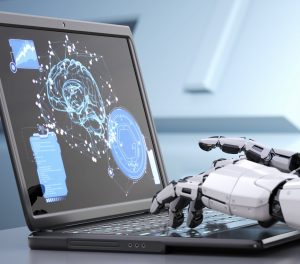
Machine learning is a type of artificial intelligence that is capable of predicting, detecting and prescribing solutions to many equations. It is mainly used by inserting thousands of images or algorithms into the system, which causes it to recognize the data and know the difference between them. This creates an algorithm that can be used for digital chat bots, voice recognition services and spam detection softwares. But what are the pros and cons of machine learning?
Pros
When it comes to the pros of machine learning, there are many including prediction, detection and prescription. These complex machines are able to conduct data analysis fast and are more effective than any human. They can predict accurate information that can lead to more health and technological advances. Along with predicting information, machines can also detect this information at a faster rate than humans. They can detect data, images, voices and more. Not only can machines predict and detect information, they can also create solutions for certain algorithms. Scientists believe that machine learning devices can create solutions 100 times faster than humans. Machine learning can be used for many different areas of work or study, especially with the amount of tasks it can perform.
Cons
On the other hand, machine learning does have some disadvantages including data privacy and security. Machine learning can conduct many solutions including facial and voice recognition, which can be a problem for some people. When the machine does these types of tasks, many people argue that it is taking vital information from people and storing it internally. When the data is stored, almost anyone can access it, leaving a problem of data security.
The bottom line is that machine learning is extremely useful. Like other technologies, it has its pros and cons.
WesTec Services is your one-stop-source for all things IT support & consulting in Houston! Does your business require network installation, backup & disaster recovery, managed services, consulting, and more? We’ve got you covered! Contact us today.
It is no secret that understanding technology and their terms can be difficult. Especially with it always changing and evolving, it is hard to keep up with all the lingo. Knowing the basic machine learning terms will help you have a better understanding of the technology. Here are the top terms you should know:
Unsupervised Learning
Unsupervised learning refers to systems that rely on clustering algorithms. The main goal of this is to allow big systems or computers to a wide variety of information so they can learn and adapt to it. The downside to this is that each system needs to be programmed in order to use the information.
Robotic Process Automation (RPA)
This type of automation is simply using bots to carry out certain tasks. RPA’s work best in an environment that repeats certain tasks.
Linear Regression
Linear regression is a statistical algorithm that uses variables to predict values of dependent variables. The main idea of linear regression is being able to use independent and dependent variables to plot data on a line.
Deep Learning
Artificial intelligence is becoming more popular in the technology industry, and deep learning is a new approach to AI. Deep learning groups learning algorithms based on hierarchy. For example, the first layer of deep learning can consist of an algorithm based on color and as the layers go up, the level of the algorithm increases due to how important it is to the full algorithm.
Classification
Classification is grouping objects, ideas or information into categories. This can be useful for any type of algorithm or machine learning. It keeps track of data and allows the user to select certain information or objects to send out or edit.
Struggling to understand machine learning terms Minimize the downtime spent searching for solutions and outsource IT support with WesTec Services! Interested in learning more? Contact us today! Don’t forget to follow us on Facebook, Twitter, and LinkedIn!
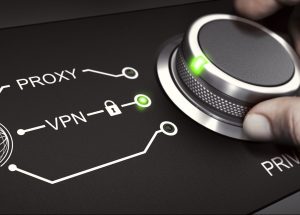
In the new age of technology, everyone is wanting to protect their data, especially for their business. VPNs and Proxies can both be used as a barrier to protect vital information from being stolen or hacked. But which one is better for you and your business? Here is a breakdown of VPNs vs Proxies:
VPNs
A VPN, or Virtual Private Network is an established private service that is used when connected to a public internet network. It provides a user with a different IP address before connecting to the service. It creates a secure connection of different destinations that ensures the privacy of data and information. When using a VPN, it will encrypt any information being sent so it can further be protected. People can easily install a VPN through their computer or an app. Not only that, but certain VPNs give the user the ability to change their location of the IP address.
Pros and Cons of VPNs
Pros of VPNs include:
Encryption of all data
Filter everything on the website
Higher security coverage
Cons of VPNs include:
Can make connection speed slower
Some VPN softwares are expensive
Pros and Cons of Proxies
Pros of proxies include:
Cheaper than VPNs
Can balance traffic loads without slowing down the connection
Can be used with big companies and servers
Cons of Proxies Include:
Less secure than VPNs
Some proxies can track certain information including passwords
Proxies
Proxies are simply a barrier between the user and the internet. The proxy acts as a filter when entering data on a website, securing any data that may be at risk. There are many different types of proxies including, forward proxy, reverse proxy, transparent proxy and anonymous proxy. All do the same thing but act upon it in a different way.
Which One is Better?
When it comes to which one is better for you, there is no definitive answer. They both successfully protect user identity and information. They both have pros and cons and it is important to do research in order to find the perfect option for you.
WesTec services can assist you with any IT questions or services. We offer skilled expertise in all technologies and are ready to help. Contact us for any further information on data security and how to protect yourself.
A hardware refresh cycle is when you upgrade you or your company’s hardware and software as needed. Benefits include saving information, increasing efficiency, and improving safety. Here’s how to develop a hardware refresh cycle:
1. Assess Your Hardware Needs
Any hardware refresh should start with a closer look at your systems. This means knowing what kind of hardware it is, how old it is, and how much storage is used. This will better prepare you for the updates.
2. Future Needs
After knowing what hardware you have or what it is lacking, you will want to conduct some research and decide what routine updates will be required of your hardware in the future. This is also a good time to locate receipts, and know purchase dates and any warranties you may have.
3. Disposal of Old Hardware
After assessing your current hardware, you may need to upgrade the system completely. In order to do this, you will want to make sure the hardware company has a warranty program. If they do, you may be able to get it replaced at a lower price. If not, this is when you will want to wipe your system and properly dispose of it.
4. Different Types of Hardware
You may not know that there are many different types of hardware including, personal computers, central processing units, random access memory, hard disks, internal hard drives, mobile devices, and servers. It is important to choose the right one for you or your business.
5. Purchase
Once you have an idea of what software you want, you can choose to either purchase it or lease it. Both have their pros and cons. For more information on buying vs leasing IT equipment, read here.
Keeping your hardware up-to-date will not only increase productivity, but it will also improve your business’ safety. It is important to conduct a hardware refresh cycle regularly.
Not sure what technology is better for your business? Westec Services can help! Feel free to contactus for more information or questions you may have.
Today’s technology is constantly changing and evolving, oftentimes leaving our vital personal information at risk of being sold, leaked or taken. But did you know that there are certain laws in place to protect your data? Here is everything you need to know about data privacy laws in the US:
US Privacy Act of 1974
The US Privacy Act was passed by congress in 1974. The main purpose of this act is to protect the privacy of individuals and prevent unwanted invasions of their privacy or data from federal companies. This includes the closure of personal information. Some key points of this act include:
All citizens have the right to any data held by the government
Citizens can correct or change any data
Sharing information between different federal corporations is prohibited
FTC Act
The FTC or the Federal Trade Commission Act is another important privacy act in the US. It was first introduced in 1914 and is used to enforce the protection of data and privacy of individuals. This act is also used in court to investigate data violations. Similar to other data privacy laws, the FTC focuses on the use of equality and prevents deceptive acts that may affect commerce.
HIPAA
Personal medical information is one of the most vital pieces of data that is protected. HIPAA, or Health Insurance Portability and Accountability Act protects all forms of medical information. This act sets limits and uses disclosures in order to get medical information private and secure.
FCRA
Credit scores and anything pertaining to credit card agencies are protected under The Fair Credit Reporting Act. This act’s purpose is to establish fair, equal and private information that credit card agencies might have. This also prevents certain companies from selling your information to other companies.
Having all your information online can be scary, but just know that there are laws in place to protect you and your information.
Technology can be confusing, and it’s important to know your rights! Have any further questions on internet privacy? Contact WesTec today! And don’t forget to follow us on Facebook, Twitter and LinkedIn.
Data loss can happen to anyone or any business. It can be frustrating, especially when you aren’t aware of why or how it happened. Most data loss happens when you least expect it. It is important to know when your data is at risk of being lost. Here are the most common causes of data loss:
Human Error
We all make mistakes one way or another. When data is lost, most of the time it is due to accidentally deleting information or not backing it up. When this happens, some information can be restored through recycle bins or the internal software file. This is frustrating, but can easily be solved by setting up an automatic backup system.
Viruses
Viruses are very common, and are often the culprit of data loss. These pesky viruses can enter your system through unsafe links or downloads. Once they get into your system, they can delete any and all of your information. In order to prevent viruses, there are many guard softwares that will protect your devices. Depending on which guard software you have, it will need to be updated regularly to conduct scans and security checks. Without guard software, you can protect your information by paying close attention to certain emails or downloads that may be sent or presented to you.
Power Outages
Power outages can happen anytime, and most outages cause data loss. Similar to human error, it can be prevented by constantly saving your information and backing it up. The trickiest part is that you don’t know when a power outage will happen, so it is important to regularly save your data. However, most of the time when a power outage happens, most systems will automatically save, but you should also take precautions in your own hands.
Hackers
Recently, hackers are becoming more common when it comes to data loss. Hackers usually enter your system due to poor quality servers, weak firewalls, or using common passwords. There are many ways to prevent hackers such as strong passwords, safe web searches and guard softwares. Unfortunately, information that is stolen from a hacker cannot be restored, which is why it is important to have effective cybersecurity measures.
Have any questions about the right technology services for you or your business? WesTec services can help.Contactus with any questions you may have and follow us on Facebook, LinkedInandTwitter.
Are you interested in creating your own startup? Are you afraid of any cyber risks? Any business, especially startups, are at risk for cyber attacks. These attacks can be detrimental to a business or online presence. It is vital to know what these attackers are looking for and how to protect yourself. Here are some tips to secure you and your startup from cyber attacks:
Account Admin
Depending on how big your startup is and how many accounts will be online, it is a good idea to have one admin account. This means the one admin account will have the authority to grant access to fellow accounts and ability to download data and software. This will cut back on online vulnerability as only one person will have access to important data. Along with an admin account, you can also unlock certain data and access to different accounts within the startup. For example, you can grant access to the financial department of bank account statements and billing information. Not only will this limit the risk of cyber threats, it will also cut back on time that the admin would have to grant access every time.
Strong Passwords
Having strong passwords isn’t a surprise when it comes to cybersecurity. But, the top way hackers get into systems is going through weak passwords. In order to stop this, it is recommended that every password should have a capital letter, special characters and numbers. It is also important to never share passwords.
Multi-Factor Authentication
No matter how strong passwords can be, hackers can still find a way in. Thankfully, more systems are requiring a multi-factor authentication process when logging into an account. This means that even if someone has your password, it can require a phone number or email to fully login. Most online softwares offer this level of security, you just have to authorize it.
Knowing how to protect you and your startup from cyber attacks is crucial. With selecting admin accounts, strong passwords and multi-factor authentication process, hackers will have a harder time logging into your accounts.
Cyber threats can be irritating and hard to effectively prevent them. WesTec services can help you in any way. We offer skilled expertise in all technologies and are ready to help. Contact us for any further information on phishing and how to protect yourself.
Cloud computing is one the most beneficial ways for businesses to operate, but still creates online threats. Many threats can appear, but Shadow IT can interfere with devices, technology systems, applications and software. Learn about the dangers of Shadow IT and why is it being used:
What is it?
Shadow IT can be described as projects or networks that are managed by outside providers, without prior approval from the IT department. With cloud database popularity, shadow IT is growing and creates vulnerabilities including data leaks and database violations.
Risks
Now that you know what shadow IT is, what are the risks? The main risk is data leaks. Oftentimes when shadow IT is being used, it prevents certain backups from being performed. This means important data could be lost forever. From sending a document to a personal email, to file sharing on the cloud, this makes it possible for shadow IT to intervene and allow the information to be compromised by outside networks that cannot be monitored by the IT department.
These risks can go beyond simply leaking information. Depending on the network, shadow IT can harm financials, internal communications and errors within the system. When systems have access to this vital information, they can duplicate it and cause harm to your business and result in losing money.
Not all networks who use shadow IT are purposely doing it to cause harm, and most of the time big companies use this to increase productivity. Companies who use this include Google Drive, Dropbox and Microsoft Office. It is important to know that even though shadow IT can be beneficial, it still makes companies vulnerable to internal harm and should be dealt with.
Prevention
It can be determined that shadow IT will not be going away soon, which is why educating employees on this issue will be the best prevention plan. Along with knowing the risks, routinely checking your data will help manage and determine if shadow IT is affecting your business.
Want to know more about shadow IT? WesTec services can help! Feel free tocontactus and check out ourservicesto see how we can assist you. Don’t forget to follow us on Facebook,LinkedInandTwitterfor updates.
Shopping online has many risks that some shoppers fall victim to. Whether it be personal information stolen, wifi breach or virtual viruses, it is important to know how to become a smart shopper and prevent these risks from becoming a reality. Here are some tips to be a smart shopper:
Know What You’re Buying
Popular smart devices can easily help us and make our lives easier, but it is important to know exactly what you want and what risks might be present. Things to know are:
Who makes it?
What is its purpose?
Do you trust the company?
Have you read the reviews?
All of these things can prevent negative things from happening and make you more aware of what devices you are potentially bringing into your life or home.
Buy Familiar Brands
To limit the risks of buying alone, it is a good idea to buy from familiar or well known brands. These top brands are more likely to have stronger security on devices that hackers will have a hard time getting into and less likely to have any security breaches. Also, top brands are constantly updating their system and creating a safer place for the devices. Rarely hackers get into the system but when they do, these big companies are quick to fix it and will most likely send out a message to customers making them aware of the threat. It is important to be able to trust the brand or company and feel confident is how they handle these risks.
Are you having issues with becoming a smart shopper and protecting your information? Westec services can help! Schedule a callwith one of our professionals today!
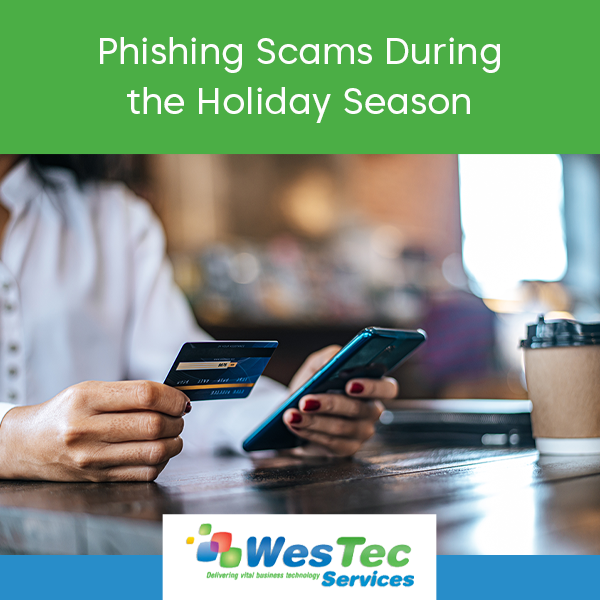
With holiday’s right around the corner, this makes for a scammer’s perfect opportunity to conduct phishing scams. Researchers have stated that this year, phishing scams are going to increase significantly. More phishing scams are done via mobile devices, making it easier than ever to have your information stolen. But how do we protect ourselves during this vulnerable time?
Phishing Scams
Phishing scams are intensified during the holiday season due to the high traffic of online shoppers and the urge for people to look for deals. One popular way scammers do this is by sending emails or text messages about an offer that is too good to be passed up. For example, they list a popular technology device for cheap. Most people would just look at the price and proceed with the scam. Another scam is when they mimic bigger companies online to get credit card information or being able to log onto the device when a certain URL is clicked. These mainly happen through emails. They might send an email about a recent fake purchase to get you to click on the URL. These scams are going unnoticed and can do lots of harm. It is important to know how to prevent these scams and protect your information.
Prevention
It is inevitable that these scams will make their way to you. One way to identify a scam is to check the grammar of the message. Usually scams will be misspelled or the message came from a third party source. This is the easiest way to quickly identify the scam.
Be cautious about providing personal information such as phone numbers or credit card numbers. Make sure before you provide information that it is a reliable and trustworthy source.
If a phishing scam is sent to you, it is best to not respond. A response to these scams lets the scammer know you are a ‘real’ person and will likely be targeted again. If this does happen, there is an option to report the scam to the Spam Reporting Service.
Holidays make for a great time to buy gifts for loved ones, but this also means it is more likely to come across a phishing scam. It is important to know how to identify the scam and how to prevent and protect yourself.
Scams can be irritating and hard to effectively prevent them. WesTec services can help you in any way. We offer skilled expertise in all technologies and are ready to help. Contact us for any further information on phishing and how to protect yourself.
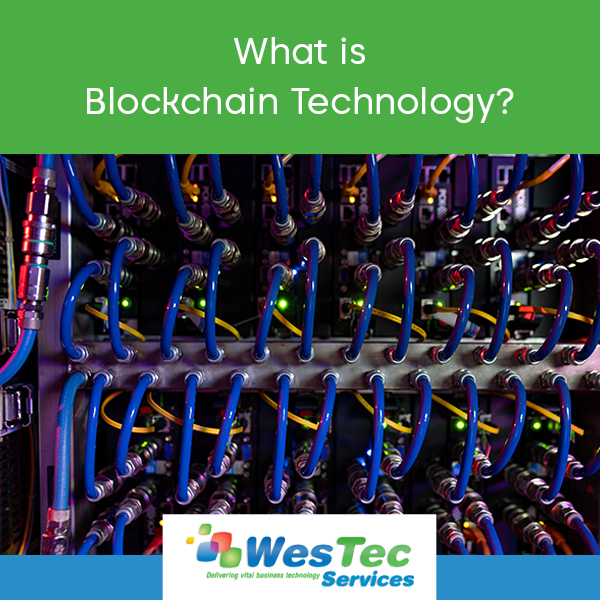
Blockchain technology is one of the most effective ways to have secure and connected information. It stores information and then ‘chains’ it with more databases linking them together. This creates an irreversible timeline of data that can be beneficial.
How Does it Work?
The main purpose of a blockchain is to send information that can be sent to other databases but cannot be edited. This is important when distributing important information. The first step in this process is the transaction. This is when the information is first introduced to the database. As more information is entered, it creates a chain that can spread to other systems.
How Secure is it?
The main question regarding blockchain technology is how safe it is. Due to its inability to edit any information, this makes this one of the safest ways to spread information. Not only that, but it stores everything chronologically and linearly. Even if hackers try to interrupt a chain, it wouldn’t line up with the rest of the block, immediately notifying users.
Ways to Use Blockchains
This technology can be used in many ways including banking, currency, healthcare, smart contacts, supply chains and voting. Since this system is secure and easily distributed, many companies find this the most effective way to store their information. Big companies such as Walmart and Pfizer actively use blockchains to distribute their records or important documents.
Blockchain technology is finally making it’s way into modern life. From its effectiveness and security, more companies are finding ways to incorporate this technology into their businesses.
Have any questions about the right technology services for you or your business? WesTec services can help. Contact us with any questions you may have and follow us on Facebook, LinkedIn and Twitter.
In the era of technology, some have concerns about their privacy. In schools, the top priority is to protect students and their information. With students constantly engaging in technology, whether it be submitting homework, emails with teachers, or saving documents, state and federal internet security laws protect all this information.
FERPA: Family Educational Rights and Privacy Act
FERPA: Family Educational Rights and Privacy Act is one of the most widely known federal laws regarding student privacy. It applies to every educational institution or those of a similar rank. This law protects the education records of all students and sets boundaries between what information students’ parents have access to when the student becomes 18 years of age. If educational records are needed by another school, parent, or in medical cases, there must be a written permission letter from the student or guardian to release that information. Details such as name, birthdate, phone number and school attendance is not under this law and does not require a written permission.
COPPA: Children’s Online Privacy Protection Act
Different from FERPA, COPPA: Children’s Online Privacy Protection Act is specific to the online services used by children 13 years and younger. This act controls what personal information is collected from young children. Applications and websites all have to abide by this act and schools can intervene as parental consent if needed.
CIPA: Children’s Internet Protection Act
In addition to protecting the privacy of students, it prevents them from seeing unwanted information while on the internet. CIPA: Children’s Internet Protection Act uses a filtered web system that schools and libraries use. This system blocks and hides harmful information or acts such as chat rooms and cyberbullying. CIPA also sets a curriculum on how to protect minors on the internet. This curriculum is required to use this program. Schools and libraries must implement these guidelines addressing a new internet safety policy.
These three acts and laws are a preventative measure from harmful internet activities and exploitation. With the main goal of protecting students’ privacy and engaging them in new internet safety protocols these acts are required by law.
Technology can be confusing, and it’s important to know your rights! Have any further questions on internet privacy? Contact WesTec today! And don’t forget to follow us on Facebook, Twitter and LinkedIn.
In recent years, we have seen cloud computing become the industry standard for computing and storage resources. Cloud computing uses four different models, indicating how services are made available to users. Learn more about the 4 Cloud Hosting Models:
Public Cloud
Public clouds are available for anyone who would like to make use of the resource, from low security application development to file and email sharing. One example of this would be Google applications such as Gmail and Google Drive. These are available through the use of a public cloud, accessible by any user with an account at any time.
Private Cloud
Just like it sounds, a private cloud is a private network typically used by a single organization for security. The cloud can be easily managed onsite or offsite by outside groups or third party organizations. While much more costly than its public counterpart, private clouds are the better option for organizations that require the extra security and privacy.
Hybrid Cloud
In a hybrid cloud, organizations make use of a combination of private and public cloud infrastructure. The most common use is when an organization needs to quickly scale up their IT infrastructure to provide the necessary cloud capacity, like an online retainer during the busy holiday season.
Multi-Cloud
A Multi-cloud is any combination of public, private, and hybrid clouds. Within an organization, there might be multiple private clouds in addition to private clouds. These clouds can be interconnected or separate. The multi-cloud category is a catch-all for any mixture of clouds, therefore allowing for the most flexibility and customization.
Having cloud hosting trouble? We can help! WesTec Services is a trusted and experienced IT services provider located in the Houston area. Give us a call today or visit our website to see what WesTec can do for you.
Summer is right around the corner. If you haven’t tackled Spring cleaning yet, now is your opportunity! Here are a few ways to clean up your system and improve its overall performance with regular maintenance:
Dust with compressed air and wipe down the monitor
Starting with the outside of your system, dust the keyboard and mouse with a can of compressed air. Compressed air is strong and will clean out any built up dust particles and other grime. You may also consider wiping down your keyboard and mouse with an antibacterial solution, to rid the surfaces of germs and bacteria. Avoid spraying the keyboard and mouse directly — instead, lightly spritz a rag and wipe. Wipe down your monitor with a microfiber cloth to remove fingerprints and anything else that may be crusted to the monitor.
Clean hardware system
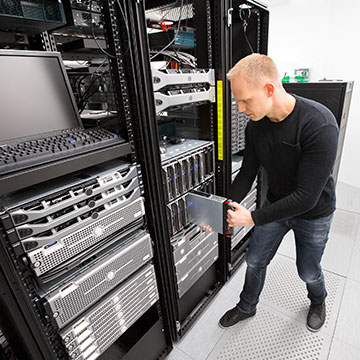
Once you have dusted the outside of your system, you should focus on cleaning your hardware. Before you begin, close any active programs/files, shut your computer down, and unplug the computer from the wall. Unscrew the hardware casing and use compressed air to dust all the nooks and crannies of your system. Compressed air is safe to use on hardware and should not cause any damage.
Turn your computer off or restart regularly
Simply putting your computer to sleep while it is not in use will cause your system minimal damage. However, you should make a habit of restarting or shutting your system down every now and then — especially if you use an older system. Rebooting your computer will prevent overheating and will allow your system to refresh its settings and resources. Allowing your computer to reboot and refresh will improve its overall performance.
Clear up drive space
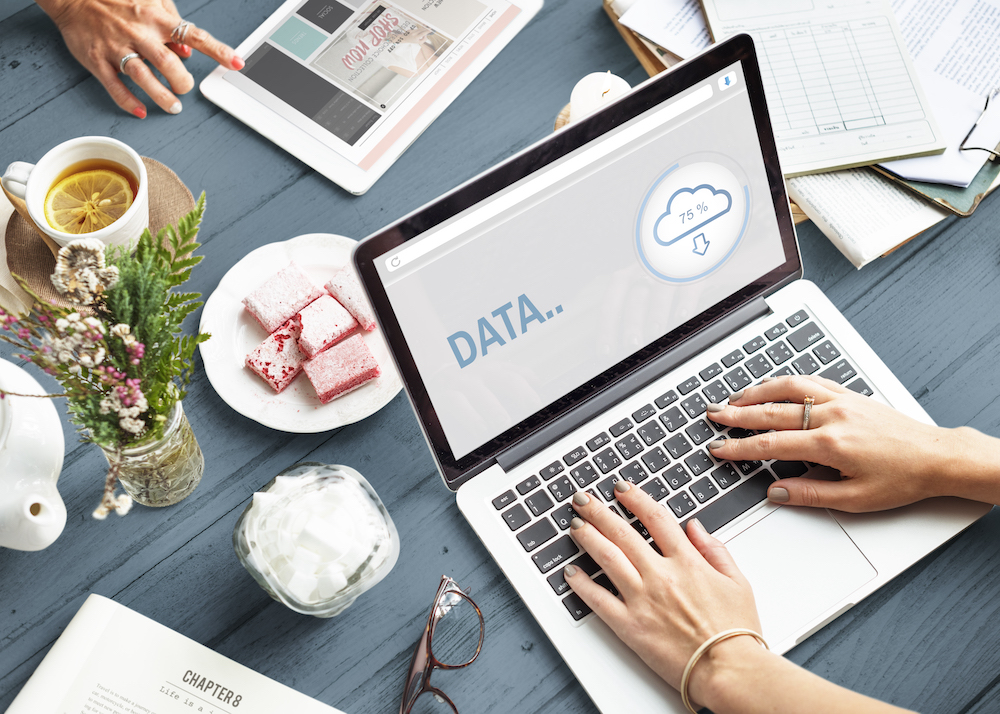
One thing that will slow your computer’s performance is a full drive. Improve your computer’s performance by clearing up drive space regularly — there’s no reason to hold on to files and downloads you no longer need! Delete any unnecessary files and consider moving files you wish to keep to an external harddrive.
Remove malware and viruses
Malware can affect operability and cause data loss or theft. There are a number of ways your system can be infected by malware and other viruses. Therefore, it is important that you use antivirus software to protect your computer and remove any potential threats. This software will run diagnostics, identify viruses, and resolve these.
Install updates
It is important that you install program updates regularly, as to ensure all programs are running efficiently. Failing to install new updates can affect the speed and performance of your programs. Most programs have regular updates that will address security holes and minimize unnecessary features.
At WesTec Services, we believe regular maintenance is crucial for maintaining the health of your system. With regular maintenance, you can prevent the worst from happening — and prevention is key!
Most IT consultants simply put band-aid fixes on computer network problems and react to problems instead of looking for ways to prevent them from happening in the first place. As with most things in life, prevention really is better than cure — and it’s no surprise to find that prevention is the secret of good IT support too. Interested in learning more about our IT services? Contact us today!
If you work on a computer all day long, you’re likely to encounter tech issues. At WesTec, we believe knowledge is power. Therefore, we have compiled a list of a few quick fixes to common tech issues:
Unresponsive applications
For a number of reasons, you may receive a dialogue box stating that the application you are trying to use is unresponsive. This issue will prevent you from using the application and will likely slow the performance of your system. Fortunately, there’s no need to call IT support, as this issue has an easy fix!
On PC, press Ctrl + Alt + Delete in order to access your Task Manager. From this dialogue box, you can end specific tasks. Your Task Manager will indicate which applications are unresponsive, and you can hit “End Task” to close the application.
On Mac, you can achieve the same result by pressing Command + Option + Esc. You will receive a pop-up displaying active applications. Select the unresponsive application and click “Force Quit.”
Slow or poor internet connection
There’s nothing more disruptive than a slow or poor internet connection. When you encounter this issue, minimize downtime with this quick fix.
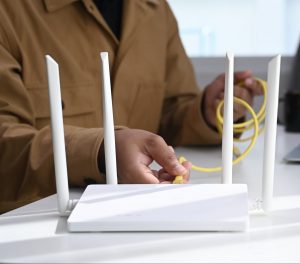
Your wireless internet connection is supported by a router. Restart your router by unplugging its power source for 30 – 60 seconds. Then, plug the router back in. You will notice it may take a few minutes before you have a stable internet connection. If this does not work, try restarting your computer and checking your connection again.
You may also consider clearing your browsing history and cache. A collection of cookies and cache could be slowing specific sites. Every internet browser is different, but you can easily clear your cache in your general settings.
Slow computer performance
Is your system underperforming? There could be several reasons for this! Before calling IT, there are a few things you can try in order to improve the speed of your computer.
If you have too many windows or programs open and running at once, this could be affecting your computer’s performance. Close any windows or programs you are not using. If your computer is full of downloads, try deleting any files you no longer need and empty your trash bin. This will likely improve your computer’s performance, but it also wouldn’t hurt to restart your computer.
If this issue persists, we recommend calling IT, as you may have a virus that is affecting your system.
Struggling to troubleshoot your tech issues? Minimize the downtime spent searching for solutions and outsource IT support with WesTec Services! Interested in learning more? Contact us today!
Even the “smartest” devices fail sometimes, and when this occurs, your business is at risk for data loss. This can be catastrophic for productivity and revenue. Therefore, it is crucial that businesses implement a data recovery strategy. Here are five facts you need to know about data loss and recovery:
78% of data loss is a result of system failure or malfunction
You heard that right — well over half of data loss is a result of system failure! System failure is unpredictable, meaning that it is beyond human control. The only safe way to prevent data loss of this kind is be proactive and prepared for the unexpected.
60% of companies that experience data loss will go out of business within six months
In 2021, we rely on technology for almost everything. Businesses often store important or confidential information in their computer systems with no physical copies for backup. When disaster strikes, companies have a lot more to lose than just their data. In fact, 60% of companies that experience this loss will go out of business within six months.
50% of backup restores fail
Backing up your files is one of the best ways to ensure your data is safe if system failure were to occur. However, data backup is not as simple as backing up your files one time! Half of all backup restores fail. Therefore, you must regularly backup your files on several devices and servers.
1 in 5 businesses do not have a recovery plan
In an effort to cut costs, many businesses have no data recovery plan in place — as many as 1 in 5! However, not having a plan can actually be more costly, as data loss often results in downtime and even closures. Preparation and taking preventative measures is the only way to safeguard your systems and business.
96% of businesses with a recovery plan fully recover
It’s no surprise that businesses that develop and implement a data loss recovery plan are far more likely to recover after disaster. Are you prepared?
WesTec Services wants to help you safeguard your data! The professionals at WesTec Services specialize in data backup and recovery, and serve firms all across Houston. Don’t put your business at risk by being ill-prepared — schedule a call with one of our professionals today!
Most technology users are aware of the need to protect their devices but fail to understand that the mobile device can be a much bigger, and different, risk than a work desktop computer. Learn more about mobile security threats and how you can avoid them:
Is mobile security important?
While many people choose easy passwords or fail to password-protect their phone at all, mobile devices are a host to some of our most personal and sensitive data. Most users keep passwords, credit cards, and personal information all in their phones, a gold mine of information for any cyber-criminal. Protecting your cell phone is more important now than ever due to the increase of valuable data we store on it as well as the increase in mobile security breaches and cyber-criminals.
Mobile Security Breaches
Mobile security breaches are completely different from desktops. On mobile phones, there is not much need to log on, especially if the user does not have a password. Furthermore, most times apps are constantly running in the background and do not require passwords to access all of your different accounts.
Secondly, most mobile users are less likely to check the validity of a link before it is clicked on. The small phone screen makes it difficult to see an entire link and pages often show up differently or incorrectly on mobile. This makes it much easier for fake links and phishing schemes to attack your phone and threaten your security.
How to Protect Your Information
A key part of avoiding mobile security threats is understanding what apps are tracking your information and which information they are using. Many apps use information such as pictures, contacts, and internet data to make decisions about what to show you. It is important that users understand how their information is being used.
Another security recommendation is to avoid malicious apps. There are third-party app stores available on the internet with many different offerings but it is recommended that you only buy from official app stores like Apple or Google Play. These app stores are much more closely monitored and therefore safer than apps downloaded from deep in the Web.
If possible, avoid using public wifi networks. Using unsecured public WiFi can give people the opportunity to intercept your information and easily gain access to it. If you must use public WiFi, download a VPN. A VPN, or virtual private network, creates a private network from the public internet, allowing you to establish an encrypted and secure connection while accessing the public internet.
Mobile security threats are very real and can very dangerous to the privacy of your personal information. Choose a business technology provider that you can trust. WesTec offers many different services, from IT consulting to smartphone support. For more information, visit our website or contact us today.
As our society leans more on technology, the opportunities for threats to interfere continue to increase. Safe computing requires more user awareness than ever before as well as maintenance of passwords and data security.
Here are a few tips on how you can keep your information safe online:
Secure your passwords.
Password hacking is the easiest way for anyone to access your information and cause damage. Switch up your password on each website you use, store them in a safe place, and be sure to change them frequently for the most security. Include both uppercase and lowercase, symbols, and numbers for the most difficult-to-guess passwords.
Automatically download important updates.
Updates such as MacOS are critical to the integrity of your computer and should therefore be completed as soon as they become available. Adjust your updates in settings to download automatically.
Never access sensitive websites on public WiFi.
Your data could be easily copied or stolen on a sensitive network. In addition, do not access or share sensitive data on unreliable networks.
Be aware of phishing attempts.
Never open an email from someone you do not know. If there is a link or document attached in the email, absolutely do not open it. Hackers often use this to automatically download malware onto your computer when opened and to access your information or ruin it altogether.
Back up your important information onto an external drive.
Whether it be a full backup hard drive or a flash drive, secure sensitive data onto a protected drive in case of emergency and for extra protection.
Don’t let yourself become the next hacked credit card or identity theft. Practice safe computing and protect your valuable information with the security it deserves. WesTec Services is a trusted and experienced IT services provider located in the Houston area. Allow us to keep your data safe by giving us a call today or visiting our website.
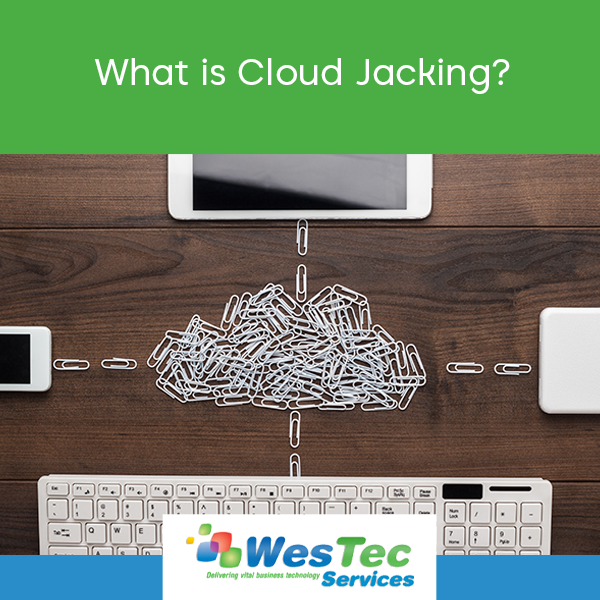
With the rise of COVID-19, cloud-based remote work has become increasingly popular and necessary. With new and emerging cloud-based technology comes new cybersecurity threats, like “cloud jacking.”
What is cloud jacking?
Cloud jacking occurs when a hacker steals the information of a cloud account holder and gains access to the server. Hackers often use this act as a means to conduct criminal activities, such as identity theft.
Because businesses often store confidential, sensitive information on cloud servers, they are major targets for cloud jacking. When it relates to sensitive information, these kinds of security breaches can be devastating for a business’ clients, partners, and reputation. Cloud jacking is not simply a one-time offense, as it creates a web of victims.
How do I protect myself against cloud jacking?
There are several things you can do to protect your business, clients, and partners from falling victim:
Require strict, multi-factor user authentication
Limit internal access to your cloud server
Perform background checks before granting anyone access to your cloud server
Backup all data stored on the server, in the event that there is data loss
Use encryption to secure all data before storing on your server
Require all users to create strong, secure passwords
Here are the properties of a strong password:
The longer, the better
A combination of lowercase and uppercase letters
Numbers and symbols
Avoid words or terms that could be easily linked to your identity
The professionals at WesTec Services want to help you protect your network and business. We provide vital business technology and consulting services that can be tailored to your needs and budget. Interested in learning more? Contact us today!
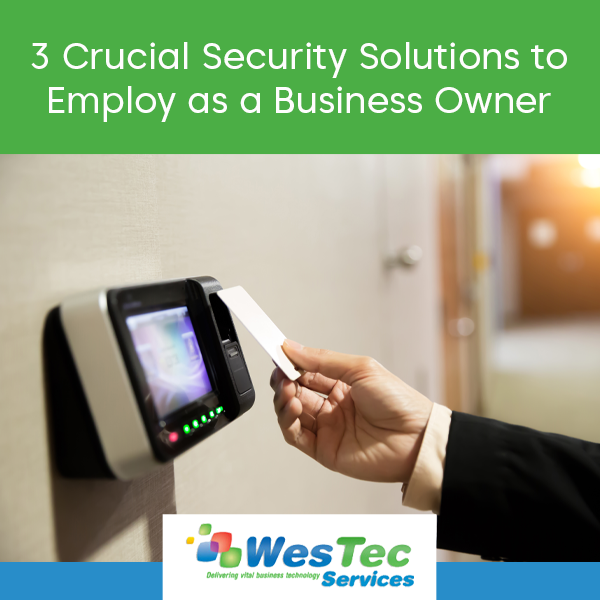
Asecurity threat of any kind can disrupt productivity and impact business.What precautions are you taking to ensure your company does not fall victim to these disruptions? Here are 3 security solutions you should employ as a business owner:
Backup Disaster/Recovery
System failure can occur for a variety of reasons, such as virus infection, human error, and natural disaster. Regardless, system failure occurs without warning and could easily put you out of business if you are not prepared. Therefore, it is crucial you implement some sort of backup and data recovery software to protect your network. If you store important or confidential files on your computers, you simply cannot afford to be without backup and data recovery.
Access Control Systems
Another way to protect your business against security threats would be to implement an access control system. With access control systems, facility owners may install security technology such asID key entries and finger-printing scanners in order to track who enters the building. This technology can also record the time and date guests arrive and leave.
CCTV or IP Security System
Video surveillance is another great solution for businesses looking to increase security efforts, especially when paired with access control systems. Installing cameras at key entrances and exits will allow a facility owner to better monitor who enters the building. Unlike backup disaster/recovery, access control systems and CCTV protect against external security threats.Why wait until you need a solution in order to implement preventative measures? Most IT consultants simply react to problems instead of looking for ways to prevent them from happening in the first place. At WesTec Services, we believe prevention is better than a cure; prevention is key to maintaining productivity and cash flow. Protect your assets – call WesTec Services and schedule a meeting with one of our IT professionals to discuss what security solutions are best suited for your business!
Mission: WesTec will be a “turn-key” solution for all of its clients’ business connectivity needs. It will offer efficient and effective solutions, directly and with strategic partners, that create tangible value for its clients at every point of contact. Westec will serve all people and entities with a servant’s heart.
Get in touch
2916 West TC Jester Blvd.,
Suite 104
Houston, TX 77018






















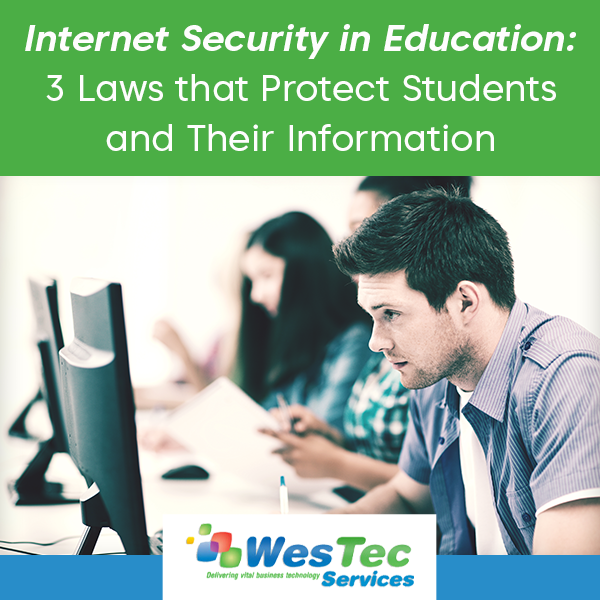
 In the era of technology, some have concerns about their privacy. In schools, the top priority is to protect students and their information. With students constantly engaging in technology, whether it be submitting homework, emails with teachers, or saving documents, state and federal internet security laws protect all this information.
  CIPA: Children’s Internet Protection Act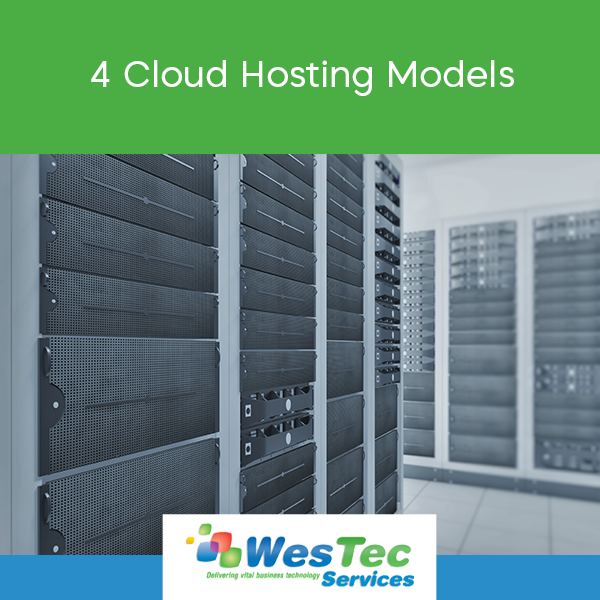


 Dust with compressed air and wipe down the monitor
 Clear up drive space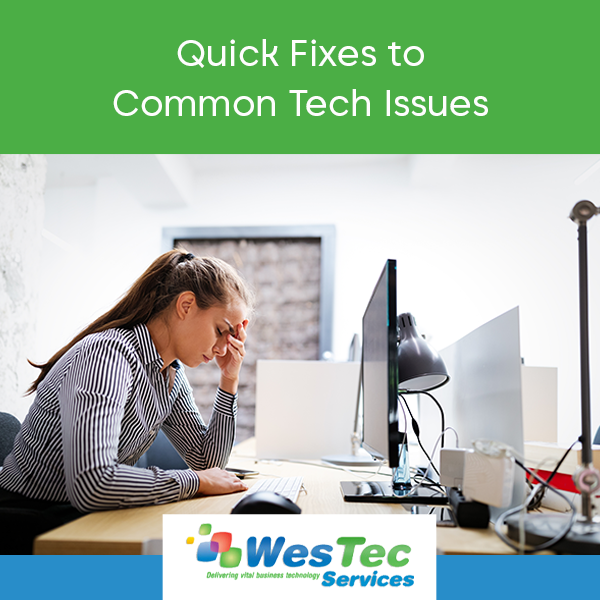
 If you work on a computer all day long, you’re likely to encounter tech issues. At WesTec, we believe knowledge is power. Therefore, we have compiled a list of a few quick fixes to common tech issues:
 There’s nothing more disruptive than a slow or poor internet connection. When you encounter this issue, minimize downtime with this quick fix.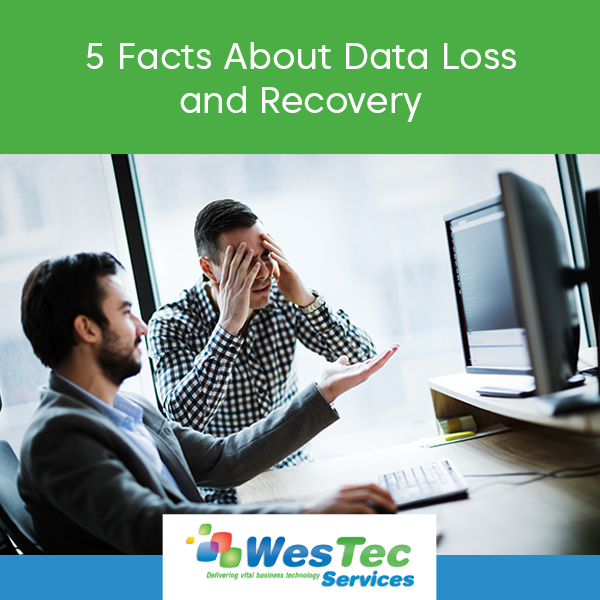
 Even the “smartest” devices fail sometimes, and when this occurs, your business is at risk for data loss. This can be catastrophic for productivity and revenue. Therefore, it is crucial that businesses implement a data recovery strategy. Here are five facts you need to know about data loss and recovery:
 Backing up your files is one of the best ways to ensure your data is safe if system failure were to occur. However, data backup is not as simple as backing up your files one time! Half of all backup restores fail. Therefore, you must regularly backup your files on several devices and servers.



 A
A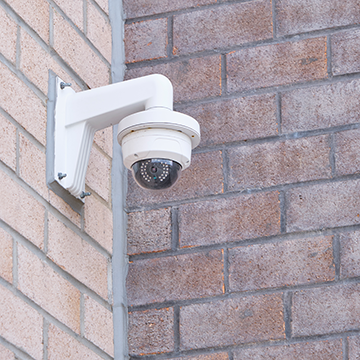 CCTV or IP Security System


 2916 West TC Jester Blvd.,
Suite 104
2916 West TC Jester Blvd.,
Suite 104