Blockchain technology is one of the most effective ways to have secure and connected information. It stores information and then ‘chains’ it with more databases linking them together. This creates an irreversible timeline of data that can be beneficial.
How Does it Work?
The main purpose of a blockchain is to send information that can be sent to other databases but cannot be edited. This is important when distributing important information. The first step in this process is the transaction. This is when the information is first introduced to the database. As more information is entered, it creates a chain that can spread to other systems.
How Secure is it?
The main question regarding blockchain technology is how safe it is. Due to its inability to edit any information, this makes this one of the safest ways to spread information. Not only that, but it stores everything chronologically and linearly. Even if hackers try to interrupt a chain, it wouldn’t line up with the rest of the block, immediately notifying users.
Ways to Use Blockchains
This technology can be used in many ways including banking, currency, healthcare, smart contacts, supply chains and voting. Since this system is secure and easily distributed, many companies find this the most effective way to store their information. Big companies such as Walmart and Pfizer actively use blockchains to distribute their records or important documents.
Blockchain technology is finally making it’s way into modern life. From its effectiveness and security, more companies are finding ways to incorporate this technology into their businesses.
Have any questions about the right technology services for you or your business? WesTec services can help. Contact us with any questions you may have and follow us on Facebook, LinkedIn and Twitter.
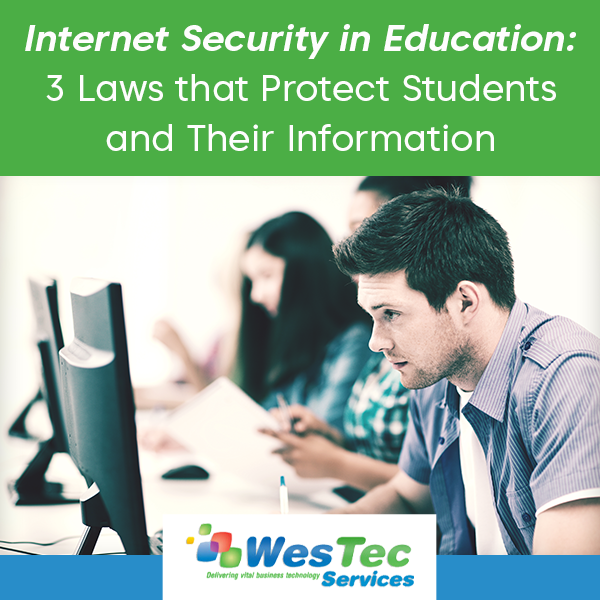
In the era of technology, some have concerns about their privacy. In schools, the top priority is to protect students and their information. With students constantly engaging in technology, whether it be submitting homework, emails with teachers, or saving documents, state and federal internet security laws protect all this information.
FERPA: Family Educational Rights and Privacy Act
FERPA: Family Educational Rights and Privacy Act is one of the most widely known federal laws regarding student privacy. It applies to every educational institution or those of a similar rank. This law protects the education records of all students and sets boundaries between what information students’ parents have access to when the student becomes 18 years of age. If educational records are needed by another school, parent, or in medical cases, there must be a written permission letter from the student or guardian to release that information. Details such as name, birthdate, phone number and school attendance is not under this law and does not require a written permission.
COPPA: Children’s Online Privacy Protection Act
Different from FERPA, COPPA: Children’s Online Privacy Protection Act is specific to the online services used by children 13 years and younger. This act controls what personal information is collected from young children. Applications and websites all have to abide by this act and schools can intervene as parental consent if needed.
CIPA: Children’s Internet Protection Act
In addition to protecting the privacy of students, it prevents them from seeing unwanted information while on the internet. CIPA: Children’s Internet Protection Act uses a filtered web system that schools and libraries use. This system blocks and hides harmful information or acts such as chat rooms and cyberbullying. CIPA also sets a curriculum on how to protect minors on the internet. This curriculum is required to use this program. Schools and libraries must implement these guidelines addressing a new internet safety policy.
These three acts and laws are a preventative measure from harmful internet activities and exploitation. With the main goal of protecting students’ privacy and engaging them in new internet safety protocols these acts are required by law.
Technology can be confusing, and it’s important to know your rights! Have any further questions on internet privacy? Contact WesTec today! And don’t forget to follow us on Facebook, Twitter and LinkedIn.
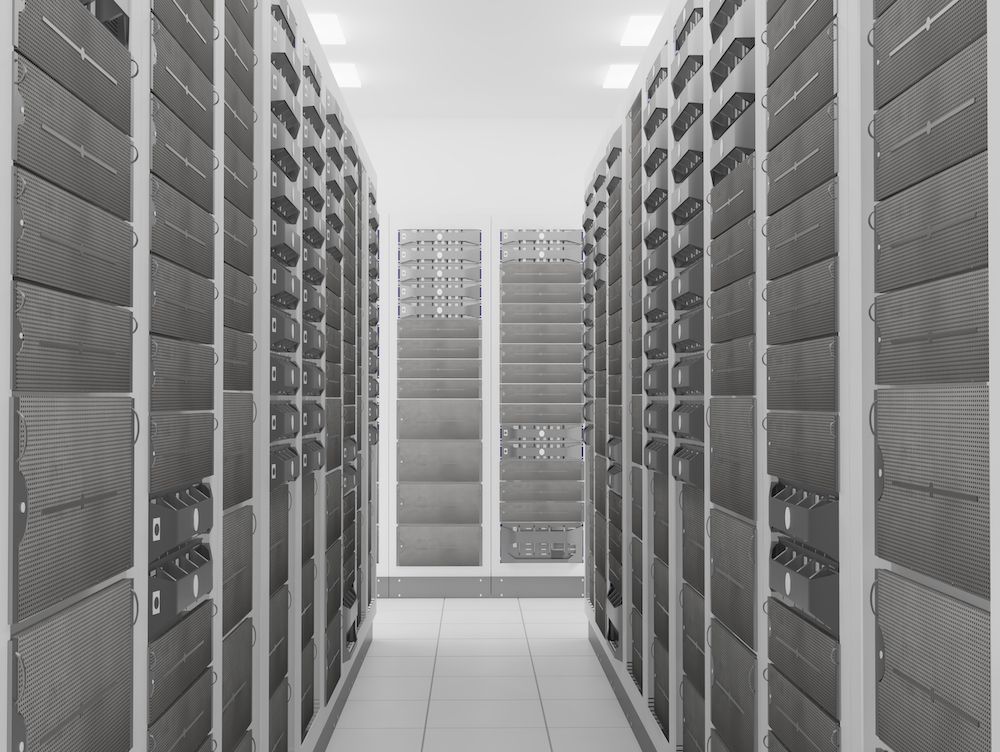
In recent years, we have seen cloud computing become the industry standard for computing and storage resources. Cloud computing uses four different models, indicating how services are made available to users. Learn more about the 4 Cloud Hosting Models:
Public Cloud
Public clouds are available for anyone who would like to make use of the resource, from low security application development to file and email sharing. One example of this would be Google applications such as Gmail and Google Drive. These are available through the use of a public cloud, accessible by any user with an account at any time.
Private Cloud
Just like it sounds, a private cloud is a private network typically used by a single organization for security. The cloud can be easily managed onsite or offsite by outside groups or third party organizations. While much more costly than its public counterpart, private clouds are the better option for organizations that require the extra security and privacy.
Hybrid Cloud
In a hybrid cloud, organizations make use of a combination of private and public cloud infrastructure. The most common use is when an organization needs to quickly scale up their IT infrastructure to provide the necessary cloud capacity, like an online retainer during the busy holiday season.
Multi-Cloud
A Multi-cloud is any combination of public, private, and hybrid clouds. Within an organization, there might be multiple private clouds in addition to private clouds. These clouds can be interconnected or separate. The multi-cloud category is a catch-all for any mixture of clouds, therefore allowing for the most flexibility and customization.
Having cloud hosting trouble? We can help! WesTec Services is a trusted and experienced IT services provider located in the Houston area. Give us a call today or visit our website to see what WesTec can do for you.
Maintaining your computer’s health requires regular care and maintenance. Here are a few things you can do to protect the health of your computer on a daily basis:
Routine deep cleans
You would be surprised by the number of files that collect on a computer over time. Too many files and programs can actually affect a computer’s load speed and overall performance. Therefore, it is crucial that you perform routine deep cleans on your system. Delete any files that you no longer need and are simply taking up space. If there are files you would like to keep, store these on an external hard drive (and back this drive up) before removing the files from your system.
Download security updates
You’ve likely received notifications to download new security updates and declined for the sake of time and convenience. If you do not regularly download security updates, your computer may be vulnerable to hacking. These updates work to “patch” any holes in your computer’s security. Without these updates, hackers can intercept your security and access your information, files, programs, etc.
Install and update antivirus software
Viruses and malware can affect your computer’s overall performance, which can disrupt productivity. Therefore, it is important that you install an antivirus software and update this software regularly. Antivirus software will scan your computer for existing viruses, resolve these issues, and block more viruses from infecting your computer.
When you fail to perform routine deep cleans and maintain your antivirus and security software, your computer is at risk of system failure. At WesTec Services, we understand it can be easy to forget to do these things. Don’t neglect your computer any longer — outsource IT support with WesTec Services! From IT consulting services and network installation to backup & disaster recovery, we’ve got you covered. Protect your computer’s health with WesTec Services. Contact us today!
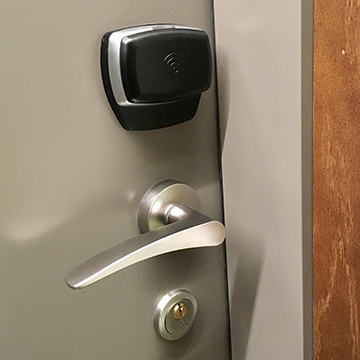
If you are looking to upgrade your security, consider an access control system. Access control systems offer many centrally controlled security options, including video surveillance, fingerprint entry systems, and key card scanners. If you’re still on the fence, here are a few stats you should know about access control systems:
60% of commercial burglary attempts happen after hours
Crime can happen anytime anywhere. However, for businesses, 60% of burglary attempts happen after hours. Therefore, it is crucial that businesses adopt an access control system to secure their facilities 24/7.
Criminals prefer easy access — if gaining access to your facility would require a lot of effort, you’re less likely to fall victim to burglary. These added security measures will serve as a crime deterrent.
With the COVID-19 pandemic, 44% of workers say access control is more important now than ever before
Over the past year, we have seen a rise in COVID-19 cases. In an effort to control the spread of the illness, we have had to take extra safety precautions. Many believe access control systems could keep employees safe, as it can minimize the flow of traffic in any facility.
With these systems, you can decide who comes and goes with the use of keycards or fingerprint recognition. With fewer people coming and going, there is less risk of further spreading the virus.
The access control system industry is projected to be worth $12.8 billion by 2025
There is a reason the access control system industry is steadily growing — and it’s because these systems work! Access control systems are the only truly proactive step a user can take to augment the security within a facility. With access control systems, you can monitor the attendance of your employees and set parameters for visitors and guests that visit your building.
With an access control system, you can better regulate who comes and goes in your facility. Interested in learning more about the benefits of adopting an access control system? WesTec Services can help. Schedule a call with one of our professionals today!
As our society leans more on technology, the opportunities for threats to interfere continue to increase. Safe computing requires more user awareness than ever before as well as maintenance of passwords and data security.
Here are a few tips on how you can keep your information safe online:
Secure your passwords.
Password hacking is the easiest way for anyone to access your information and cause damage. Switch up your password on each website you use, store them in a safe place, and be sure to change them frequently for the most security. Include both uppercase and lowercase, symbols, and numbers for the most difficult-to-guess passwords.
Automatically download important updates.
Updates such as MacOS are critical to the integrity of your computer and should therefore be completed as soon as they become available. Adjust your updates in settings to download automatically.
Never access sensitive websites on public WiFi.
Your data could be easily copied or stolen on a sensitive network. In addition, do not access or share sensitive data on unreliable networks.
Be aware of phishing attempts.
Never open an email from someone you do not know. If there is a link or document attached in the email, absolutely do not open it. Hackers often use this to automatically download malware onto your computer when opened and to access your information or ruin it altogether.
Back up your important information onto an external drive.
Whether it be a full backup hard drive or a flash drive, secure sensitive data onto a protected drive in case of emergency and for extra protection.
Don’t let yourself become the next hacked credit card or identity theft. Practice safe computing and protect your valuable information with the security it deserves. WesTec Services is a trusted and experienced IT services provider located in the Houston area. Allow us to keep your data safe by giving us a call today or visiting our website.
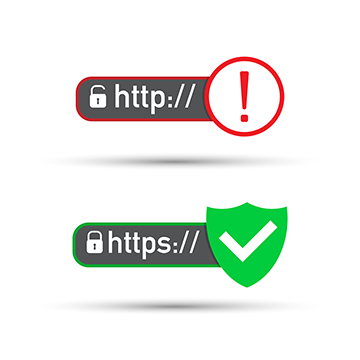
You have likely seen the acronym “HTTP” while navigating the internet. HTTP (Hypertext Transfer Protocol) appears at the beginning of a web address and supports data transfer between the web browser and website. You may have also seen the acronym “HTTPS” and wondered, “What’s the difference?” Hypertext Transfer Protocol Secure (HTTPS) derives from HTTP and is an encrypted security certificate that protects sensitive information in data transfer. HTTP refers to a standard, unencrypted server, while HTTPS indicates a server is secure. HTTPS is a necessary extension if your website requires log-in credentials or the entry of private information. Without HTTPS, hackers can easily extract sensitive information. As the need for internet security increases, web browsers like Google and Yahoo! take HTTPS quite seriously. If you do not have this security certificate, your website will be flagged “not secure” – and who wants to enter their credit card information on a website that isn’t secure? Don’t fall victim to a security breach. Educate yourself on how HTTPS works and why it’s important:
How It Works
HTTPS simply takes HTTP and adds a layer of SSL protection. SSL (Secure Sockets Layer) is a connection that encrypts and decrypts a user’s requests and responses. SSL ensures that communication occurring between the user and the website server cannot be read or extracted by hackers.
Why It’s Important
Since its inception, the internet has changed life as we know it. With the introduction of e-commerce, we no longer have to leave our houses to shop for the items we need – we simply fill up our “cart”, enter our credit card information, and wait 5-7 business days for our items to arrive. We no longer have to mail a check or pick up the phone to pay our bills – we can conveniently pay our bills online! When we create a social media account or fill out a job application online, we are surrendering information like our full names, addresses, social security numbers, and more.Because HTTP websites are more susceptible to hacking, it is imperative that we make the transition to an entirely HTTPS web. We can have peace of mind, knowing that our personal information is safe. Additionally, HTTP does not protect against malware infection. When a website is infected with malware, its users are at risk of being infected as well.A cybersecurity threat can cause data breach, system failure, and ultimately impact your reputation and productivity as a business. Therefore, it is important that you educate yourself on internet safety. The IT professionals at WesTec Services can answer any questions you may have about cybersecurity. Contact us today!
As a business, you have assets to protect. Therefore, you need a high-quality security system that protects against external and internal threats, and provides peace of mind. Here are a few ways an access control system could benefit your business:
Restricts access to certain areas
Transitioning from using traditional building keys to key cards with an access control system allows you to control the flow of traffic within your facility. Key cards can be customized to each employee and their needs. With key card customization, you can control who has access to certain areas. This is especially beneficial for offices or rooms that store personal and confidential information.
Monitors and tracks who enters the building
With an access control system, you are able to monitor who enters your facility. When one of your employees scans their key card, the system creates time stamps and records the location of entry and details about the entrant. If an issue arises, you can easily reference this information.
Provides flexibility and convenience
Business can be unpredictable. With deadlines to meet and last-minute projects to complete, working overtime may be necessary. With an access control system, employees can work outside of regular business hours. With customizable key cards, your employees can access the facility at all hours of the day. Additionally, key cards can be deactivated at any time. If an employee is terminated or loses their key card, you can deactivate their card with ease. Access Control Systems allow a building owner to have complete control over their Houston-based facility, using technology such as ID key entries, fingerprinting scanners, and video monitoring. Interested in learning more about these systems? Contact WesTec Services today!Do you find our blog posts to be beneficial and informative? Follow us on Facebook, Twitter, and LinkedIn, so you don’t miss an update!
For businesses, security threats of any kind can disrupt productivity and ultimately result in costly repairs or damage control. Video surveillance (CCTV) offers many benefits for businesses, including theft deterrence and employee safety. Here are a few reasons you should consider investing in video surveillance technology:
Day-to-day security
Installing CCTV technology internally and/or externally will allow you to monitor who comes and goes on a day-to-day basis – this includes guests, vendors, contract workers, and even employees. Additionally, if there is ever internal conflict that requires investigation, video surveillance allows for easy reference with timestamps.
Crime deterrence
According to Cornell University, the use of video surveillance has shown a 51% decrease in crimes committed in parking lots. Installing visible security cameras will establish a presence of security and deter crime, as criminals will want to avoid high-security facilities. Visible CCTV sends a message: “stay away!”Though CCTV technology decreases your chances of security threats, it cannot guarantee you will never fall victim to theft or other crimes. However, if an incident does occur, you have video evidence for insurance and the police.
Safety
Video surveillance also allows you to monitor the safety conditions of your employees and overall workflow and productivity. If an accident occurs on the job, you may verify the incident and eyewitness accounts with CCTV records. If an employee is injured on the job and files for worker’s compensation, these records will benefit you when filing a claim. Having video surveillance technology for the purpose of employee safety may also lower your insurance costs.At WesTec Services, we believe it is always safer to implement preventative measures and solutions before there’s a need for them; after all, prevention is key to maintaining productivity and cash flow. Interested in learning more about how video surveillance may protect your valuable assets? Contact us today!
Asecurity threat of any kind can disrupt productivity and impact business.What precautions are you taking to ensure your company does not fall victim to these disruptions? Here are 3 security solutions you should employ as a business owner:
Backup Disaster/Recovery
System failure can occur for a variety of reasons, such as virus infection, human error, and natural disaster. Regardless, system failure occurs without warning and could easily put you out of business if you are not prepared. Therefore, it is crucial you implement some sort of backup and data recovery software to protect your network. If you store important or confidential files on your computers, you simply cannot afford to be without backup and data recovery.
Access Control Systems
Another way to protect your business against security threats would be to implement an access control system. With access control systems, facility owners may install security technology such asID key entries and finger-printing scanners in order to track who enters the building. This technology can also record the time and date guests arrive and leave.
CCTV or IP Security System
Video surveillance is another great solution for businesses looking to increase security efforts, especially when paired with access control systems. Installing cameras at key entrances and exits will allow a facility owner to better monitor who enters the building. Unlike backup disaster/recovery, access control systems and CCTV protect against external security threats.Why wait until you need a solution in order to implement preventative measures? Most IT consultants simply react to problems instead of looking for ways to prevent them from happening in the first place. At WesTec Services, we believe prevention is better than a cure; prevention is key to maintaining productivity and cash flow. Protect your assets – call WesTec Services and schedule a meeting with one of our IT professionals to discuss what security solutions are best suited for your business!
Business mobile phones can be used for a range of commercial operations, including inventory control, customer relations, advertising, marketing, banking and more.
Here are few ways to ensure your mobile phone and its valuable data is protected against hackers and malware:
1. Update your phone.
Most of us are guilty of ignoring operating system updates on our business mobile phones. However, the longer you wait to update your phone, the more out of date your systems are, making you an easier target for hackers who can easily identify and exploit system vulnerabilities.
2. Lock your device.
If your business mobile phone contains private information about you or your business, it is important to always engage the four- or six-digit passcode on your device. Don’t use the same password for all your accounts and be sure to change your password occasionally for good measure.
3. Manage app permissions.
On your mobile phone, you can grant apps permissions, like access to the camera, microphone, your contacts, your location, your pictures, and more. Be sure to keep track of which permissions you’ve given to which apps, and revoke permissions that are not completely necessary.
4. Back up your data.
Things happen, but you can always be prepared. When you back up the data on business mobile phones, you are able to protect your important documents and images in case of any loss.
5. Ignore spam and phishing emails.
One of the easiest ways for hackers to access your information is through email. Be sure you don’t click on links in promotional emails, open suspicious attachments or run updates that are promoted through emails. If you need to access sensitive information, report directly to the organization’s website to login.
Connecting the dots with business mobile phones can be confusing, time consuming and costly. For a reliable business mobile phone provider in Houston, contact the experts at WesTec today.
We place our information online every day. We’re more than happy to hand over our email, phone number, address and credit card information to purchase a product on the internet. In a world where ecommerce is becoming the standard, businesses must do what they can to protect customer data.
Follow Current Encryption Practices
Encryption practices change regularly to evolve and combat cybercriminals. Often, organizations who failed to stay up-to-date with the latest data protection trends fall victim to cyberattacks. To help protect customer data, create a recurring reminder to analyze your company’s security practices and make updates as necessary.
Limit Access to Customer Information
For additional protection, limit who within your business can view customer data. Not every employee needs access to customers’ personal information. When only necessary employees have access to customer information, hackers have a harder time finding a weak point to break into company databases.
Don’t Ask for Unnecessary Information
As a company, it is important to only collect the information you need to complete a transaction or service to your customer. Customers get weary when a business asks for unnecessary information. By only collecting necessary information, there is less for a hacker to steal. This protects customers and their livelihoods.
Educate All Employees on Security Policy
While you may limit who can view customer data, make sure every employee knows and understands the company security policy. Even though an employee may not have access to the customer database, their actions could affect the privacy of customers. For example, if someone were to take a company laptop to a coffee shop and used the open wifi, a nearby hacker could potentially break into the company’s database through the network and steal personal information.
Let Consumers Know Their Information is Protected
The best way to build consumer trust is transparency. Let customers know you value their privacy. Take it one step further by detailing how you work to keep customer information stored safely in a privacy policy.If you’re unsure of how your business should protect customer data, or if your company wants information on the latest encryption practices, contact the experts at WesTec Services. We can help you create strong security protocols and install encryption software for data security.
Phishing is defined as a cyber attack that uses disguised emails as weapons. Hackers try to trick email recipients into clicking links or attachments they designed to steal personal information.
What is Phishing?
Here’s an analogy to better understand: Imagine a fisherman baiting a hook and tossing it into a lake in hopes of getting a bite. If a fish bites, the fisherman reels it in. But, if it doesn’t, the fisherman fails and the fish keeps swimming.Phishing is the same way. A cybercriminal can only gain access to your accounts or information if you fall for the bait. For example, a hacker might design an email disguised as your bank telling you your account has been compromised. They ask you to click on a link to verify your identity. If you click on the link and fill out the information, you have now provided them with the information to access your finances.
Types of Phishing
Hackers attempt to get victims to do one of two things to get what they want. Some cybercriminals try to trick you into giving up your information. This is similar to the bank example above. Other hackers prefer to have you download malware. Often, these types of emails will include a download attachment, often a .zip file or Microsoft document, embedded with malicious code.
How to Prevent Phishing Attacks
If you know how to spot a phishing attempt, you can avoid compromising your data and report it to the Federal Trade Commission. Here are the steps you can follow to confirm the identity of an email sender:
Always check the spelling of URLs in email links before you click
Watch out for URL redirects, where hackers sent you to a different website with identical design
If you receive a suspicious email from a source you know, contact them with a new email, rather than replying
To learn more about how you can protect your data and sensitive information, contact the experts at WesTec.
This holiday season, experts expect cyberattacks to rise by 60 percent. Retailers and consumers will see a spike in cybersecurity alerts on Black Friday and Cyber Monday, with heightened risk for the remainder of the year. Below are practices WesTec recommends to avoid online scams this Christmas.
Analyze Email Advertisements and Deals
Most attacks are a result of commodity malware. Scammers send phishing emails, often posing as your favorite brand, to try and steal your financial information. These emails often include misspelled words and misused grammar. If you suspect any email you receive is a scam, avoid clicking any URLs. This is how scammers steal your data or install malware on your computer. Instead, to verify the email came from the true brand, visit their website and see if they are offering the same deal.
Shop from Established Brands
Sometimes deals look too good to pass up. If an unknown website is offering a seemingly impossible deal, you could be looking at an online scam designed to steal your credit card information. Shoppers can look for the https in a retailer’s site URL, compared to http. The ‘s’ stands for secure and ensures all communications between the browser and website are encrypted.
Avoid Public WiFi
If you plan to shop online, avoid purchasing on public WiFi. These networks are often unsecured, meaning anyone with a computer acumen can view what you are browsing and steal your personal information.
Use a Credit Card
Pay with a credit card when making gift purchases. A credit card offers the best liability protection against potential fraud, unlike debit cards. If scammers gained access to your debit card information, they could drain your accounts.
Make Sure All Passwords are Unique
It’s easier to use the same password for all accounts. But is it safer? If a hacker discovered your login credentials, they could easily hack into other accounts and steal your information. To best protect yourself, your data, and your financial information, make sure each account has a random and unique password. For more information about password security, visit our recent blog post.With the holiday season quickly approaching, be proactive in identifying online scams. For more information about cybersecurity and avoiding attacks from scammers, contact us.
Have you ever been the victim of a cyber attack? Do you use the same password for all of your accounts? Follow our guide to outsmart the hackers with increased password security.
How Hackers Get Your Passwords
Before you can better protect your accounts, you must understand how cybercriminals access steal your information. Typically, a hacker will compromise your account in one of three ways.
Personal attack: Hackers target your account specifically. They will typically guess your email password and use password recovery options to access other accounts.
Brute-Force attack: Hackers systematically check all possible passwords until the correct one is found.
Data Breach: Hackers attack large companies, resulting in millions of compromised accounts.
What Makes a Good Password?
Ideally, your password should be at least 16 letters and contain a combination of numbers, symbols, uppercase and lowercase letters. Passwords should not include any repetition, dictionary words, usernames, pronouns or IDs. Make a strong password by thinking of a phrase and then use the initials of each word, as well as the numbers and symbols, to combat potential attacks. For example, if your phrase is “Do you think a hacker will guess my 16 character password for Facebook?!”, your password might be: Dytahwgm16cp4F?!
Enable Two-Step Authentication When Possible
If any sites or accounts offer two-factor authentication, take advantage of it. This system works to limit hacking attempts by making a user authenticate their identity with a second method of verification. Check out our recent blog post about two-factor authentication for more information.
Use a Password Manager
The best thing you can do for your accounts is have a different password for each one. However, if you follow this one cardinal rule of password security, keeping up with all passwords can be difficult. Using a password manager allows you to save all of your passwords in a secure spot with a strong master password. WesTec offers consulting for any individuals or businesses wanting more information about password security, network installation, or managed IT services. Contact us for more information.
As technology continues to advance, additional security measures become necessary. Until now, single-factor authentication has been the standard. Single-factor authentication requires a username and password to enter an account. Consumers need additional security measures as cybercriminals become smarter. This is where two-factor authentication helps protect sensitive information and log-in credentials. Two-factor authentication (2FA) isn’t a new concept, but is a necessary additional layer of security. It usually works by requiring the submission of a username and password, then asks for something additional to prove you are who you say you are. For example, some businesses will send a pin number to your cell phone you must provide for entry into a site.
Improved Security
With a second form of identification needed for verification, two-factor authentication makes it harder for an attacker to impersonate a user. In the event a cybercriminal gains password access, they can’t produce the additional element required to authenticate.
Increased Productivity and Flexibility
Employees can work remotely when their employers implement a second factor of authentication. They can securely access important applications, data, documents and back-office systems from any device or location with little risk.
Lower Security Management Costs
Approximately 40% of all help desk calls are related to password resets. With secondary authentication, businesses can expect less of the budget to be spent on security needs. It provides a safe way for employees or consumers to reset their account password by using the additional element to prove their identity, meaning they can handle the issue without contacting an IT professional.
Reduce Fraud
Identity theft is a common goal of cybercriminals. With two-factor authentication, businesses add extra mobile protection for customers, the site and the transaction. Adding a second element in your authentication process builds a sure brand consumers trust. Ready to add two-factor authentication to your website? Contact your Houston IT experts.
Installing an access control system proactively protects your business. ID key entry, fingerprint scanners and video monitoring can ensure only authorized individuals enter a space. WesTec’s access control systems are completely customizable, making it easy for companies with all budgets to protect its employees and assets.
Customizable Access
An access control system can be customized to fit the needs of a business. For example, you can restrict access to certain areas to specific employees. A company can also restrict the times employees enter the building, but give 24/7 access to necessary personnel. Systems can also track an employee’s hours by recording when he or she clocks in and out.
Protection From Intruders
Access control systems make it difficult for unauthorized individuals from entering a space. With the right hardware, including video monitoring, management can monitor a door when an intruder forces it open.
Data Security
If you store expensive equipment, sensitive data or financial information on-site, consider installing an access control system. WesTec employees can set up two-factor authentication for added security. With an additional authentication measure, such as a fingerprint scanner or pin code, there is no risk of an intruder entering with a keycard.
Employee Safety
Today’s society becomes more violent with each passing day. In a world where threats could be anywhere, it is important employees feel protected. Door access control guarantees the only individuals in a space are the ones meant to be there.WesTec offers a variety of access control systems from leading manufacturers. To find the perfect access control system for your business, contact WesTec Services’ highly trained personnel.
Closed-circuit television is one of the most effective forms of video surveillance. It is a highly-advanced technology that allows businesses to continually monitor their facilities. Here are four reasons CCTV has proven to be the leader in video surveillance.
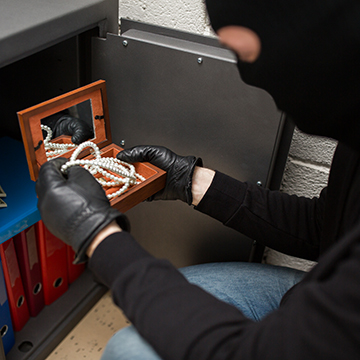
Stop Crime Before It Happens
Like most security systems, a lot of the job is done just by installing it. CCTV uses a group of circuited modern security cameras. The placement of those cameras alone is often enough to deter criminals before they commit a crime. Your security cameras will capture a recording if something does occur, but usually surveillance cameras are a natural deterrent.
Catch Crime If It Happens
Hopefully having a CCTV system in place is enough to deter potential criminals from trying anything, but on the off-chance something happens your video surveillance will certainly catch it on film. Having a physical recording when filing a police report gives you an exponentially better chance that the authorities can find the person(s) responsible. You have the event recorded and potentially can even ID a suspect from the recording.
100% Coverage
CCTV is as close to fool-proof surveillance that money can buy. It is virtually impenetrable and immune to human error. It records everything that happens, and you can set up as many cameras as you feel is necessary to cover the entire area. Between the constant, uninterrupted surveillance and its self-sufficiency, even your employees will be kept honest by your CCTV system.
Complete Self-Maintenance
You can leave your CCTV system running 24/7/365 without the burden of having someone physically on-site to manage it. There is no need for a guard to sit at your business through the night or to pay personnel to come in on holidays. With CCTV recording everything at your business, you can rest easy knowing that nothing will happen that you don’t know about.
Protecting your home or business is important. At WesTec, we have a staff of trained professionals ready to assist you and answer any questions you may have. Contact our experts today to inquire about setting up CCTV surveillance at your company.
For a business owner, securing the business property is a top priority. Because commercial business security is so essential, it is important to ensure the appropriate security systems are installed.
In addition to promoting a professional business appearance, camera systems provide long-term benefits to a company. Here are a few reasons why camera systems should be implemented within commercial business premises:
Protect Assets – As a business, valuable assets include the property itself, equipment, and private information. Businesses with security systems intact are less likely to have theft take place than those with none.
Detect Criminal Behavior – With cameras, crime is less likely to occur because most criminals are deterred by security. However, if in the case it doesn’t, criminals can be caught sooner and are more likely to be identified with cameras in place.
Preventative Measures – CCTV systems include access control systems and intruder alarm systems to alert authorities of suspicious activity. If a criminal appears at a business and notices cameras, it could prevent the crime from occurring altogether.
Save on Insurance – If businesses invest in security systems for their property, they may be qualified to receive insurance discounts depending on their provider.
Safeguard Staff – A business owner has the responsibility of protecting all work personnel. Installing high-tech cameras on the property can reduce liability risks and allow employees to feel comfortable and safe in the workplace.
WesTec Services offers cost-effective security products and installation for commercial businesses–providing a true turnkey solution for property safety.
At WesTec, our professionals will survey the designated area to determine how many cameras are needed, where the cameras should be located, perform camera installation requirements, and ensure camera functionality–while remaining compliant with any budget.
If your business is ready to take security to the next level with reliable CCTV or IP systems, contact WesTec today.
Personal computing is with us wherever we go. Thanks to the rise of the mobile industry, smartphones and tablets allow us to take work home with us. And with the bring your own device (BYOD) strategy, businesses have never been so productive. However, BYOD can pose a number of security risks if you’re not careful. Here are some BYOD security issues you should know before implementing it.
Data leakage
The biggest reason businesses are wary of implementing a BYOD strategy is because it can leave the company’s system vulnerable to data breaches. Personal devices are not part of your business’s IT infrastructure, which means that these devices are not protected by company firewalls and security systems.
Employees might also take work with them to places outside of your company premises that don’t have adequate security settings, thus leaving your system vulnerable to inherent security risks.
Lost devices
Another risk your company has to deal with is the possibility that employees will lose their personal devices. If devices with sensitive business information get lost and fall into the wrong hands, anyone can gain unauthorized access to valuable company data stored in that particular device. Therefore, you should consider countermeasures and protocols for lost devices, like remotely wiping a device of information as soon as an employee reports it missing or stolen.
Possible hacking
Personal devices tend to lack adequate data encryption to keep other people from snooping on private information. On top of this, your employees might not regularly update their devices’ software, rendering their devices and your IT infrastructure susceptible to infiltration.
Connecting to open WiFi spots in public places also makes your company vulnerable and open to hackers, because hackers may have created those hotspots to trick people into connecting. Once the device owner has connected to a malicious hotspot, attackers can see your web activity, usernames, and passwords in plain text
Vulnerability to malware
Viruses are also a big problem when implementing BYOD strategies. If your employees use their personal devices, they can access sites or download mobile apps that your business would normally restrict to protect your system.
As your employees have the freedom to choose whatever device they want to work with, the process of keeping track of vulnerabilities and updates is considerably harder. So if you’re thinking about implementing BYOD strategies, make sure your IT department is prepared for an array of potential malware attacks on different devices.
BYOD will help your business grow, but it comes with IT security risks that you should be prepared to handle.
Need help mitigating these BYOD risks? Call us today, and let’s find the best IT security solutions for your company.
Published with permission from TechAdvisory.org. Source.
Mission: WesTec will be a “turn-key” solution for all of its clients’ business connectivity needs. It will offer efficient and effective solutions, directly and with strategic partners, that create tangible value for its clients at every point of contact. Westec will serve all people and entities with a servant’s heart.
Get in touch
2916 West TC Jester Blvd.,
Suite 104
Houston, TX 77018






 In the era of technology, some have concerns about their privacy. In schools, the top priority is to protect students and their information. With students constantly engaging in technology, whether it be submitting homework, emails with teachers, or saving documents, state and federal internet security laws protect all this information.
  CIPA: Children’s Internet Protection Act

 Maintaining your computer’s health requires regular care and maintenance. Here are a few things you can do to protect the health of your computer on a daily basis: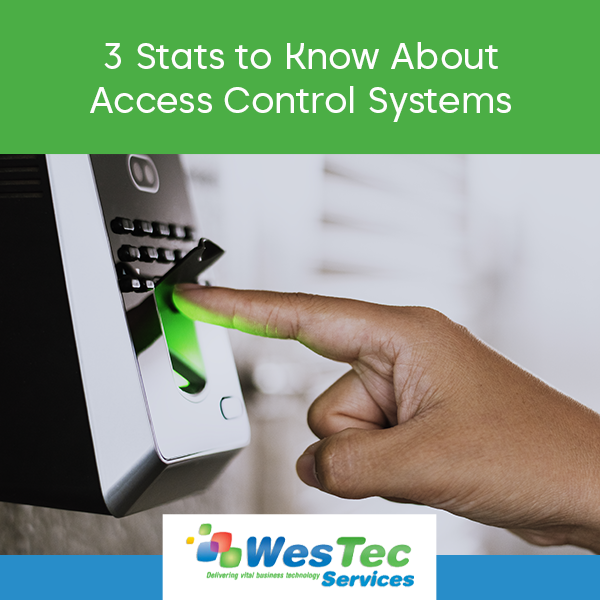
 If you are looking to upgrade your security, consider an access control system. Access control systems offer many centrally controlled security options, including video surveillance, fingerprint entry systems, and key card scanners. If you’re still on the fence, here are a few stats you should know about access control systems:


 You have likely seen the acronym “HTTP” while navigating the internet. HTTP (Hypertext Transfer Protocol) appears at the beginning of a web address and supports data transfer between the web browser and website.
  Why It’s Important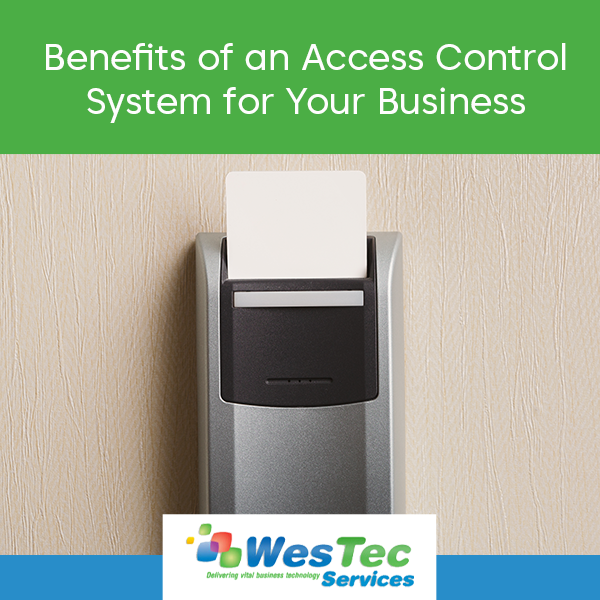
 As a business, you have assets to protect. Therefore, you need a high-quality security system that protects against external and internal threats, and provides peace of mind. Here are a few ways an access control system could benefit your business:
 For businesses, security threats of any kind can disrupt productivity and ultimately result in costly repairs or damage control. Video surveillance (CCTV) offers many benefits for businesses, including theft deterrence and employee safety. Here are a few reasons you should consider investing in video surveillance technology:
 Crime deterrence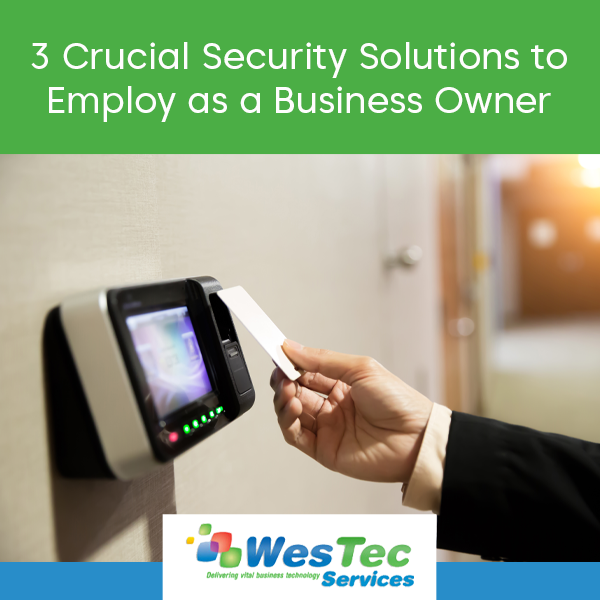
 A
A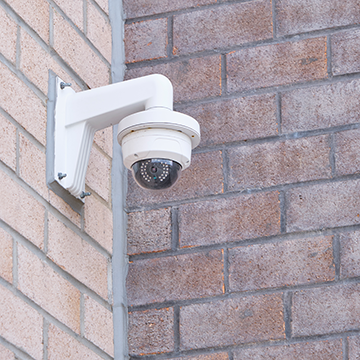 CCTV or IP Security System
 2. Lock your device.
 Educate All Employees on Security Policy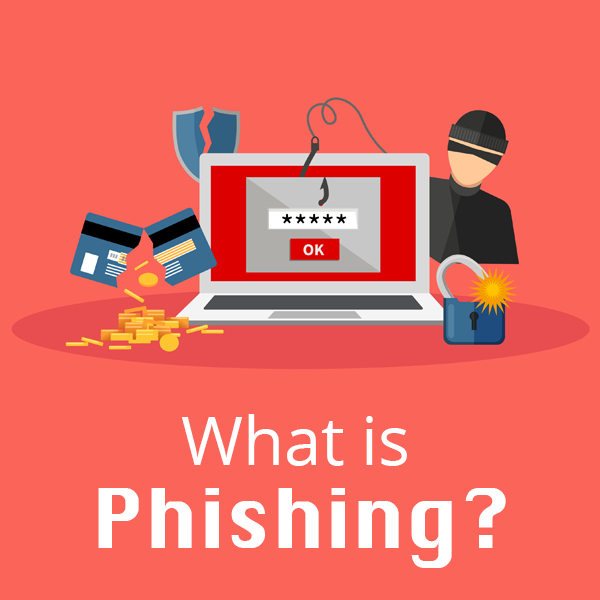
 Phishing is defined as a cyber attack that uses disguised emails as weapons. Hackers try to trick email recipients into clicking links or attachments they designed to steal personal information.
 Use a Credit Card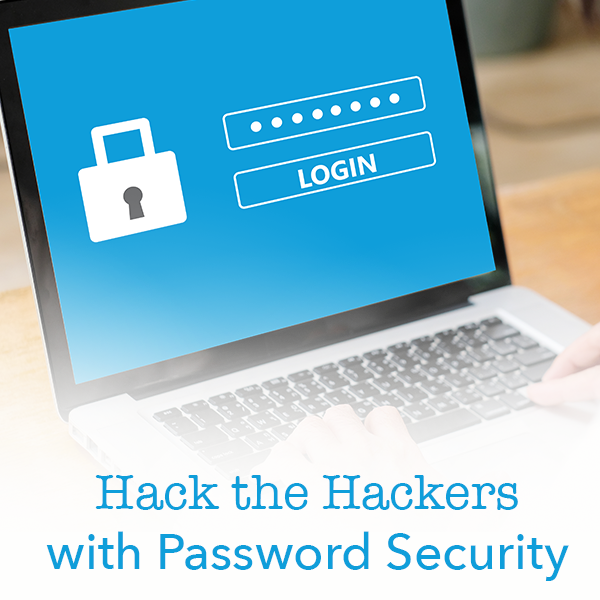
 Have you ever been the victim of a cyber attack? Do you use the same password for all of your accounts? Follow our guide to outsmart the hackers with increased password security.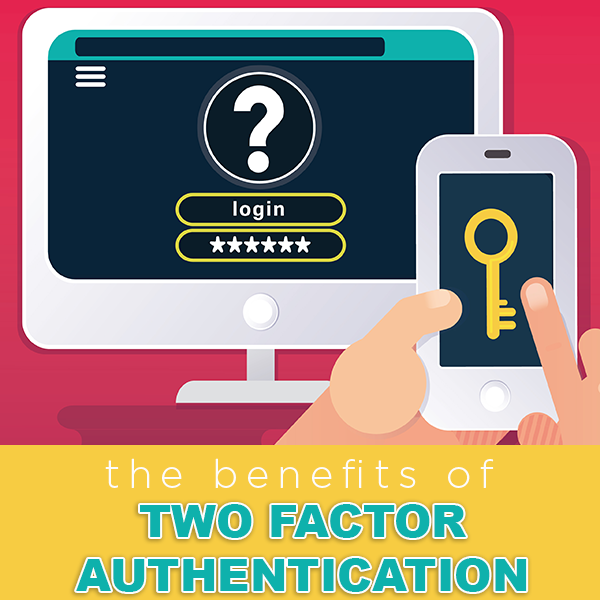
 Reduce Fraud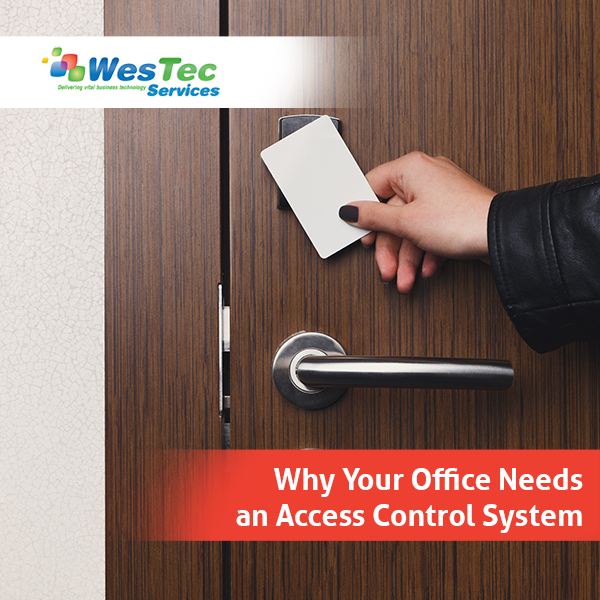
 Installing an access control system proactively protects your business. ID key entry, fingerprint scanners and video monitoring can ensure only authorized individuals enter a space. WesTec’s access control systems are completely customizable, making it easy for companies with all budgets to protect its employees and assets.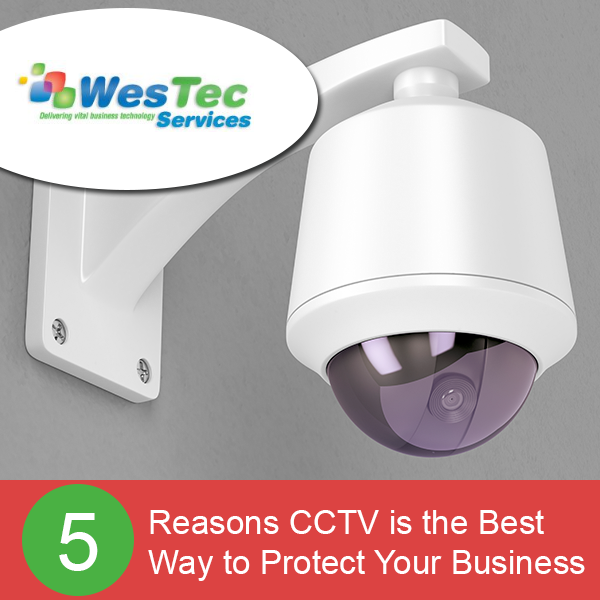
 Stop Crime Before It Happens
Like most security systems, a lot of the job is done just by installing it. CCTV uses a group of circuited modern security cameras. The placement of those cameras alone is often enough to deter criminals before they commit a crime. Your security cameras will capture a recording if something does occur, but usually surveillance cameras are a natural deterrent.
Catch Crime If It Happens
Hopefully having a CCTV system in place is enough to deter potential criminals from trying anything, but on the off-chance something happens your video surveillance will certainly catch it on film. Having a physical recording when filing a police report gives you an exponentially better chance that the authorities can find the person(s) responsible. You have the event recorded and potentially can even ID a suspect from the recording.
100% Coverage
CCTV is as close to fool-proof surveillance that money can buy. It is virtually impenetrable and immune to human error. It records everything that happens, and you can set up as many cameras as you feel is necessary to cover the entire area. Between the constant, uninterrupted surveillance and its self-sufficiency, even your employees will be kept honest by your CCTV system.
Complete Self-Maintenance
Stop Crime Before It Happens
Like most security systems, a lot of the job is done just by installing it. CCTV uses a group of circuited modern security cameras. The placement of those cameras alone is often enough to deter criminals before they commit a crime. Your security cameras will capture a recording if something does occur, but usually surveillance cameras are a natural deterrent.
Catch Crime If It Happens
Hopefully having a CCTV system in place is enough to deter potential criminals from trying anything, but on the off-chance something happens your video surveillance will certainly catch it on film. Having a physical recording when filing a police report gives you an exponentially better chance that the authorities can find the person(s) responsible. You have the event recorded and potentially can even ID a suspect from the recording.
100% Coverage
CCTV is as close to fool-proof surveillance that money can buy. It is virtually impenetrable and immune to human error. It records everything that happens, and you can set up as many cameras as you feel is necessary to cover the entire area. Between the constant, uninterrupted surveillance and its self-sufficiency, even your employees will be kept honest by your CCTV system.
Complete Self-Maintenance You can leave your CCTV system running 24/7/365 without the burden of having someone physically on-site to manage it. There is no need for a guard to sit at your business through the night or to pay personnel to come in on holidays. With CCTV recording everything at your business, you can rest easy knowing that nothing will happen that you don’t know about.
Protecting your home or business is important. At WesTec, we have a staff of trained professionals ready to assist you and answer any questions you may have.
You can leave your CCTV system running 24/7/365 without the burden of having someone physically on-site to manage it. There is no need for a guard to sit at your business through the night or to pay personnel to come in on holidays. With CCTV recording everything at your business, you can rest easy knowing that nothing will happen that you don’t know about.
Protecting your home or business is important. At WesTec, we have a staff of trained professionals ready to assist you and answer any questions you may have. 

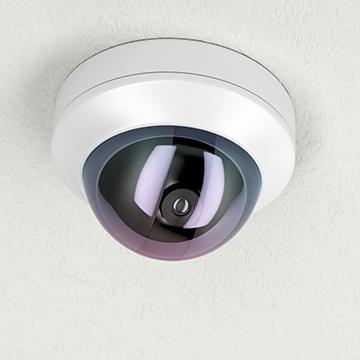 At WesTec, our professionals will survey the designated area to determine how many cameras are needed, where the cameras should be located, perform camera installation requirements, and ensure camera functionality–while remaining compliant with any budget.
If your business is ready to take security to the next level with reliable CCTV or IP systems, contact WesTec today.
At WesTec, our professionals will survey the designated area to determine how many cameras are needed, where the cameras should be located, perform camera installation requirements, and ensure camera functionality–while remaining compliant with any budget.
If your business is ready to take security to the next level with reliable CCTV or IP systems, contact WesTec today.





 2916 West TC Jester Blvd.,
Suite 104
2916 West TC Jester Blvd.,
Suite 104